Multi-project layer for self-hosted Supabase.
Run multiple database projects on a single Supabase deployment — one PostgreSQL instance, one API gateway, one dashboard — with isolated auth, storage, and APIs per project.
Status: Experimental / Hobby-use SuperBase² is new and untested in production. It works by layering on top of stock Supabase with minimal modifications to upstream files (all tracked in
SB2_MODIFIED_FILES.md). This means it inherits Supabase's stability for the core infrastructure, but the multi-project orchestration itself hasn't been battle-tested yet. Great for hobby projects, side projects, and development environments. Use in production at your own discretion.

Self-hosted Supabase is hardcoded to a single project. If you want to run two apps (say, a main product and an internal tool), you'd normally need two full Supabase stacks — duplicating PostgreSQL, Kong, Studio, analytics, and everything else.
SuperBase² fixes this:
- Heavy containers are shared — PostgreSQL, Kong (API gateway), Studio (dashboard), imgproxy, analytics, vector, and the connection pooler run once regardless of how many projects you have.
- Lightweight containers are per-project — GoTrue (auth), PostgREST (REST API), Realtime, Storage, Edge Functions, and postgres-meta each get a small isolated instance per project, pointed at their own database.
- Each project gets its own database on the shared PostgreSQL instance, with its own JWT secrets, API keys, auth schema, and storage.
- Everything routes through one port — Kong on
:8000handles routing to the right per-project service based on the project ref in the URL path. - The Studio dashboard gets a project switcher — the existing sidebar project selector and
Cmd+Ksearch just work, showing all your projects. - A dedicated SB2 dashboard at
/sb2lets you create projects and check for upstream updates, visually distinct from the standard Supabase UI.
SuperBase² is designed so that updating Supabase is painless:
- Minimal modifications to existing Supabase files. The bulk of SuperBase² is new files in new directories. A small set of upstream Studio files are modified in-place to wire in the sb2 routing, auth, and per-project route handlers — they're all listed in
SB2_MODIFIED_FILES.md. The core integration point isapps/studio/next.config.ts, which adds theSUPERBASE2_REWRITESblock that intercepts/api/platform/**and routes to the sb2 handlers. git pulljust works for nearly everything. Because most upstream files are untouched, pulling new Supabase releases conflicts only on the small set listed inSB2_MODIFIED_FILES.md. When resolving an upstream merge, scrutinize each file in that document — everything else can usually take-upstream safely.- Stock Docker images for all services. Per-project services (GoTrue, PostgREST, Realtime, Storage, Edge Functions, postgres-meta) use the exact same official Supabase Docker images — no forks, no custom builds. When Supabase releases a new version, pull and restart. The Studio is the one exception: it must be built from this fork's source because the SuperBase² API routes live inside it.
- Upgrade detection built in. The
/sb2dashboard checks Docker Hub for newer image tags and shows a banner when updates are available, along with the exact commands to run.
# Upgrading (VPS / bare metal):
git pull upstream master
docker compose -f docker-compose.yml -f docker-compose.superbase2.yml pull
docker compose -f docker-compose.yml -f docker-compose.superbase2.yml up -d

# Upgrading (Coolify): merge upstream, then re-generate the Coolify compose file.
# See the Coolify section below for details.
┌─────────────────────────────────────────────────────────┐
│                    Shared (run once)                     │
│  ┌──────────┐ ┌──────┐ ┌────────┐ ┌────────┐ ┌───────┐ │
│  │ Postgres │ │ Kong │ │ Studio │ │Imgproxy│ │Vector │ │
│  │ (all DBs)│ │:8000 │ │  :3000 │ │        │ │       │ │
│  └──────────┘ └──┬───┘ └────────┘ └────────┘ └───────┘ │
│                  │                                      │
│    ┌─────────────┼─────────────┐                        │
│    │ /project/abc123/rest/v1/  │ Kong routes by         │
│    │ /project/abc123/auth/v1/  │ project ref prefix     │
│    │ /project/def456/rest/v1/  │                        │
│    └─────────────┼─────────────┘                        │
└──────────────────┼──────────────────────────────────────┘
                   │
    ┌──────────────┼──────────────┐
    ▼              ▼              ▼
┌────────┐   ┌────────┐   ┌────────┐
│Project │   │Project │   │Project │   Per-project
│  abc   │   │  def   │   │  ghi   │   (lightweight)
│        │   │        │   │        │
│GoTrue  │   │GoTrue  │   │GoTrue  │   ~30 MB
│PostgRST│   │PostgRST│   │PostgRST│   ~15 MB
│Realtime│   │Realtime│   │Realtime│   ~100 MB
│Storage │   │Storage │   │Storage │   ~50 MB
│EdgeFn  │   │EdgeFn  │   │EdgeFn  │   ~80 MB
│pg-meta │   │pg-meta │   │pg-meta │   ~20 MB
└────────┘   └────────┘   └────────┘
Each per-project container connects to its own database on the shared PostgreSQL instance and uses its own JWT secret. They communicate over Docker's internal network — no extra ports exposed.
git clone https://github.com/zbcoding/superbase2.git
cd superbase2/docker/superbase2
./install.sh
The install script handles everything interactively:
- Checks prerequisites (Docker, openssl)
- Generates all secrets
- Asks for your domain (or defaults to localhost)
- Builds the Studio from source (~5–15 min on first run, cached after that)
- Pulls all other Docker images
- Starts the shared infrastructure
- Optionally creates your first project
Or non-interactively:
./install.sh --project myappCoolify expects a single compose file — it does not support the multi-file -f … -f … syntax. A pre-merged docker-compose.coolify.yml is provided for this.
-
Fork this repo on GitHub, push your SuperBase² changes, and merge to your master branch.
-
In Coolify: New Resource → Docker Compose
-
Git source: your fork, master branch
-
Base directory:
/docker -
Docker Compose Location:
/docker/docker-compose.coolify.yml -
Coolify shows all the environment variables from Supabase's
.env.examplein its GUI. Generate secrets locally and fill them in:cd docker && sh utils/generate-keys.sh
Update at minimum:
SUPABASE_PUBLIC_URL— your Coolify domain for Kong (e.g.https://api.supabase.example.com)API_EXTERNAL_URL— exact same domain URL as abovePOSTGRES_PASSWORD,JWT_SECRET,ANON_KEY,SERVICE_ROLE_KEYDASHBOARD_USERNAME,DASHBOARD_PASSWORD
The SuperBase² variables (
SUPERBASE2_ENABLED,SUPERBASE2_MANIFEST, etc.) are hardcoded in the compose file — you don't need to configure them. -
Configure Domains in Coolify: Coolify will auto-generate domain inputs for every single service. You must delete most of these to keep your database secure.
studio→ give this a domain (e.g.https://supabase.example.com) to access your dashboard.kong→ give this a domain (e.g.https://api.supabase.example.com). This must match yourSUPABASE_PUBLIC_URL.- Delete the domains entirely for every other service (
auth,rest,storage,meta,realtime,vector,imgproxy,functions,analytics,supavisor,superbase2-init). These are internal microservices that must sit securely behind thekongAPI Gateway and not be publicly exposed.
-
Deploy — Coolify will build the Studio from your fork's source on first deploy (10–30 min). Subsequent deploys are fast due to Docker layer caching.
Once running, open /sb2 in your browser to create projects. After creating a project in the UI, SSH into the server to start its containers:
cd docker/superbase2
./superbase2.sh up myproject
Or skip the UI and do everything from SSH:
cd docker/superbase2
./superbase2.sh setup myproject   # create + start in one step
Upgrading on Coolify: When Supabase releases updates, merge upstream into your fork. The upstream docker-compose.yml will update cleanly (SuperBase² never modifies it). Then regenerate the merged Coolify file — the simplest way is to run the merge locally:
git pull upstream master
# Re-merge: copy upstream docker-compose.yml, apply the superbase2 overlay changes
# The overlay (docker-compose.superbase2.yml) is the source of truth for SB2 changes
Why a merged file instead of the overlay: Coolify does not support Docker Compose's multi-file -f flag. The docker-compose.coolify.yml is a pre-merged copy of docker-compose.yml + docker-compose.superbase2.yml. The overlay file remains the canonical source for SuperBase² changes.
Why base directory is /docker and not /docker/superbase2: Coolify reads .env.example from the base directory to populate its env var GUI. By pointing at /docker, Coolify reads Supabase's upstream .env.example directly — so when Supabase adds new variables, they automatically appear in your Coolify GUI without any SuperBase² changes.
Why per-project containers need SSH: Starting Docker containers requires Docker socket access, which the Studio web app doesn't have. The /sb2 UI creates the database and secrets; SSH handles the container lifecycle. This is standard for Coolify — Coolify's terminal or an SSH connection both work.
Quickest way (SSH only):
cd docker/superbase2
./superbase2.sh setup myproject   # creates DB, secrets, Kong routes, starts containers
From the browser + SSH:
- Navigate to
/sb2, type a project name, click Create (creates DB + secrets) - SSH into the server and start the containers:
cd docker/superbase2
./superbase2.sh up myproject
Two-step CLI (if you need to customize between create and start):
./superbase2.sh create myproject   # creates DB, secrets, Kong routes
./superbase2.sh up myproject # starts per-project containersThe standard Supabase Studio sidebar and Cmd+K project switcher work automatically — they show all your projects. Click one to switch.
./superbase2.sh list                    # list all projects
./superbase2.sh status                  # show container status
./superbase2.sh client-config myproject # print SDK connection details
./superbase2.sh down myproject          # stop a project's containers
./superbase2.sh destroy myproject # delete project, database, and all dataimport { createClient } from '@supabase/supabase-js'
const supabase = createClient(
'https://your-domain.com/project/<ref>',
'<anon-key>' // from: ./superbase2.sh client-config <name>
)The /sb2 dashboard automatically checks Docker Hub for newer image tags. When updates are available, it shows an amber banner with the outdated services and upgrade commands.
You can also check programmatically:
curl http://localhost:8000/api/superbase2/upgradeSuperBase² adds these new files and directories:
| File | Purpose |
|---|---|
apps/studio/lib/superbase2/ |
Project manifest reader/writer, DB provisioning, response shape helpers |
apps/studio/pages/api/superbase2/ |
API routes for project CRUD, org listing, upgrade checks |
apps/studio/pages/sb2/ |
SB2 dashboard UI (amber-themed, distinct from Supabase green) |
docker/superbase2/superbase2.sh |
CLI for creating/managing projects and per-project containers |
docker/superbase2/templates/ |
Docker Compose and Kong config templates for per-project services |
docker/docker-compose.superbase2.yml |
Overlay that enables SB2 on the Studio container |
docker/docker-compose.coolify.yml |
Pre-merged single compose file for Coolify (base + overlay combined) |
docker/superbase2/docker-compose.standalone.yml |
All-in-one merged file for standalone deployment without the upstream Supabase stack |
It also modifies a small number of upstream Studio files — see SB2_MODIFIED_FILES.md for the authoritative list.
The key integration point is apps/studio/next.config.ts. When SUPERBASE2_ENABLED is on, the SUPERBASE2_REWRITES block intercepts requests to /api/platform/projects, /api/platform/organizations/*/projects, /api/platform/profile, plus per-project /api/platform/{auth,storage,pg-meta}/[ref]/** routes, rewriting them to the SB2 API routes. The SB2 routes read from a shared projects.json manifest and per-project containers instead of returning the hardcoded single default project.
The existing Studio UI components — project switcher, command palette, project cards — all work unmodified because the SB2 API routes return the exact same response shapes that the Supabase Cloud API uses.
- Per-project containers need SSH to start. Creating a project via the
/sb2UI creates the database and manifest entry, but starting GoTrue/PostgREST/etc. requires running./superbase2.sh up <name>on the server (or./superbase2.sh setup <name>to do both from SSH). This is because Docker socket access is needed, which Studio doesn't have. On Coolify, use the built-in terminal or SSH. - Kong API keys are per-project. Each project gets its own consumers and API key credentials in Kong, generated during
rebuild-kong. Projects are isolated at both the Kong routing layer (API key validation) and the JWT level (per-service JWT secrets). - No per-project Studio UI yet. Studio shows all projects but doesn't scope its postgres-meta connection per project when you switch. This is a future improvement.
- Untested at scale. This has been tested with a handful of projects. Running 50+ projects on one instance is uncharted territory.
SuperBase² is built entirely on top of Supabase, which is open source under the Apache 2.0 license. SuperBase² does not modify any Supabase source code — it layers additional functionality on top of the official self-hosted Docker deployment.
For Supabase documentation, setup guides, and the full platform feature set, see supabase.com/docs.


Supabase is the Postgres development platform. We're building the features of Firebase using enterprise-grade open source tools.
- Hosted Postgres Database. Docs
- Authentication and Authorization. Docs
- Auto-generated APIs.
- Functions.
- File Storage. Docs
- AI + Vector/Embeddings Toolkit. Docs
- Dashboard
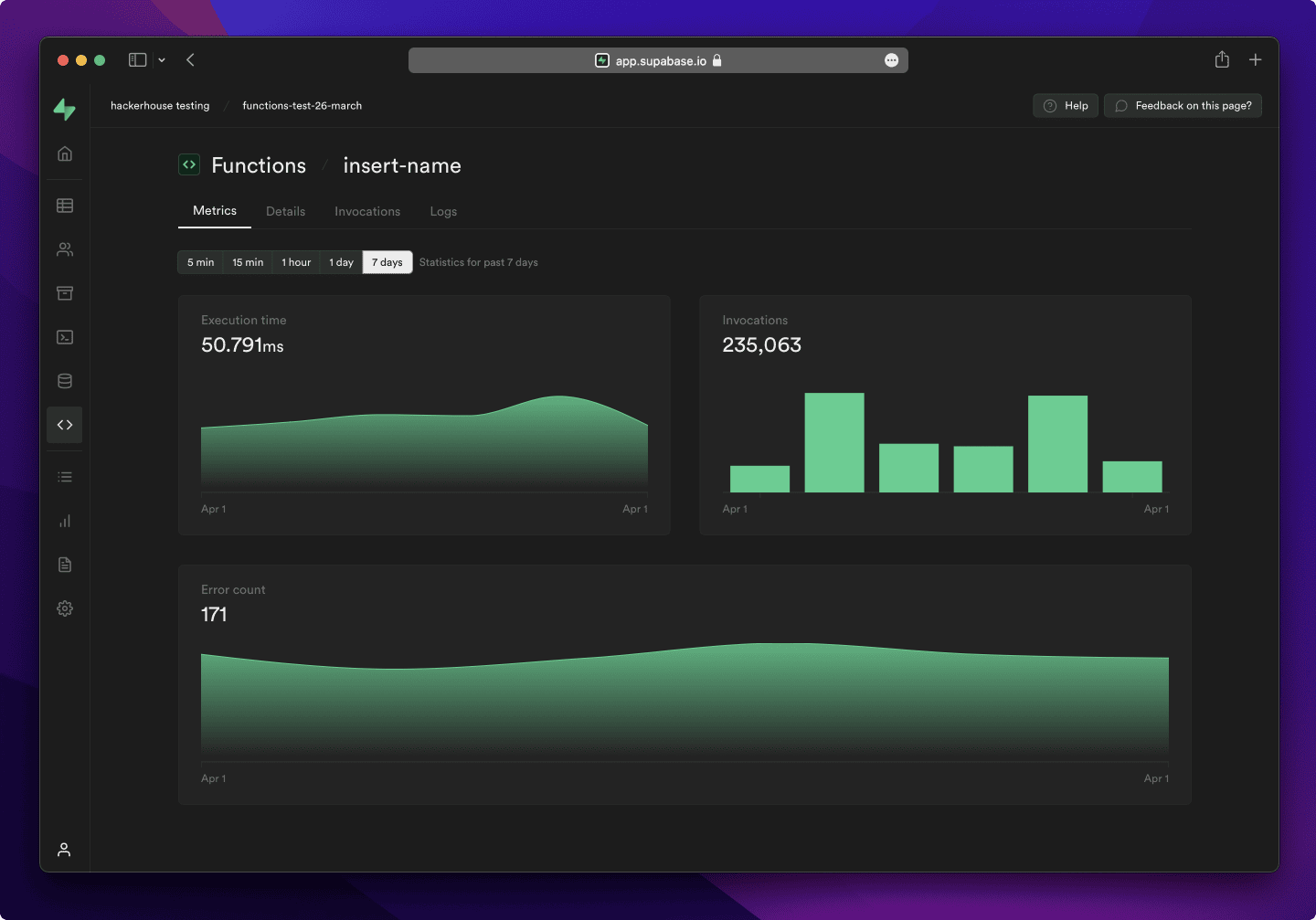
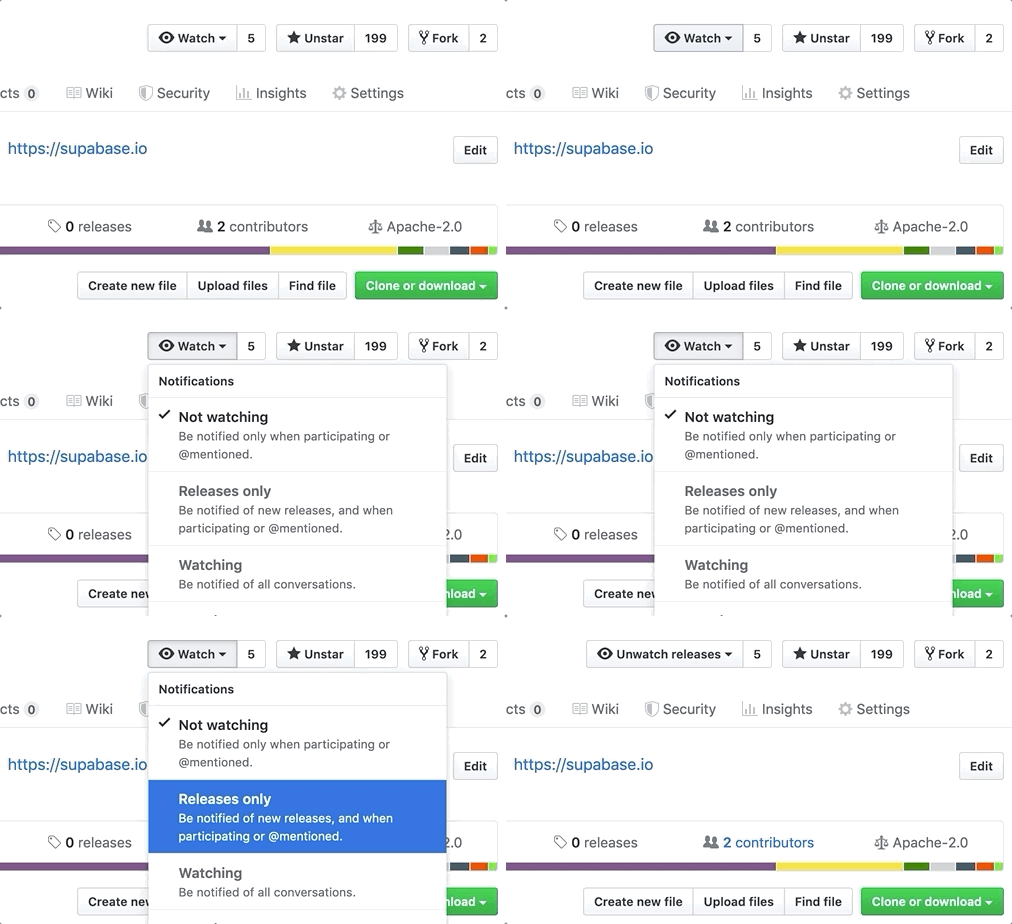
Watch "releases" of this repo to get notified of major updates.
For full documentation, visit supabase.com/docs
To see how to Contribute, visit Getting Started
- Community Forum. Best for: help with building, discussion about database best practices.
- GitHub Issues. Best for: bugs and errors you encounter using Supabase.
- Email Support. Best for: problems with your database or infrastructure.
- Discord. Best for: sharing your applications and hanging out with the community.
Supabase is a combination of open source tools. We’re building the features of Firebase using enterprise-grade, open source products. If the tools and communities exist, with an MIT, Apache 2, or equivalent open license, we will use and support that tool. If the tool doesn't exist, we build and open source it ourselves. Supabase is not a 1-to-1 mapping of Firebase. Our aim is to give developers a Firebase-like developer experience using open source tools.
Architecture
Supabase is a hosted platform. You can sign up and start using Supabase without installing anything. You can also self-host and develop locally.

- Postgres is an object-relational database system with over 30 years of active development that has earned it a strong reputation for reliability, feature robustness, and performance.
- Realtime is an Elixir server that allows you to listen to PostgreSQL inserts, updates, and deletes using websockets. Realtime polls Postgres' built-in replication functionality for database changes, converts changes to JSON, then broadcasts the JSON over websockets to authorized clients.
- PostgREST is a web server that turns your PostgreSQL database directly into a RESTful API.
- GoTrue is a JWT-based authentication API that simplifies user sign-ups, logins, and session management in your applications.
- Storage a RESTful API for managing files in S3, with Postgres handling permissions.
- pg_graphql a PostgreSQL extension that exposes a GraphQL API.
- postgres-meta is a RESTful API for managing your Postgres, allowing you to fetch tables, add roles, and run queries, etc.
- Kong is a cloud-native API gateway.
Our approach for client libraries is modular. Each sub-library is a standalone implementation for a single external system. This is one of the ways we support existing tools.
| Language | Client | Feature-Clients (bundled in Supabase client) | ||||
|---|---|---|---|---|---|---|
| Supabase | PostgREST | GoTrue | Realtime | Storage | Functions | |
| ⚡️ Official ⚡️ | ||||||
| JavaScript (TypeScript) | supabase-js | postgrest-js | auth-js | realtime-js | storage-js | functions-js |
| Flutter | supabase-flutter | postgrest-dart | gotrue-dart | realtime-dart | storage-dart | functions-dart |
| Swift | supabase-swift | postgrest-swift | auth-swift | realtime-swift | storage-swift | functions-swift |
| Python | supabase-py | postgrest-py | gotrue-py | realtime-py | storage-py | functions-py |
| 💚 Community 💚 | ||||||
| C# | supabase-csharp | postgrest-csharp | gotrue-csharp | realtime-csharp | storage-csharp | functions-csharp |
| Go | - | postgrest-go | gotrue-go | - | storage-go | functions-go |
| Java | - | - | gotrue-java | - | storage-java | - |
| Kotlin | supabase-kt | postgrest-kt | auth-kt | realtime-kt | storage-kt | functions-kt |
| Ruby | supabase-rb | postgrest-rb | - | - | - | - |
| Rust | - | postgrest-rs | - | - | - | - |
| Godot Engine (GDScript) | supabase-gdscript | - | - | - | - | - |

[](https://supabase.com)<a href="https://supabase.com">
<img
width="168"
height="30"
src="https://supabase.com/badge-made-with-supabase.svg"
alt="Made with Supabase"
/>
</a>
[](https://supabase.com)<a href="https://supabase.com">
<img
width="168"
height="30"
src="https://supabase.com/badge-made-with-supabase-dark.svg"
alt="Made with Supabase"
/>
</a>- Arabic | العربية
- Albanian / Shqip
- Bangla / বাংলা
- Bulgarian / Български
- Catalan / Català
- Croatian / Hrvatski
- Czech / čeština
- Danish / Dansk
- Dutch / Nederlands
- English
- Estonian / eesti keel
- Finnish / Suomalainen
- French / Français
- German / Deutsch
- Greek / Ελληνικά
- Gujarati / ગુજરાતી
- Hebrew / עברית
- Hindi / हिंदी
- Hungarian / Magyar
- Nepali / नेपाली
- Indonesian / Bahasa Indonesia
- Italiano / Italian
- Japanese / 日本語
- Korean / 한국어
- Lithuanian / lietuvių
- Latvian / latviski
- Malay / Bahasa Malaysia
- Norwegian (Bokmål) / Norsk (Bokmål)
- Persian / فارسی
- Polish / Polski
- Portuguese / Português
- Portuguese (Brazilian) / Português Brasileiro
- Romanian / Română
- Russian / Pусский
- Serbian / Srpski
- Sinhala / සිංහල
- Slovak / slovenský
- Slovenian / Slovenščina
- Spanish / Español
- Simplified Chinese / 简体中文
- Swedish / Svenska
- Thai / ไทย
- Traditional Chinese / 繁體中文
- Turkish / Türkçe
- Ukrainian / Українська
- Vietnamese / Tiếng Việt
- List of translations