Note
This integration and its developer are independent and are not affiliated, endorsed, or sponsored by NOAA in any way.





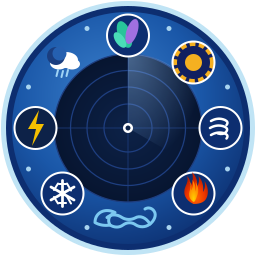
This Home Assistant integration provides comprehensive NOAA data through sensors and images, with the latest addition of location-specific rip current and surf zone forecasts.
example using mushroom-template-card

- Open HACS in Home Assistant
- Click Integrations
- Search for "NOAA It All"
- Click Download
- Restart Home Assistant
- Open HACS in Home Assistant
- Click the three-dot menu (⋮) → Custom repositories
- Add
https://github.com/dawg-io/noaa_it_allwith category Integration - Click Download on the NOAA It All card
- Restart Home Assistant
- Download the latest release from GitHub Releases
- Copy the
custom_components/noaa_it_allfolder to your Home Assistantcustom_componentsdirectory - Restart Home Assistant
For location-specific rip current, surf zone, and weather data:
- Go to Settings → Integrations → Add Integration
- Search for "NOAA It All"
- Enter your Latitude and Longitude (required) - Weather observations will be fetched from the nearest station to this location


Removed. YAML configuration is no longer supported and creates no entities. If
noaa_it_all:is present inconfiguration.yaml, the integration logs an error and sets nothing up. Remove the block and add the integration through Settings → Devices & Services → Add Integration → NOAA It All.
NOAA It All organizes entities into logical device groups for better organization in Home Assistant. All entities are automatically grouped under one of the following devices:
Space weather monitoring — aurora visibility, geomagnetic storms, solar radiation alerts — plus the meteor shower and eclipse forecasts
- Device ID:
noaa_space - Location: Space weather is global; meteor shower and eclipse entities use your configured latitude/longitude
- Update Frequency: 10 minutes for space weather, 30 minutes for meteor showers; eclipses recompute hourly, tightening to every minute while one is under way

Global hurricane tracking and GOES satellite imagery — created once, shared across all configured NWS offices
- Device ID:
noaa_weather_hurricane - Location: Independent (global NHC/GOES data)
- Update Frequency: 5 minutes
- Entities:
sensor.noaa_hurricane_activity,sensor.noaa_hurricane_alerts,image.noaa_hurricane_outlook_image,image.noaa_hurricane_goes_air_mass,image.noaa_hurricane_goes_geocolor

Important: Hurricane and GOES satellite entities live under NOAA Hurricane only. They are never duplicated under office-specific devices, even if multiple NWS offices are configured.
Location-specific surf conditions, rip currents, and water temperature
- Device ID:
noaa_surf - Location: Specific to configured NWS office
- Update Frequency: 5 minutes

Location-specific weather observations, forecasts, alerts, and radar — one device per configured NWS office (e.g., "NOAA ILM Weather" for Wilmington, NC, "NOAA ILM Weather" for Wilmington)
- Device ID:
noaa_{office}_weather(e.g.,noaa_ilm_weather,noaa_ilm_weather) - Location: Specific to configured NWS office and coordinates
- Update Frequency: 5 minutes
- Radar image:
image.noaa_{office}_weather_radar_base_reflectivity(e.g.,image.noaa_ilm_weather_radar_base_reflectivity)

Tip: In Home Assistant's device view (Settings → Devices & Services), click on any NOAA device to see all related entities grouped together. This makes it easy to create dashboard cards and automations for specific categories of data.
- Kp Index: Planetary average of geomagnetic activity, updated every 3 hours (NOAA Space)
- Geomagnetic Storm Measurements: Long-term measure of geomagnetic storm intensity (NOAA Space)
- Hurricane Alerts: Number of active hurricane/tropical storm warnings and watches (NOAA Hurricane)
- Hurricane Activity: Overall hurricane activity status (Quiet, Low, Moderate, High) (NOAA Hurricane)
- Rip Current Risk: Current risk level (Low, Moderate, High) from your NWS office's surf zone forecast (NOAA Surf)
- Surf Height: Wave height estimates in feet from local surf zone forecasts (NOAA Surf)
- Water Temperature: Local water temperature from surf zone forecasts (NOAA Surf)
- Unsafe to Swim: Binary sensor indicating dangerous rip current conditions (NOAA Surf)
Real-time monitoring of National Weather Service alerts for your location (NOAA Weather [OFFICE]):
Binary Sensors (True/False):
- Severe Weather Alert: Active tornado, thunderstorm, hurricane, or extreme wind warnings/watches (binary_sensor.noaa_{office}_weather_severe_weather_alert)
- Flood/Winter Alert: Active flood, winter storm, snow, ice, or freezing rain warnings/watches (binary_sensor.noaa_{office}_weather_flood_winter_alert)
- Heat/Air Quality Alert: Active heat, air quality, fire weather, or environmental advisories (binary_sensor.noaa_{office}_weather_heat_air_quality_alert)
- Active Alerts: General indicator for any active NWS alerts (binary_sensor.noaa_{office}_weather_active_alerts)
Comprehensive Sensor:
- Active NWS Alerts: Detailed alert information including (NOAA Weather):
- Total alert count
- Summary by severity (Extreme, Severe, Moderate, Minor)
- Summary by urgency (Immediate, Expected, Future)
- Breakdown by alert type (warnings, watches, advisories, statements)
- Full alert details with headlines, descriptions, and instructions
- Location-specific filtering based on configured coordinates
Note: Alert sensors update every 10 minutes and only include actual alerts (excludes test messages and drafts). All alerts are filtered to your specific location using latitude/longitude coordinates from config flow setup. Binary sensors are grouped under NOAA Weather [OFFICE] while the comprehensive sensor is under NOAA Weather.
Real-time weather observations from your local NWS observation station (NOAA Weather):
- Temperature: Current temperature in °F (sensor.noaa_{office}_weather_temperature)
- Humidity: Relative humidity percentage (sensor.noaa_{office}_weather_humidity)
- Wind Speed: Wind speed in mph (sensor.noaa_{office}_weather_wind_speed)
- Wind Direction: Wind direction in degrees with cardinal direction (sensor.noaa_{office}_weather_wind_direction)
- Barometric Pressure: Barometric pressure in inHg (sensor.noaa_{office}_weather_barometric_pressure)
- Dewpoint: Dewpoint temperature in °F (sensor.noaa_{office}_weather_dewpoint)
- Visibility: Visibility distance in miles (sensor.noaa_{office}_weather_visibility)
- Sky Conditions: Current sky conditions description (Clear, Cloudy, Fog, etc.) (sensor.noaa_{office}_weather_sky_conditions)
- Feels Like: Apparent temperature incorporating wind chill or heat index (sensor.noaa_{office}_weather_feels_like)
Note: Weather observations update every 10 minutes from the primary observation station for your configured NWS office location. Data includes automatic unit conversions to US customary units.
Location-aware aurora visibility predictions (NOAA Space):
- Aurora Next Time: Predicted timing when aurora activity may begin at your location (sensor.noaa_{office}_space_aurora_next_time)
- Aurora Duration: Estimated length of aurora visibility in hours based on geomagnetic conditions (sensor.noaa_{office}_space_aurora_duration)
- Aurora Visibility Probability: Percentage chance of aurora visibility from your specific location (sensor.noaa_{office}_space_aurora_visibility_probability)
Note: Aurora predictions are based on real-time Kp index data and your location's magnetic latitude. Northern locations (like Duluth, MN) have much higher visibility potential than southern locations (like Miami, FL).
Location-aware monitoring of solar radiation storm activity (NOAA Space):
- Solar Radiation Storm Alerts: Location-aware monitoring of solar radiation storm activity with S1-S5 classification (sensor.noaa_{office}_space_solar_radiation_storm_alerts)
- Storm Classification: Automatic detection and classification of solar radiation storms (S1-S5 scale)
- Expected Timing: Start and end times for radiation storm events when available
- Impact Assessment: Potential impacts including satellite interference, radio blackouts, and radiation exposure risks
- Location Risk: Risk assessment based on your magnetic latitude and current storm activity
- Real-time Alerts: Live monitoring of NOAA Space Weather Prediction Center alerts
Note: Solar radiation storm impacts vary by location and magnetic latitude. Higher latitudes (like Alaska and northern Canada) experience more severe effects, while equatorial regions are generally less affected. The integration provides location-specific risk assessments for your configured NWS office.
Meteor shower alerts and a viewing forecast for your exact location (NOAA Space):
- Meteor Shower Activity: The shower most worth watching right now, or
None(sensor.noaa_{office}_space_meteor_shower_activity)- Attributes include the current ZHR, peak time in your local timezone, radiant altitude, parent body, and a list of every shower currently active
- Next Meteor Shower: The next shower to reach maximum (sensor.noaa_{office}_space_next_meteor_shower)
- The
upcomingattribute holds the next five showers with peak dates — this is what dashboard "what's coming up" cards read from
- The
- Meteor Viewing Score: How good tonight's sky is, 0–100% (sensor.noaa_{office}_space_meteor_viewing_score)
- Attributes include
rating,best_window_start/best_window_end(when to actually go outside),expected_per_hour,moon_illumination,moon_altitude,darkness, andlimiting_factor
- Attributes include
- Meteor Shower Active: Turns on when a shower is genuinely worth going outside for (binary_sensor.noaa_{office}_space_meteor_shower_active)
- Requires both a real predicted rate (≥5/hour) and usable sky conditions (score ≥25), so it stays off most nights instead of sitting permanently on
- Measured over 2026 from Wilmington NC that is about 50 nights, clustered around the major showers (~13 for the Perseids, 8 for the Orionids, 7 for the Geminids) — the Perseids really do stay above 5/hour for roughly six days either side of maximum
Note on the data source: NOAA publishes no meteor shower data, and neither does anyone else as a live feed — none is needed. Earth crosses the same debris streams at the same point in its orbit every year, so this feature ships a catalog of ~29 showers keyed by solar longitude and computes each year's peak time locally. There is no API call, no API key, and no extra dependency, and it keeps working with no internet connection. Computed peak times are accurate to about ±11 minutes, which is far finer than the hours-wide spread of real shower maxima.
Note on the score: The viewing score measures sky conditions, not shower strength — it is the fraction of the ideal meteor rate you would actually achieve, so a minor shower riding high under a new moon scores well while the Perseids behind a full moon score badly. Shower strength is reported separately as
expected_per_hour. The score accounts for radiant altitude, moonlight and astronomical darkness. It does not account for cloud cover; pair it withsensor.noaa_{office}_weather_cloud_coverif you want that.
Eclipse alerts and a viewing forecast for your exact location (NOAA Space):
- Next Eclipse: The next eclipse visible from where you are, named the way you will see it (sensor.noaa_{office}_space_next_eclipse)
- Attributes include the local start/maximum/end times, how much of the disc you get, where to look, and an
upcominglist of the next five
- Attributes include the local start/maximum/end times, how much of the disc you get, where to look, and an
- Next Eclipse Time: When to go outside — a real timestamp, so Home Assistant shows "in 3 days" or "8:29 PM" and a time trigger can fire straight off it (sensor.noaa_{office}_space_next_eclipse_time)
- The moment the eclipse has begun and the Sun or Moon is above your horizon, which for an eclipse already under way at moonrise is moonrise. Attributes carry the end of the window, maximum, totality window, and
look_towards unknownwhen no eclipse is due, which for a timestamp is the honest answer
- The moment the eclipse has begun and the Sun or Moon is above your horizon, which for an eclipse already under way at moonrise is moonrise. Attributes carry the end of the window, maximum, totality window, and
- Eclipse Coverage: How much of the Sun or Moon you will actually see covered, 0–100% (sensor.noaa_{office}_space_eclipse_coverage)
- This is the "will I get 29% or the whole thing" number
- Eclipse Viewing Score: How worthwhile it is from here, 0–100% (sensor.noaa_{office}_space_eclipse_viewing_score)
- Attributes include
rating,watch_from_local/watch_until_local,look_towards, the totality window,limiting_factor, and the eye-safety notice
- Attributes include
- Eclipse Visible Now: Turns on an hour before first contact and off at last contact (binary_sensor.noaa_{office}_space_eclipse_visible_now)
- The one to trigger an announcement from. Expect it on for a few hours a year at most, and in many years not at all
- Eclipse Coming Up: Turns on two weeks before an eclipse worth planning around (binary_sensor.noaa_{office}_space_eclipse_coming_up)
- A higher bar than the live alert: a partial eclipse worth glancing at is not one worth booking the day off for
⚠️ Eye safety: Never look at a partially eclipsed Sun without ISO 12312-2 eclipse glasses or a certified solar filter — sunglasses, exposed film and smoked glass are not safe. Only during totality, between second and third contact, may the Sun be viewed with the naked eye, and the filter goes back on the instant the first sliver reappears. An annular eclipse is never safe to view unfiltered: there is still a complete ring of photosphere at maximum. Every solar entity carrieseye_protection_required,safe_without_filterand aneye_safetystring so an automation can read the warning out.
Note on "your" eclipse: A total solar eclipse is total along a strip a couple of hundred kilometres wide and merely partial across a whole continent either side of it. Everything here reports the eclipse you get — a 43% partial is reported as a partial eclipse, with the headline classification kept alongside as
global_type. Likewisedisc_covered, the viewing score andlook_towardsare all measured at the best moment the Sun or Moon is actually above your horizon, so a site where the body sets mid-eclipse is not advertised a maximum that happens underground, or pointed at a horizon the Moon has already set behind.visible_fractionsays how much of the event you get at all, andaltitude_at_maximumstill reports the geometric peak for reference.
Note on the two percentages:
disc_coveredis the fraction of the disc's area that is hidden. Eclipse magnitude, the figure usually quoted, is the fraction of its diameter, and the two are far apart — magnitude 0.5 is only 39% covered. Both are reported so you can compare against a published table.
Note on the data source: Lunar eclipses are computed from first principles and stay correct indefinitely. Solar eclipses need Besselian elements from full planetary ephemerides, so this feature bundles NASA's for 2025–2075 — 114 eclipses — and does the observer-specific geometry locally. There is no API call, no API key and no extra dependency, and it keeps working with no internet connection. Computed contact times land within 20 seconds of NASA's published values, checked against all 114. Regenerate or extend the catalog with
python3 scripts/build_eclipse_catalog.py. Eclipse Predictions by Fred Espenak, NASA's GSFC.
Note on the score: Unlike the meteor viewing score this deliberately does not factor out the strength of the event — whether the Moon covers a tenth of the Sun or all of it is the single most important thing about a solar eclipse. It accounts for how much is covered, how high the Sun or Moon sits, and for lunar eclipses how dark the sky is. It does not account for cloud cover; pair it with
sensor.noaa_{office}_weather_cloud_coverif you want that.
These sensors provide additional weather data where available from NOAA/NWS (NOAA Weather):
-
Cloud Cover: Current cloud coverage percentage from NWS gridpoint data (sensor.noaa_{office}_weather_cloud_cover)
- Returns percentage (0-100%) of sky covered by clouds
- Updated from forecast gridpoint data for your location
- Requires latitude/longitude configuration
- May not be available for all locations
-
Radar Timestamp: Timestamp of the latest radar image for your NWS office (sensor.noaa_{office}_weather_radar_timestamp)
- Shows when the most recent radar image was captured
- Useful for automations or displaying radar freshness
- Based on NEXRAD radar site for your office location
- Available for most coastal and land-based offices
-
Forecast Discussion: Meteorologist-written forecast discussion (AFD product) (sensor.noaa_{office}_weather_forecast_discussion)
- Detailed technical analysis from local NWS meteorologists
- Includes reasoning behind forecast decisions
- Updated when new forecast discussions are issued (typically 2-3 times daily)
- State is the literal
Available(or unknown); the text lives in thefull_textandsummaryattributes - Provides insight into weather patterns and forecast confidence
- Extended Forecast: Multi-day NWS forecast (sensor.noaa_{office}_weather_extended_forecast) —
periods are in the
forecastattribute - Hourly Forecast: Hour-by-hour NWS forecast (sensor.noaa_{office}_weather_hourly_forecast)
- Weather: A full Home Assistant weather entity backed by NWS observations and forecasts
(weather.noaa_{office}_weather) — use this with the standard Weather Forecast card, and with
weather.get_forecastsin templates. Note the singleweatherin the ID, not_weather_weather.
- Geomagnetic Storm Interpretation: Plain-language reading of the Dst value (sensor.noaa_{office}_space_geomagnetic_storm_interpretation)
- Planetary K-Index Rating: Plain-language reading of the Kp value (sensor.noaa_{office}_space_planetary_k_index_rating)
Note: These sensors gracefully handle missing data by returning
NoneorUnknownwhen data is unavailable. Theavailabilityattribute indicates data source and current status. UV Index is NOT available through NWS APIs and cannot be provided by this integration.
Visual representations of current conditions:
NOAA Space (global, shared):
- Geomagnetic Field Image — Real-time geomagnetic storm intensity visualization (image.noaa_ilm_space_geoelectric_field_image)
- Aurora Forecast Image — Tonight's aurora coverage forecast (image.noaa_ilm_space_aurora_forecast_image)
NOAA Hurricane (global, created once):
- Outlook Image — 2-day tropical weather outlook from NHC (image.noaa_hurricane_outlook_image)
- GOES Air Mass — GOES-19 Air Mass RGB satellite imagery (image.noaa_hurricane_goes_air_mass)
- GOES Geocolor — GOES-19 GeoColor satellite imagery (image.noaa_hurricane_goes_geocolor)
NOAA {OFFICE} Weather (one per configured office):
- Radar Base Reflectivity — Latest NEXRAD base reflectivity radar for your NWS office (image.noaa_{office}_weather_radar_base_reflectivity)
- Radar Loop — Animated NEXRAD radar loop, covering up to 24 hours (image.noaa_{office}_weather_radar_loop)
Radar loop history: NOAA's own radar animation is fixed at ten frames covering roughly 50 minutes, and only those ten frames exist on its server — a longer loop cannot simply be downloaded. So the integration collects one frame per refresh and assembles the animation itself. The window defaults to 24 hours and is set under Settings → Devices & Services → NOAA It All → Configure; set it to
0to serve NOAA's 50-minute loop unchanged and store nothing.Worth knowing before you turn it up:
- It fills in over time. A newly configured loop starts at whatever history has been collected so far and reaches its full length after that many hours of uptime. Until there are enough frames, the card shows NOAA's own loop instead, so it is never blank.
- Frames survive restarts. They are stored under
<config>/noaa_it_all/radar_frames/<RADAR_SITE>/, so a restart does not send the loop back to the beginning. Budget a few megabytes per radar site; the directory is deleted if you remove the integration.- The animation is bigger than NOAA's. A 24-hour loop is sampled down to 72 frames (one every 20 minutes) and plays through in about ten seconds, but it is still a larger file that every open dashboard re-downloads whenever it changes. Shorter windows are proportionally finer: a 6-hour loop keeps one frame per scan.
The entity's
loop_modeattribute reports whether you are looking at a locally built animation (local) or NOAA's (upstream), alongsideframe_count,window_startandwindow_end.
Tip: Image entities can be displayed on dashboards using the standard
picture-entityorpicture-glancecards.Home Assistant fetches each image from NOAA in the background every 10 minutes and serves it to the browser through its own image proxy (
/api/image_proxy/...), so the dashboard does not talk to NOAA directly. The most recently fetched frame is kept in memory: if NOAA is briefly unreachable the card keeps showing the last good image rather than going blank, and the outage is logged quietly unless it persists. Each entity's state is the timestamp of the image currently being served, so you can alert on an image going stale.
The integration supports all NWS offices that issue Surf Zone Forecasts (SRF):
East Coast: Norfolk (AKQ), Boston (BOX), Wilmington (ILM), Charleston (CHS), Jacksonville (JAX), Miami (MFL), Tampa (TBW), etc.
West Coast: Wilmington (ILM), Los Angeles (LOX), San Francisco (MTR), Portland OR (PQR), Eureka (EKA)
Gulf Coast: Mobile (MOB), Corpus Christi (CRP), Brownsville (BRO), Tallahassee (TAE)
Great Lakes: Chicago (LOT), Cleveland (CLE), Detroit (DTX), Milwaukee (MKX), Duluth (DLH)
Pacific: Honolulu (HFO), Guam (GUM)
Understanding entity naming helps you quickly identify and use sensors in automations and dashboards.
Home Assistant derives the entity ID by combining the device name slug with the entity's
own name slug. The device name is prepended whether or not the integration sets
_attr_has_entity_name — that flag only decides whether a redundant device-name prefix is
stripped off the entity's own name first. The five global hurricane entities are the exception,
because their device carries no office code — see
Exceptions to the pattern below.
Every example in this document uses the ILM office. To adapt one to your own location,
replace ilm with your office code in lower case — and leave the entities listed under
Exceptions to the pattern alone, because they carry no office code.
| Device | Device Name Pattern | Example Entity ID |
|---|---|---|
| NOAA Hurricane | NOAA Hurricane (global — no office code) |
sensor.noaa_hurricane_activity |
| NOAA {OFFICE} Weather | NOAA {OFFICE} Weather |
sensor.noaa_ilm_weather_visibility |
| NOAA {OFFICE} Space | NOAA {OFFICE} Space |
sensor.noaa_ilm_space_planetary_k_index |
| NOAA {OFFICE} Surf | NOAA {OFFICE} Surf |
sensor.noaa_ilm_surf_rip_current_risk |
Examples:
sensor.noaa_ilm_weather_temperature— Temperature for Wilmington (ILM office)binary_sensor.noaa_ilm_surf_unsafe_to_swim— Rip current safety for Wilmingtonsensor.noaa_hurricane_activity— Global hurricane activity (NOAA Hurricane device)image.noaa_hurricane_outlook_image— Hurricane outlook image (NOAA Hurricane device)image.noaa_ilm_weather_radar_base_reflectivity— Radar base reflectivity for Wilmington (ILM)image.noaa_ilm_weather_radar_loop— Radar loop for Wilmington (ILM)
These five entity IDs do not contain an office code, because they live on the shared,
office-independent NOAA Hurricane device. When you copy an example and swap the office code,
skip these — substituting into them produces an entity that does not exist:
| Entity ID | Why |
|---|---|
sensor.noaa_hurricane_alerts |
Global NHC data, on the shared NOAA Hurricane device |
sensor.noaa_hurricane_activity |
Global NHC data, on the shared NOAA Hurricane device |
image.noaa_hurricane_outlook_image |
Global NHC data, on the shared NOAA Hurricane device |
image.noaa_hurricane_goes_air_mass |
Global GOES imagery, on the shared NOAA Hurricane device |
image.noaa_hurricane_goes_geocolor |
Global GOES imagery, on the shared NOAA Hurricane device |
Two further IDs are easy to get wrong even though they do follow the rule:
sensor.noaa_{office}_surf_surf_height— the word "surf" appears twice: once for theNOAA {OFFICE} Surfdevice and once for the "Surf Height" entity name.weather.noaa_{office}_weather— a singleweather, not a doubled_weather_weather; this entity does not sethas_entity_name, so its ID comes from its own name alone.
- Office-specific entities: Include the office code in the device name (e.g.,
NOAA ILM Weather) - Global hurricane entities: Always under
NOAA Hurricane— never duplicated per office - Replace office code: If you change NWS offices, entity IDs for office-scoped entities will
include the new code. Entity IDs also embed the configured latitude/longitude in their
unique_id, so changing coordinates re-registers those entities — see the note in the Changelog.
- sensor.: Numeric or text state (temperature, humidity, alert count, etc.)
- binary_sensor.: On/Off or True/False state (unsafe conditions, active alerts)
- image.: Visual data (radar, satellite, forecast images)
- Use Device Views: Access entities by device (Settings → Devices & Services → NOAA It All) for organized browsing
- Create Groups: Use Home Assistant groups to combine related entities across device boundaries
- Label Your Location: In automations, use friendly names in messages (e.g., "Wilmington" instead of "ILM")
- Check Availability: Sensors return
unknownorNonewhen data is unavailable - use conditions to verify state - Binary Sensors for Triggers: Use binary sensors (
on/off) for automation triggers instead of checking sensor values - Access Attributes: Many sensors include detailed information in attributes (e.g., full alert text, forecast periods)
| Data Type | Entity Pattern | Example |
|---|---|---|
| Weather Observation | sensor.noaa_{office}_weather_{metric} |
sensor.noaa_ilm_weather_temperature |
| Weather Alert Binary | binary_sensor.noaa_{office}_weather_{alert_type}_alert |
binary_sensor.noaa_ilm_weather_severe_weather_alert |
| Surf Conditions | sensor.noaa_{office}_surf_{metric} |
sensor.noaa_ilm_surf_rip_current_risk |
| Surf Binary | binary_sensor.noaa_{office}_surf_{name} |
binary_sensor.noaa_ilm_surf_unsafe_to_swim |
| Space Weather | sensor.noaa_{office}_space_{metric} |
sensor.noaa_ilm_space_aurora_next_time |
| Meteor Showers | sensor.noaa_{office}_space_{metric} |
sensor.noaa_ilm_space_meteor_viewing_score |
| Meteor Shower Binary | binary_sensor.noaa_{office}_space_meteor_shower_active |
binary_sensor.noaa_ilm_space_meteor_shower_active |
| Eclipses | sensor.noaa_{office}_space_eclipse_{metric} |
sensor.noaa_ilm_space_eclipse_coverage |
| Eclipse Timing | sensor.noaa_{office}_space_next_eclipse_time |
sensor.noaa_ilm_space_next_eclipse_time |
| Eclipse Binary | binary_sensor.noaa_{office}_space_eclipse_{name} |
binary_sensor.noaa_ilm_space_eclipse_visible_now |
| Forecast / Discussion | sensor.noaa_{office}_weather_{name} |
sensor.noaa_ilm_weather_extended_forecast |
| Weather Entity | weather.noaa_{office}_weather |
weather.noaa_ilm_weather |
| Hurricane (global) | sensor.noaa_hurricane_{metric} |
sensor.noaa_hurricane_activity |
| Hurricane Images (global) | image.noaa_hurricane_{name} |
image.noaa_hurricane_outlook_image |
| Space Images | image.noaa_{office}_space_{name} |
image.noaa_ilm_space_aurora_forecast_image |
| Radar Image | image.noaa_{office}_weather_radar_{name} |
image.noaa_ilm_weather_radar_base_reflectivity |
If you are upgrading from a previous version, the following image entity IDs have changed:
| Old Entity ID | New Entity ID |
|---|---|
image.noaa_weather_hurricane_outlook_image |
image.noaa_hurricane_outlook_image |
image.noaa_weather_noaa_satellite_goes_air_mass |
image.noaa_hurricane_goes_air_mass |
image.noaa_weather_noaa_satellite_goes_geocolor |
image.noaa_hurricane_goes_geocolor |
image.noaa_weather_radar_base_reflectivity_{office} |
image.noaa_{office}_weather_radar_base_reflectivity |
The underlying unique IDs for GOES Air Mass and GOES Geocolor have also changed, so Home Assistant will register them as new entities. To clean up stale entries, go to Settings → Devices & Services → Entities, filter by "unavailable", and remove the old image entities. Update any automations or dashboard cards that reference the old entity IDs.
Before 0.5.0 the binary sensors set a full name that already contained NOAA {office}, which Home Assistant then prefixed with the device name again. The result was a doubled entity ID and friendly name:
| Before 0.5.0 | From 0.5.0 |
|---|---|
binary_sensor.noaa_{office}_surf_noaa_{office}_unsafe_to_swim |
binary_sensor.noaa_{office}_surf_unsafe_to_swim |
binary_sensor.noaa_{office}_weather_noaa_{office}_severe_weather_alert |
binary_sensor.noaa_{office}_weather_severe_weather_alert |
binary_sensor.noaa_{office}_weather_noaa_{office}_flood_winter_alert |
binary_sensor.noaa_{office}_weather_flood_winter_alert |
binary_sensor.noaa_{office}_weather_noaa_{office}_heat_air_quality_alert |
binary_sensor.noaa_{office}_weather_heat_air_quality_alert |
binary_sensor.noaa_{office}_weather_noaa_{office}_active_alerts |
binary_sensor.noaa_{office}_weather_active_alerts |
Existing installations keep their current entity IDs and nothing breaks. The unique_id values are unchanged, so Home Assistant's entity registry holds on to whatever ID it already assigned — your automations and dashboard cards keep working untouched. What does change is the displayed friendly name, which loses the stutter (for example "NOAA ILM Surf NOAA ILM Unsafe to Swim" becomes "NOAA ILM Surf Unsafe to Swim").
Only fresh installations get the shorter entity IDs. If you would like an existing installation to match, rename the entities yourself in Settings → Devices & Services → Entities, then update any automations that reference the old IDs.
automation:
  - alias: "Rip Current Warning"
    description: "Alert when rip current conditions become dangerous"
    trigger:
      platform: state
      entity_id: binary_sensor.noaa_ilm_surf_unsafe_to_swim
      to: 'on'
    action:
      - service: notify.mobile_app_your_phone
        data:
          title: "⚠️ Beach Safety Alert"
          message: "High rip current risk detected - swimming not recommended!"
          data:
            priority: high
tag: "rip-current-alert"automation:
- alias: "Severe Weather Alert"
description: "Immediate notification for severe weather warnings"
trigger:
platform: state
entity_id: binary_sensor.noaa_ilm_weather_severe_weather_alert
to: 'on'
action:
- service: notify.mobile_app_your_phone
data:
title: >-
⚠️ {{ (state_attr('binary_sensor.noaa_ilm_weather_active_alerts','alerts') or [{}])[0].get('event', 'Weather alert') }}
message: >-
{{ (state_attr('binary_sensor.noaa_ilm_weather_active_alerts','alerts') or [{}])[0].get('description', 'See the NWS alert for details.') | replace('\r\n',' ') }}
data:
priority: high
notification_icon: mdi:weather-lightning-rainy
- service: tts.google_translate_say
data:
entity_id: media_player.home_speaker
message: >-
{{ (state_attr('binary_sensor.noaa_ilm_weather_active_alerts','alerts') or [{}])[0].get('description', 'See the NWS alert for details.') | replace('\r\n',' ') }}automation:
- alias: "Winter Storm Alert"
description: "Visual and mobile notification for winter weather"
trigger:
platform: state
entity_id: binary_sensor.noaa_ilm_weather_flood_winter_alert
to: 'on'
action:
- service: notify.mobile_app_your_phone
data:
title: "❄️ Winter Weather Alert"
message: "Winter storm or flood warning active for your area!"
data:
notification_icon: mdi:weather-snowy-heavy
- service: light.turn_on
target:
entity_id: light.living_room
data:
flash: long
rgb_color: [0, 100, 255]automation:
- alias: "Heat Advisory - Adjust Thermostat"
description: "Auto-adjust cooling when heat advisory is active"
trigger:
platform: state
entity_id: binary_sensor.noaa_ilm_weather_heat_air_quality_alert
to: 'on'
action:
- service: notify.mobile_app_your_phone
data:
title: "🔥 Heat Advisory"
message: "Heat advisory or air quality alert active!"
- service: climate.set_temperature
target:
entity_id: climate.home
data:
temperature: 72
- service: fan.turn_on
target:
entity_id: fan.bedroomautomation:
- alias: "Aurora Alert - High Probability"
description: "Notify when aurora visibility probability is high"
trigger:
- platform: numeric_state
entity_id: sensor.noaa_ilm_space_aurora_visibility_probability
above: 50
condition:
- condition: state
entity_id: sun.sun
state: below_horizon
action:
- service: notify.mobile_app_your_phone
data:
title: "🌌 Aurora Alert!"
message: >
Aurora visibility probability is {{ states('sensor.noaa_ilm_space_aurora_visibility_probability') }}%!
Expected duration: {{ states('sensor.noaa_ilm_space_aurora_duration') }} hours.
data:
notification_icon: mdi:weather-nightautomation:
- alias: "Geomagnetic Storm Alert"
description: "Notify when Kp index indicates geomagnetic storm"
trigger:
- platform: numeric_state
entity_id: sensor.noaa_ilm_space_planetary_k_index
above: 5
action:
- service: notify.mobile_app_your_phone
data:
title: "⚡ Geomagnetic Storm"
message: >
Kp Index: {{ states('sensor.noaa_ilm_space_planetary_k_index') }}
Geomagnetic Storm Level: {{ states('sensor.noaa_ilm_space_geomagnetic_storm') }}
data:
notification_icon: mdi:solar-powerautomation:
- alias: "Meteor Shower Tonight"
description: "Notify in the early evening when a shower is worth staying up for"
trigger:
- platform: time
at: "19:00:00"
condition:
- condition: state
entity_id: binary_sensor.noaa_ilm_space_meteor_shower_active
state: "on"
action:
- service: notify.mobile_app_your_phone
data:
title: >
☄️ {{ state_attr('binary_sensor.noaa_ilm_space_meteor_shower_active', 'shower') }} tonight
message: >
Up to {{ state_attr('binary_sensor.noaa_ilm_space_meteor_shower_active', 'expected_per_hour') }}
meteors/hour. Best viewing
{{ state_attr('binary_sensor.noaa_ilm_space_meteor_shower_active', 'best_window_start') | as_timestamp | timestamp_custom('%-I:%M %p') }}
to
{{ state_attr('binary_sensor.noaa_ilm_space_meteor_shower_active', 'best_window_end') | as_timestamp | timestamp_custom('%-I:%M %p') }}.
Conditions: {{ state_attr('binary_sensor.noaa_ilm_space_meteor_shower_active', 'rating') }}.
data:
notification_icon: mdi:meteorautomation:
- alias: "Meteor Shower Peak Reminder"
description: "Alert the evening before a major shower peaks"
trigger:
- platform: time
at: "20:00:00"
condition:
- condition: numeric_state
entity_id: sensor.noaa_ilm_space_next_meteor_shower
attribute: days_until
below: 1.5
- condition: numeric_state
entity_id: sensor.noaa_ilm_space_next_meteor_shower
attribute: zhr_max
above: 20
action:
- service: notify.mobile_app_your_phone
data:
title: "☄️ {{ states('sensor.noaa_ilm_space_next_meteor_shower') }} peaks soon"
message: >
Peak: {{ state_attr('sensor.noaa_ilm_space_next_meteor_shower', 'peak_local') }}
— up to {{ state_attr('sensor.noaa_ilm_space_next_meteor_shower', 'zhr_max') }} meteors/hour
under ideal conditions. Radiant in
{{ state_attr('sensor.noaa_ilm_space_next_meteor_shower', 'constellation') }}.automation:
- alias: "Eclipse Starting"
description: "Fires an hour before first contact, and reads the eye-safety warning out"
trigger:
- platform: state
entity_id: binary_sensor.noaa_ilm_space_eclipse_visible_now
to: "on"
action:
- service: notify.mobile_app_your_phone
data:
title: >
🌑 {{ state_attr('binary_sensor.noaa_ilm_space_eclipse_visible_now', 'eclipse') }}
message: >
{{ state_attr('binary_sensor.noaa_ilm_space_eclipse_visible_now', 'disc_covered') }}%
covered from here. Watchable from
{{ states('sensor.noaa_ilm_space_next_eclipse_time') | as_datetime | as_local | string | truncate(16, true, '') }},
maximum
{{ state_attr('binary_sensor.noaa_ilm_space_eclipse_visible_now', 'maximum_local') | as_timestamp | timestamp_custom('%-I:%M %p') }}
— look
{{ state_attr('binary_sensor.noaa_ilm_space_eclipse_visible_now', 'look_towards') }}.
{% if state_attr('binary_sensor.noaa_ilm_space_eclipse_visible_now', 'eye_protection_required') %}
⚠️ {{ state_attr('binary_sensor.noaa_ilm_space_eclipse_visible_now', 'eye_safety') }}
{% endif %}
data:
notification_icon: mdi:weather-sunny-alertautomation:
- alias: "Eclipse Coming Up"
description: "Two weeks' warning for an eclipse actually worth planning around"
trigger:
- platform: state
entity_id: binary_sensor.noaa_ilm_space_eclipse_coming_up
to: "on"
action:
- service: notify.mobile_app_your_phone
data:
title: >
🌑 {{ state_attr('binary_sensor.noaa_ilm_space_eclipse_coming_up', 'eclipse') }}
in {{ state_attr('binary_sensor.noaa_ilm_space_eclipse_coming_up', 'days_until') | round(0) | int }} days
message: >
{{ state_attr('binary_sensor.noaa_ilm_space_eclipse_coming_up', 'date') }} —
{{ state_attr('binary_sensor.noaa_ilm_space_eclipse_coming_up', 'disc_covered') }}%
covered from here
({{ state_attr('binary_sensor.noaa_ilm_space_eclipse_coming_up', 'rating') }}).
{% if state_attr('binary_sensor.noaa_ilm_space_eclipse_coming_up', 'eye_protection_required') %}
Order ISO 12312-2 eclipse glasses now.
{% endif %}automation:
- alias: "Eclipse Hour Warning"
description: >
A timestamp sensor can be used directly as a time trigger, offset and all — no templating,
no polling. This is what the Next Eclipse Time entity is for.
trigger:
- platform: time
at:
entity_id: sensor.noaa_ilm_space_next_eclipse_time
offset: "-01:00:00"
action:
- service: notify.mobile_app_your_phone
data:
title: "🌑 Eclipse in an hour"
message: >
{{ state_attr('sensor.noaa_ilm_space_next_eclipse_time', 'eclipse') }} —
{{ state_attr('sensor.noaa_ilm_space_next_eclipse_time', 'disc_covered') }}% covered,
look {{ state_attr('sensor.noaa_ilm_space_next_eclipse_time', 'look_towards') }}.automation:
- alias: "Eclipse Worth Watching"
description: >
The eclipse entities know nothing about cloud on purpose, so that the percentages stay
correct for an eclipse fifty years out. Pair them with the cloud cover sensor yourself.
trigger:
- platform: state
entity_id: binary_sensor.noaa_ilm_space_eclipse_visible_now
to: "on"
condition:
- condition: numeric_state
entity_id: sensor.noaa_ilm_weather_cloud_cover
below: 40
action:
- service: notify.mobile_app_your_phone
data:
title: "🌑 Clear skies for the eclipse"
message: >
{{ state_attr('binary_sensor.noaa_ilm_space_eclipse_visible_now', 'eclipse') }},
{{ state_attr('binary_sensor.noaa_ilm_space_eclipse_visible_now', 'disc_covered') }}%
covered, and only {{ states('sensor.noaa_ilm_weather_cloud_cover') }}% cloud.automation:
- alias: "Safe Beach Day Alert"
description: "Notify when conditions are perfect for beach activities"
trigger:
- platform: time
at: "08:00:00"
condition:
- condition: state
entity_id: binary_sensor.noaa_ilm_surf_unsafe_to_swim
state: 'off'
- condition: numeric_state
entity_id: sensor.noaa_ilm_weather_temperature
above: 75
- condition: numeric_state
entity_id: sensor.noaa_ilm_weather_wind_speed
below: 15
- condition: state
entity_id: binary_sensor.noaa_ilm_weather_active_alerts
state: 'off'
action:
- service: notify.mobile_app_your_phone
data:
title: "🏖️ Perfect Beach Day!"
message: >
Great conditions for beach activities:
Temperature: {{ states('sensor.noaa_ilm_weather_temperature') }}°F
Rip Current Risk: {{ states('sensor.noaa_ilm_surf_rip_current_risk') }}
Surf Height: {{ states('sensor.noaa_ilm_surf_surf_height') }} ft
Water Temp: {{ states('sensor.noaa_ilm_surf_water_temperature') }}°F
data:
actions:
- action: "VIEW_SURF_CONDITIONS"
title: "View Full Conditions"automation:
- alias: "Severe Weather Preparation"
description: "Comprehensive preparation when multiple alerts are active"
trigger:
- platform: state
entity_id:
- binary_sensor.noaa_ilm_weather_severe_weather_alert
- binary_sensor.noaa_ilm_weather_flood_winter_alert
to: 'on'
action:
# Close automated blinds/shades
- service: cover.close_cover
target:
entity_id: all
# Turn on weather alert lights
- service: light.turn_on
target:
area_id: living_room
data:
brightness: 255
# Send comprehensive alert
- service: notify.family_group
data:
title: "🚨 Severe Weather - Take Action"
message: >
Multiple severe weather alerts are active.
Total Alerts: {{ state_attr('sensor.noaa_ilm_weather_active_nws_alerts', 'alert_count') }}
Types: {{ (state_attr('sensor.noaa_ilm_weather_active_nws_alerts', 'alerts') or []) | map(attribute='event') | unique | join(', ') }}
data:
priority: high
ttl: 0
# Announce on speakers
- service: tts.google_translate_say
target:
entity_id: media_player.all_speakers
data:
message: "Attention: Multiple severe weather alerts are now active for your area."script:
check_weather_conditions:
alias: "Check Current Weather Conditions"
description: "Announce current weather and space weather conditions"
sequence:
- service: tts.google_translate_say
target:
entity_id: media_player.home_speaker
data:
message: >
Current conditions:
Temperature {{ states('sensor.noaa_ilm_weather_temperature') }} degrees,
feels like {{ states('sensor.noaa_ilm_weather_feels_like') }} degrees.
{{ states('sensor.noaa_ilm_weather_sky_conditions') }} skies.
Wind {{ states('sensor.noaa_ilm_weather_wind_speed') }} miles per hour from the {{ state_attr('sensor.noaa_ilm_weather_wind_direction', 'cardinal_direction') }}.
{% if is_state('binary_sensor.noaa_ilm_weather_active_alerts', 'on') %}
Alert: {{ state_attr('sensor.noaa_ilm_weather_active_nws_alerts', 'alert_count') }} weather alerts are currently active.
{% endif %}script:
space_weather_report:
alias: "Space Weather Report"
description: "Get current space weather conditions"
sequence:
- service: notify.mobile_app_your_phone
data:
title: "🌌 Space Weather Report"
message: >
Kp Index: {{ states('sensor.noaa_ilm_space_planetary_k_index') }}
Geomagnetic Activity: {{ states('sensor.noaa_ilm_space_geomagnetic_storm') }}
{% if states('sensor.noaa_ilm_space_aurora_visibility_probability') | int > 0 %}
Aurora Visibility: {{ states('sensor.noaa_ilm_space_aurora_visibility_probability') }}%
Expected at: {{ states('sensor.noaa_ilm_space_aurora_next_time') }}
{% endif %}
Solar Radiation: {{ states('sensor.noaa_ilm_space_solar_radiation_storm_alerts') }}script:
morning_weather_briefing:
alias: "Morning Weather Briefing"
description: "Complete morning weather and alert briefing"
sequence:
- service: notify.mobile_app_your_phone
data:
title: "☀️ Good Morning - Weather Briefing"
message: >
**Current Conditions:**
🌡️ {{ states('sensor.noaa_ilm_weather_temperature') }}°F (feels like {{ states('sensor.noaa_ilm_weather_feels_like') }}°F)
💨 Wind {{ states('sensor.noaa_ilm_weather_wind_speed') }} mph
☁️ {{ states('sensor.noaa_ilm_weather_sky_conditions') }}
**Beach Conditions:**
🌊 Surf: {{ states('sensor.noaa_ilm_surf_surf_height') }} ft
🏊 Rip Current Risk: {{ states('sensor.noaa_ilm_surf_rip_current_risk') }}
🌡️ Water: {{ states('sensor.noaa_ilm_surf_water_temperature') }}°F
**Alerts:**
{% if is_state('binary_sensor.noaa_ilm_weather_active_alerts', 'on') %}
⚠️ {{ state_attr('sensor.noaa_ilm_weather_active_nws_alerts', 'alert_count') }} active weather alerts
{% else %}
✅ No active weather alerts
{% endif %}These examples demonstrate how to create effective dashboard cards organized by device groups.
Guard against startup, or your log will fill with tracebacks. Home Assistant renders dashboard templates as soon as the frontend subscribes to them, which on a cold boot can be before this integration has registered its entities — the config entry awaits an initial refresh of ten coordinators, all making live NWS calls, before any platform is set up. Until that finishes,
state_attr('sensor.noaa_…', 'periods')returnsNoneandstates.sensor.noaa_…returnsNone, so an unguarded[0]or{% for %}raisesTypeError: 'NoneType' object is not iterableorUndefinedError: None has no element 0. The card recovers on the next render, but each attempt logs a full traceback, and it is intermittent — it depends on whether the templates lose the race that boot.Two habits avoid all of it:
- List attributes:
{% set items = state_attr(…, 'periods') or [] %}, then check{% if items | count > 0 %}before indexing. The integration itself always publishes these as lists, neverNone— aNonemeans the entity is not there yet.states.objects: bind first and test for truth —{% set s = states.sensor.noaa_… %}{{ … if s else '—' }}.The examples below all do this.
type: entities
title: "🚨 NWS Active Alerts - Wilmington"
show_header_toggle: false
state_color: true
entities:
  - entity: sensor.noaa_ilm_weather_active_nws_alerts
    name: "Active Alerts"
    icon: mdi:alert-circle
  - type: divider
  - entity: binary_sensor.noaa_ilm_weather_severe_weather_alert
    name: "Severe Weather"
    icon: mdi:weather-lightning
  - entity: binary_sensor.noaa_ilm_weather_flood_winter_alert
    name: "Flood/Winter"
    icon: mdi:weather-snowy-rainy
  - entity: binary_sensor.noaa_ilm_weather_heat_air_quality_alert
    name: "Heat/Air Quality"
    icon: mdi:sun-thermometer
  - entity: binary_sensor.noaa_ilm_weather_active_alerts
    name: "Any Active Alerts"
icon: mdi:bell-alerttype: entities
title: "🏖️ Beach Conditions - Wilmington"
show_header_toggle: false
entities:
- entity: sensor.noaa_ilm_surf_rip_current_risk
name: "Rip Current Risk"
icon: mdi:waves
- entity: binary_sensor.noaa_ilm_surf_unsafe_to_swim
name: "Safe to Swim"
icon: mdi:swim
- entity: sensor.noaa_ilm_surf_surf_height
name: "Surf Height"
icon: mdi:wave
- entity: sensor.noaa_ilm_surf_water_temperature
name: "Water Temperature"
icon: mdi:thermometer-watertype: vertical-stack
cards:
- type: markdown
content: |
{% set periods = state_attr('sensor.noaa_ilm_weather_extended_forecast','periods') or [] %}
{% if periods | count > 0 %}
{% set p = periods[0] %}
<div style="display:flex;align-items:center;gap:14px;">
<img src="{{ p.icon }}" width="56">
<div>
<b>{{ p.name }} · {{ as_timestamp(p.start_time) | timestamp_custom('%a %m/%d') }}</b><br>
<span style="font-size:1.4em;font-weight:700;">{{ p.temperature }}°{{ p.temperature_unit }}</span><br>
{{ p.detailed_forecast }}
</div>
</div>
{% else %}
_Forecast loading…_
{% endif %}
- type: markdown
content: |
{% set periods = state_attr('sensor.noaa_ilm_weather_extended_forecast','periods') or [] %}
{% if periods | count > 1 %}
{% set p = periods[1] %}
<div style="display:flex;align-items:center;gap:14px;">
<img src="{{ p.icon }}" width="56">
<div>
<b>{{ p.name }} · {{ as_timestamp(p.start_time) | timestamp_custom('%a %m/%d') }}</b><br>
<span style="font-size:1.4em;font-weight:700;">{{ p.temperature }}°{{ p.temperature_unit }}</span><br>
{{ p.detailed_forecast }}
</div>
</div>
{% else %}
_Forecast loading…_
{% endif %}
- type: markdown
content: |
{% set periods = state_attr('sensor.noaa_ilm_weather_extended_forecast','periods') or [] %}
{% if periods | count > 2 %}
{% set p = periods[2] %}
<div style="display:flex;align-items:center;gap:14px;">
<img src="{{ p.icon }}" width="56">
<div>
<b>{{ p.name }} · {{ as_timestamp(p.start_time) | timestamp_custom('%a %m/%d') }}</b><br>
<span style="font-size:1.4em;font-weight:700;">{{ p.temperature }}°{{ p.temperature_unit }}</span><br>
{{ p.detailed_forecast }}
</div>
</div>
{% else %}
_Forecast loading…_
{% endif %}type: entities
title: ☄️ Meteor Showers
show_header_toggle: false
entities:
- entity: binary_sensor.noaa_ilm_space_meteor_shower_active
name: Worth Going Outside
- entity: sensor.noaa_ilm_space_meteor_shower_activity
name: Active Now
- entity: sensor.noaa_ilm_space_meteor_viewing_score
name: Viewing Score
- type: attribute
entity: sensor.noaa_ilm_space_meteor_viewing_score
attribute: rating
name: Conditions
- type: attribute
entity: sensor.noaa_ilm_space_meteor_viewing_score
attribute: expected_per_hour
name: Expected Meteors/Hour
- type: attribute
entity: sensor.noaa_ilm_space_meteor_viewing_score
attribute: limiting_factor
name: Limited By
- type: divider
- type: attribute
entity: sensor.noaa_ilm_space_meteor_viewing_score
attribute: best_window_start
name: Best Viewing From
- type: attribute
entity: sensor.noaa_ilm_space_meteor_viewing_score
attribute: best_window_end
name: Best Viewing Until
- type: attribute
entity: sensor.noaa_ilm_space_meteor_viewing_score
attribute: moon_illumination
name: Moon Illumination
suffix: "%"
- type: divider
- entity: sensor.noaa_ilm_space_next_meteor_shower
name: Next Shower
- type: attribute
entity: sensor.noaa_ilm_space_next_meteor_shower
attribute: days_until
name: Days AwayTo list the upcoming showers, read the upcoming attribute with a markdown card:
type: markdown
title: ☄️ Upcoming Meteor Showers
content: |
  {% set showers = state_attr('sensor.noaa_ilm_space_next_meteor_shower', 'upcoming') or [] %}
  {% for s in showers %}
  **{{ s.name }}** — {{ s.peak_local | as_timestamp | timestamp_custom('%b %-d') }}
  ({{ s.days_until | round(0) | int }} days), up to {{ s.zhr_max }}/hr in {{ s.constellation }}
{% endfor %}type: entities
title: 🌑 Eclipses
show_header_toggle: false
entities:
- entity: binary_sensor.noaa_ilm_space_eclipse_visible_now
name: Go Outside Now
- entity: binary_sensor.noaa_ilm_space_eclipse_coming_up
name: Worth Planning For
- entity: sensor.noaa_ilm_space_next_eclipse
name: Next Eclipse
- entity: sensor.noaa_ilm_space_next_eclipse_time
name: Go Outside At
- entity: sensor.noaa_ilm_space_eclipse_coverage
name: How Much You Get
- entity: sensor.noaa_ilm_space_eclipse_viewing_score
name: Viewing Score
- type: attribute
entity: sensor.noaa_ilm_space_eclipse_viewing_score
attribute: rating
name: Conditions
- type: attribute
entity: sensor.noaa_ilm_space_eclipse_viewing_score
attribute: limiting_factor
name: Limited By
- type: divider
- type: attribute
entity: sensor.noaa_ilm_space_eclipse_viewing_score
attribute: watch_from_local
name: Watch From
- type: attribute
entity: sensor.noaa_ilm_space_eclipse_viewing_score
attribute: watch_until_local
name: Watch Until
- type: attribute
entity: sensor.noaa_ilm_space_eclipse_viewing_score
attribute: look_towards
name: Look Towards
- type: attribute
entity: sensor.noaa_ilm_space_eclipse_viewing_score
attribute: altitude_when_visible
name: Height Above Horizon
suffix: "°"
- type: divider
- type: attribute
entity: sensor.noaa_ilm_space_next_eclipse
attribute: days_until
name: Days AwayTo list what is coming, read the upcoming attribute with a markdown card. It includes eclipses
that are not visible from your location, which is what stops the list from looking empty for
years at a time:
type: markdown
title: 🌑 Upcoming Eclipses
content: |
  {% set eclipses = state_attr('sensor.noaa_ilm_space_next_eclipse', 'upcoming') or [] %}
  {% for e in eclipses %}
  **{{ e.name }}** — {{ e.date }} ({{ e.days_until | round(0) | int }} days)
  {% if e.visible %}{{ e.disc_covered }}% covered, score {{ e.viewing_score }}
  {% else %}not visible from here
  {% endif %}
{% endfor %}type: entities
title: 🌌 Space Weather
show_header_toggle: false
entities:
- entity: sensor.noaa_ilm_space_planetary_k_index
name: Kp Index
icon: mdi:chart-line
- entity: sensor.noaa_ilm_space_geomagnetic_storm
name: Geomagnetic Storm
icon: mdi:earth
- type: divider
- entity: sensor.noaa_ilm_space_aurora_visibility_probability
name: Aurora Probability
icon: mdi:star-shooting
- entity: sensor.noaa_ilm_space_aurora_next_time
name: Next Aurora
icon: mdi:clock-outline
- entity: sensor.noaa_ilm_space_aurora_duration
name: Duration
icon: mdi:timer-outline
- type: divider
- entity: sensor.noaa_ilm_weather_active_nws_alerts
name: Solar Radiation
icon: mdi:radioactive
type: entities
title: "🌀 Hurricane Activity"
show_header_toggle: false
entities:
  - entity: sensor.noaa_hurricane_alerts
    name: "Active Alerts"
    icon: mdi:alert-octagon
  - entity: sensor.noaa_hurricane_activity
    name: "Activity Level"
icon: mdi:weather-hurricanetype: vertical-stack
cards:
# Top row - Alerts and Safety
- type: horizontal-stack
cards:
- type: conditional
conditions:
- entity: binary_sensor.noaa_ilm_weather_active_alerts
state: 'on'
card:
type: markdown
content: |
## ⚠️ ACTIVE WEATHER ALERTS
**{{ state_attr('sensor.noaa_ilm_weather_active_nws_alerts', 'alert_count') }} Alert(s)**
{{ state_attr('sensor.noaa_ilm_weather_active_nws_alerts', 'summary') }}
card_mod:
style: |
ha-card {
background-color: rgba(255, 0, 0, 0.2);
border: 2px solid red;
}
- type: conditional
conditions:
- entity: binary_sensor.noaa_ilm_surf_unsafe_to_swim
state: 'on'
card:
type: markdown
content: |
## 🌊 BEACH SAFETY ALERT
**High Rip Current Risk**
Swimming Not Recommended
card_mod:
style: |
ha-card {
background-color: rgba(255, 165, 0, 0.2);
border: 2px solid orange;
}
# Second row - Current conditions
- type: horizontal-stack
cards:
- type: gauge
entity: sensor.noaa_ilm_weather_temperature
name: "Temperature"
min: 0
max: 120
severity:
green: 60
yellow: 85
red: 95
- type: gauge
entity: sensor.noaa_ilm_weather_humidity
name: "Humidity"
min: 0
max: 100
severity:
green: 30
yellow: 60
red: 80
- type: gauge
entity: sensor.noaa_ilm_space_planetary_k_index
name: "Kp Index"
min: 0
max: 9
severity:
green: 0
yellow: 5
red: 7
# Third row - Detailed entities
- type: entities
title: "Weather Details"
entities:
- sensor.noaa_ilm_weather_feels_like
- sensor.noaa_ilm_weather_wind_speed
- sensor.noaa_ilm_weather_barometric_pressure
- sensor.noaa_ilm_weather_sky_conditions
# Fourth row - Space weather images
- type: horizontal-stack
cards:
- type: picture-entity
entity: image.noaa_ilm_space_geoelectric_field_image
name: "Geomagnetic Field"
show_state: false
- type: picture-entity
entity: image.noaa_ilm_space_aurora_forecast_image
name: "Aurora Forecast"
show_state: false
type: glance
title: "NOAA Quick View"
show_name: true
show_state: true
columns: 4
entities:
  - entity: sensor.noaa_ilm_weather_temperature
    name: "Temp"
  - entity: sensor.noaa_ilm_weather_wind_speed
    name: "Wind"
  - entity: sensor.noaa_ilm_surf_surf_height
    name: "Surf"
  - entity: binary_sensor.noaa_ilm_surf_unsafe_to_swim
    name: "Safe Swim"
  - entity: sensor.noaa_ilm_space_planetary_k_index_rating
    name: "Kp Index"
  - entity: binary_sensor.noaa_ilm_weather_active_alerts
    name: "Alerts"
  - entity: sensor.noaa_hurricane_activity
    name: "Hurricanes"
  - entity: sensor.noaa_ilm_surf_rip_current_risk
name: "Rip Risk"type: vertical-stack
cards:
- type: markdown
content: |
# 📍 Wilmington Weather
{% set t = states.sensor.noaa_ilm_weather_temperature %}
Updated: {{ as_timestamp(t.last_changed) | timestamp_custom('%I:%M %p') if t else '—' }}
- type: entities
entities:
- entity: sensor.noaa_ilm_weather_temperature
name: "🌡️ Temperature"
- entity: sensor.noaa_ilm_weather_feels_like
name: "🤒 Feels Like"
- entity: sensor.noaa_ilm_weather_sky_conditions
name: "☁️ Conditions"
- type: conditional
conditions:
- entity: binary_sensor.noaa_ilm_weather_active_alerts
state: 'on'
card:
type: button
name: "View Active Alerts"
icon: mdi:alert-circle
tap_action:
action: more-info
entity: sensor.noaa_ilm_weather_active_nws_alerts
hold_action:
action: nonetype: markdown
title: "📝 Forecast Discussion"
content: |
**{{ state_attr('sensor.noaa_ilm_weather_forecast_discussion', 'office_code') }}** - Updated {{ state_attr('sensor.noaa_ilm_weather_forecast_discussion', 'issue_time') }}
{{ states('sensor.noaa_ilm_weather_forecast_discussion') }}- Ensure you completed Config Flow setup with valid latitude and longitude
- Verify your NWS office code is listed in the supported offices table
- Restart Home Assistant after adding or reconfiguring the integration
- Check Settings → System → Logs for any error messages from
noaa_it_all
- Check sensor attributes for error messages
- Verify internet connectivity from your Home Assistant instance
- NOAA APIs occasionally experience temporary outages; sensors will recover automatically
- Confirm scan interval is running: entities should show a
last_changedtime within the last 10 minutes
- Weather observations are pulled from the nearest NWS station to your configured coordinates
- Confirm your latitude and longitude are accurate (you can reconfigure via Settings → Integrations → NOAA It All → Configure)
- Some NWS offices may not have nearby observation stations; in that case observations will show
unknown
- Binary sensors require Config Flow setup with a valid office code and coordinates
- Legacy YAML configuration does not support location-specific binary sensors
- Confirm Home Assistant version is 2024.9.1 or newer
- Check that required Python packages (
requests,aiohttp) are available (they are bundled with HACS installations) - Review Home Assistant logs for specific import or configuration errors
Q: Can I use this integration without configuring latitude/longitude?
A: Yes. Adding noaa_it_all: to configuration.yaml provides global sensors (Kp Index, Geomagnetic Storm, Hurricane data) without location-specific features.
Q: How do I find my NWS forecast office code?
A: Visit weather.gov and search for your location. The three-letter office code appears in the URL of your local forecast page (e.g., forecast.weather.gov/MapClick.php?CityName=San+Diego&state=CA&site=ILM).
Q: Why don't I see aurora predictions? A: Aurora predictions are location-specific and require Config Flow setup. Also, aurora is only visible at high Kp levels for southern latitudes — check the Kp Index value and your office's magnetic latitude.
Q: How often does data update? A: Most sensors update every 10 minutes; meteor shower sensors recompute every 30 minutes.
Q: Are UV Index readings available? A: No. UV Index is not provided through NWS/NOAA APIs and cannot be included in this integration.
Q: Where can I report bugs or request features? A: Please open an issue on GitHub.
- Space Weather: NOAA Space Weather Prediction Center
- Aurora visibility forecasts and geomagnetic storm data
- Solar radiation storm alerts and classification (S1-S5 scale)
- Real-time space weather alert monitoring
- Meteor Showers: bundled catalog, computed locally — not a NOAA feed
- NOAA/NWS publish no meteor shower data of any kind: the NWS alert taxonomy covers terrestrial hazards, and the Space Weather Prediction Center covers geomagnetic activity, not meteors
- Shower parameters come from the IMO Meteor Shower Calendar and the IAU Meteor Data Center working list, stored by solar longitude rather than by date
- Peak times, radiant altitudes, moon phase and astronomical darkness are all computed on your machine using standard positional astronomy — no API call, no API key, no extra dependency, and it works with no internet connection at all
- Hurricane Data: National Hurricane Center (NHC) and National Weather Service (NWS)
- NWS Active Alerts: National Weather Service weather.gov API
- Location-specific severe weather warnings and watches
- Flood, winter storm, and environmental alerts
- Real-time alert monitoring with automatic filtering
- Rip Current/Surf Data: Location-specific NWS Surf Zone Forecasts (SRF products)
- Weather Observations: National Weather Service observation stations (weather.gov API)
- Real-time temperature, humidity, wind, pressure, and sky conditions
- Automatic unit conversions to US customary units
Most sensors update every 10 minutes to provide current conditions while respecting API rate limits.
Meteor shower entities update every 30 minutes. They fetch nothing, so there is no rate limit to respect — but the best-of-night result is stable for hours, so a slower cadence keeps the recorder database smaller for no loss of accuracy.
Note: Legacy YAML configurations without lat/lon will continue to work but will use the fallback office-to-station mapping for weather data. Config Flow setups require the new fields.
See CHANGELOG.md for a full history of changes and releases.