
Open-source E-commerce Solution.
Built using MEVN Stack (Node.js, Express.js, Vue.js, MongoDB) with Developer Friendliness and Cloud Integrations in mind.
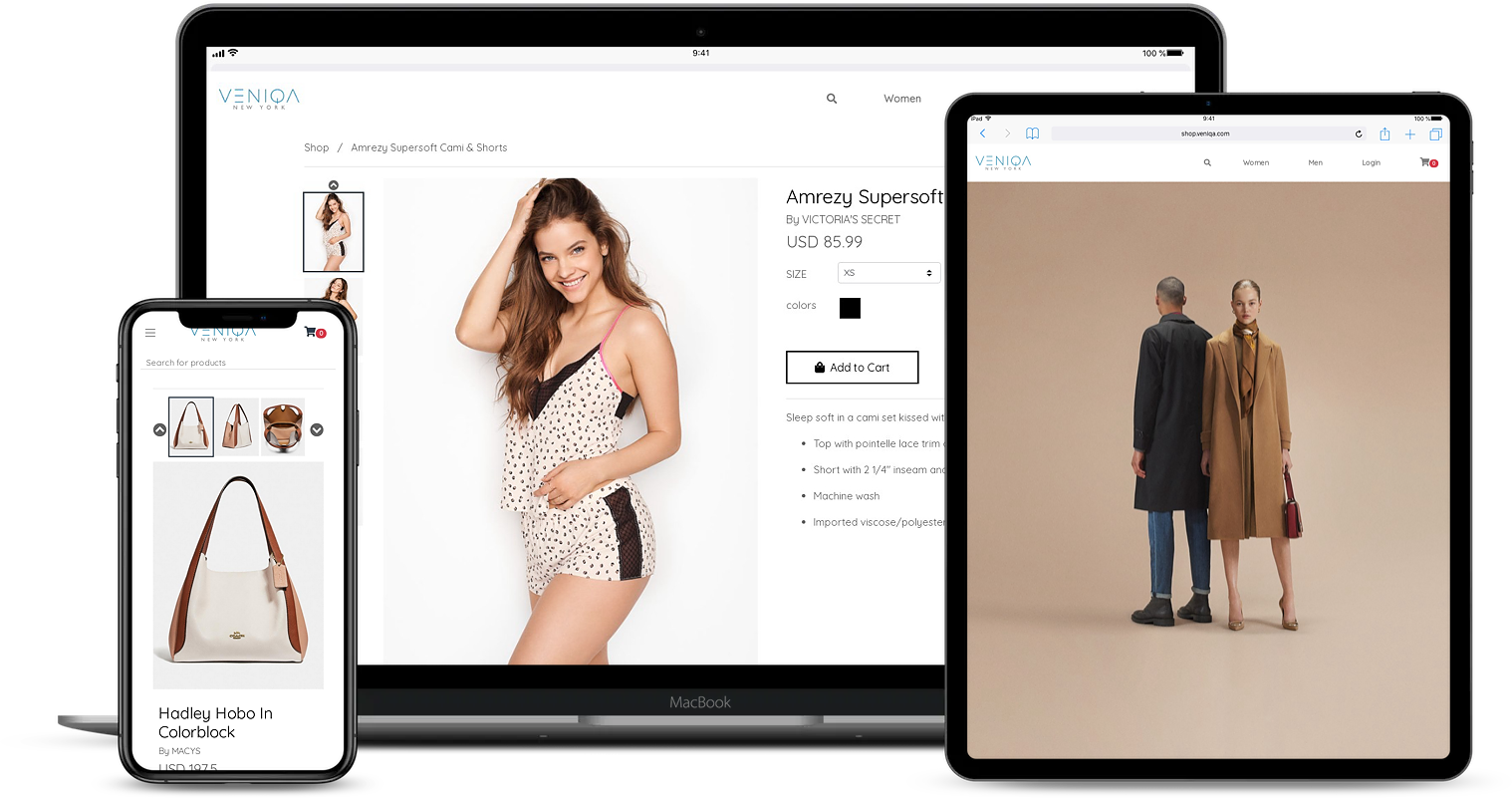
Previously powered the Veniqa New York Startup.
⇨ Appeared as a #1 Trending Github Project Worldwide (02/23/2020)
⇨ Appeared as a #1 Trending Topic on HackerNews (Feb. 2020)
Veniqa.com | Documentation | Quickstart | Sponsor
Veniqa is organized as a multi-application full-stack system rather than a single monolithic web application.
                           ┌───────────────────────┐
                           │       Customers       │
                           └───────────┬───────────┘
                                       │
                                       ▼
                           ┌───────────────────────┐
                           │  Shopping Web Client  │
                           │       Vue.js          │
                           └───────────┬───────────┘
                                       │
                              HTTP / REST API
                                       │
                                       ▼
                           ┌───────────────────────┐
                           │    Shopping Server    │
                           │  Node.js + Express.js │
                           └───────┬───────┬───────┘
                                   │       │
                     ┌─────────────┘       └──────────────┐
                     ▼                                    ▼
              ┌─────────────┐                      ┌─────────────┐
              │  MongoDB    │                      │    Redis    │
              │ Persistence │                      │ Sessions /  │
              │             │                      │ Rate Limit  │
              └─────────────┘                      └─────────────┘


                           ┌───────────────────────┐
                           │      Administrators   │
                           └───────────┬───────────┘
                                       │
                                       ▼
                           ┌───────────────────────┐
                           │ Management Web Client │
                           │       Vue.js          │
                           └───────────┬───────────┘
                                       │
                              HTTP / REST API
                                       │
                                       ▼
                           ┌───────────────────────┐
                           │   Management Server   │
                           │  Node.js + Express.js │
                           └───────┬───────┬───────┘
                                   │       │
                     ┌─────────────┘       └──────────────┐
                     ▼                                    ▼
              ┌─────────────┐                      ┌─────────────┐
              │  MongoDB    │                      │    Redis    │
              │ Persistence │                      │ Sessions /  │
              │             │                      │ Rate Limit  │
              └─────────────┘                      └─────────────┘
The repository contains four primary application layers:
shopping-server/
management-server/
shopping-webclient/
management-webclient/
and shared infrastructure under:
mongo/
docker-compose.yml
setup-resources/
documentation/
This structure is visible in the repository itself.
Location:
shopping-server/
The shopping server exposes APIs used by the customer-facing e-commerce application.
Its dependencies include:
- Express.js
- MongoDB
- Mongoose
- Redis
- Passport
- JWT
- Stripe
- SendGrid
- Nodemailer
- Joi
- Helmet
- CORS
- Express Rate Limit
- Winston
The server's package configuration confirms these dependencies and its build/start workflow.
Location:
management-server/
The management server provides backend functionality for administrative operations.
It uses the same core Node.js/Express/MongoDB/Redis architecture while adding functionality such as:
- AWS SDK integration
- Administrative catalog management
- Content management
- Image handling
- Product administration
- Order management
- Inventory operations
The management API includes AWS SDK support in addition to the common backend stack.
Location:
shopping-webclient/
The customer-facing application is built using:
- Vue 2
- Vue Router
- Vuex
- Axios
- BootstrapVue
- Font Awesome
- Vue Analytics
- Vue Notifications
- Vue reCAPTCHA
- Vuex Persist
- SCSS
The project provides standard Vue development commands:
npm run serve
npm run build
npm run dev-build
npm run lint
These scripts and dependencies are defined in the shopping web client's package configuration.
Location:
management-webclient/
The management interface is also implemented with Vue.js and includes additional components for administrative workflows.
Notable dependencies include:
Vue
Vue Router
Vuex
Axios
BootstrapVue
Tiptap
Tiptap Extensions
Vue Croppa
Vue Datetime
Vue Tag Selector
Vue Toggle Button
The frontend also provides separate development and production build commands.
| Layer | Technology |
|---|---|
| Frontend | Vue.js |
| Frontend State | Vuex |
| Frontend Routing | Vue Router |
| HTTP Client | Axios |
| Backend | Node.js |
| API Framework | Express.js |
| Database | MongoDB |
| ODM | Mongoose |
| Cache / Session Store | Redis |
| Authentication | Passport / JWT |
| Payments | Stripe |
| SendGrid / Nodemailer | |
| Object Storage | AWS S3 |
| Validation | Joi / Validator |
| Security | Helmet |
| Rate Limiting | express-rate-limit + Redis |
| Logging | Winston / Morgan |
| Containers | Docker |
| Reverse/API Communication | REST |
| Styling | BootstrapVue / SCSS |
| Build | Babel / Vue CLI |
The root package identifies the project as version 2.3.0 and lists Vue.js, Node.js, MongoDB, and Redis among its core technologies.
The Express application is structured around separate routers.
The shopping server registers routes for:
/
├── /security
├── /amazon
├── /catalog
├── /shopping
├── /user
├── /orders
└── /ui
The routing layer is initialized from the main Express application:
app.use('/', indexRouter);
app.use('/security', securityRouter);
app.use('/amazon', amazonRouter);
app.use('/catalog', catalogRouter);
app.use('/shopping', shoppingRouter);
app.use('/user', userRouter);
app.use('/orders', orderRouter);
app.use('/ui', uiRouter);
This separation keeps authentication, catalog, shopping, users, orders, and UI functionality independently organized.
Veniqa uses Passport for authentication and Redis-backed sessions for persistent session storage.
The application creates UUID-based session identifiers:
app.use(session({
  genid: (req) => {
    return uuidv4();
  },

  store: new RedisStore({
    host: process.env.VENIQA_REDIS_HOST,
    port: process.env.VENIQA_REDIS_PORT,
    pass: process.env.VENIQA_REDIS_PASSWORD,
    db: Number(process.env.VENIQA_REDIS_DB_NUMBER),
    client: redisClient
  }),

  secret: process.env.VENIQA_SESSION_SECRET_KEY,

  resave: false,
  rolling: true,
  saveUninitialized: true,

  cookie: {
    httpOnly: true,
    maxAge: config.get('session.max_age')
  }
}));
This provides several important characteristics:
- Server-side session storage
- Redis persistence
- UUID session identifiers
- HTTP-only cookies
- Configurable session expiration
- Shared session infrastructure between application processes
The implementation is present in the shopping server's Express bootstrap file.
The backend applies several layers of HTTP security.
app.use(helmet());Helmet is used to configure security-related HTTP headers.
app.use(compression());Response compression is enabled to reduce network payload size.
Veniqa uses configurable CORS policies:
var corsOptions = {
  origin: config.get('allowed_origins'),
  methods: ['GET, POST, OPTIONS, PUT, DELETE'],
  allowedHeaders: ['Content-Type', 'Authorization'],
  credentials: true
};

app.use(cors(corsOptions));
This allows the backend to explicitly control which frontend origins are permitted to access the API.
The application uses Redis-backed rate limiting to protect the API against excessive automated requests.
Example configuration:
var limiter = new RateLimit({
  store: new RateLimitRedis({
    client: redisClient,
    expiry: 60 * 15
  }),

  windowMs: 60 * 1000,
  max: 200,
  delayMs: 0,
  statusCode: 429
});

app.use(limiter);
The configuration limits each IP to:
200 requests / minute
and stores rate-limit state in Redis.
This is particularly useful for reducing:
- Automated crawling
- Brute-force requests
- Scripted API abuse
- Excessive repeated requests
The README's original security description is therefore backed by an actual Redis-based implementation in the API server.
MongoDB acts as the primary persistence layer.
The backend establishes a database connection during application startup:
db.dbConnection();Mongoose is used as the primary object-document mapping layer.
The backend dependencies include both:
mongodb
mongoose
mongoose-paginate
which supports MongoDB access, schema/model abstraction, and paginated queries.
Redis has multiple responsibilities within the application.
It is used for:
Session Storage
      +
Rate Limiting
      +
Application Caching / Shared State
The Docker development environment creates a Redis service:
redis:
  image: "redis:alpine"
  container_name: cache
  command: redis-server --requirepass SOME_PASSWORD
  ports:
    - 6379:6379
The shopping server and management server use separate Redis database numbers:
Shopping Server  → Redis DB 0
Management Server → Redis DB 1
This separation reduces the chance of application-level state collisions.
Stripe is integrated into the shopping backend.
The shopping server includes:
import stripe from 'stripe';through its dependency configuration.
The platform's original README describes support for multiple digital payment forms and currencies through Stripe.
A typical payment workflow is conceptually:
Customer
   │
   ▼
Shopping Cart
   │
   ▼
Checkout
   │
   ▼
Shopping API
   │
   ▼
Stripe
   │
   ▼
Payment Result
   │
   ▼
Order Creation
Veniqa supports transactional email through:
SendGrid
Nodemailer
The SendGrid integration is used as the primary email service, while Nodemailer provides fallback email functionality.
Dependencies include:
"@sendgrid/mail": "^6.3.1",
"nodemailer": "^4.7.0"
The repository also contains:
setup-resources/sendgrid_email_templates/
for SendGrid email templates.
The management server includes the AWS SDK:
"aws-sdk": "^2.372.0"This supports cloud-based asset and image storage workflows.
The original project documentation specifically identifies AWS S3 integration as the preferred low-cost image storage mechanism.
A typical asset workflow is:
Admin Upload
     │
     ▼
Management Web Client
     │
     ▼
Management API
     │
     ▼
Image Processing
     │
     ▼
AWS S3
     │
     ▼
Stored Asset URL
     │
     ▼
Product Catalog
The platform provides tools for managing product images and thumbnails.
The management frontend includes vue-croppa, which provides image manipulation capabilities in the administration interface.
The intended workflow is:
Upload Image
     ↓
Preview
     ↓
Crop / Edit
     ↓
Generate Thumbnail
     ↓
Upload to Storage
     ↓
Associate with Product
The catalog API is separated into its own route:
/catalog
This allows product-related operations to remain independent from:
/shopping
/orders
/user
/security
The architecture therefore separates core commerce domains rather than placing every operation inside a single Express route.
Orders have their own API namespace:
/orders
The platform supports order tracking at a line-item level.
Conceptually:
Order
 ├── Customer
 ├── Payment
 ├── Shipping
 └── Line Items
       ├── Product
       ├── Quantity
       ├── Price
       └── Status
This structure allows individual products within an order to be tracked independently.
Veniqa includes support for international commerce workflows.
The existing platform documentation identifies:
- International tariffs
- Multiple currencies
- International shipment handling
- Line-item order tracking
- Digital payment processing
These capabilities make the platform suitable for more than a basic single-country storefront.
The management platform provides a drag-and-drop design system for homepage customization.
This allows administrators to modify storefront presentation without changing application source code.
Conceptually:
Admin
  │
  ▼
Management Web Client
  │
  ▼
Page Builder
  │
  ├── Hero Section
  ├── Product Section
  ├── Promotional Section
  ├── Content Section
  └── Custom Layout
  │
  ▼
Persist UI Configuration
  │
  ▼
Shopping Web Client
The original README identifies this as one of Veniqa's granular administrative controls.
One of the more important backend implementation details is Node.js clustering.
The shopping server imports:
var cluster = require('cluster');
const numCPUs = require('os').cpus().length;
The master process creates workers:
if (cluster.isMaster) {
  console.log(`[CLUSTER]: Master ${process.pid} is running`);

  for (let i = 0; i < numCPUs; i++) {
    cluster.fork();
  }

  cluster.on('exit', (worker) => {
    console.log(`[CLUSTER]: worker ${worker.process.pid} died`);
    cluster.fork();
  });
}
Each worker creates an HTTP server:
else {
  var server = http.createServer(app);
  server.listen(port);

  console.log(
    `[CLUSTER]: Worker ${process.pid} started at port ${port}`
  );
}
This allows the backend to utilize multiple CPU cores and automatically replace workers that terminate unexpectedly.
A simplified request lifecycle looks like this:
HTTP Request
     │
     ▼
Express
     │
     ├── Morgan Logging
     ├── JSON Parsing
     ├── Cookie Parsing
     ├── Helmet
     ├── Compression
     ├── Redis Session
     ├── Rate Limiting
     ├── Passport Authentication
     └── CORS
     │
     ▼
Router
     │
     ├── Security
     ├── Catalog
     ├── Shopping
     ├── User
     ├── Orders
     └── UI
     │
     ▼
Controller / Business Logic
     │
     ├── MongoDB
     ├── Redis
     ├── Stripe
     ├── SendGrid
     └── AWS
     │
     ▼
HTTP Response
The middleware order and route registration are implemented in the Express application bootstrap.
The entire development stack can be launched through Docker Compose.
The repository defines:
mongo
redis
shopping-server
management-server
shopping-webclient
management-webclient
The Docker topology is:
                    Docker Compose
                         │
        ┌────────────────┼────────────────┐
        │                │                │
        ▼                ▼                ▼
     MongoDB           Redis          Applications
                                         │
                    ┌────────────────────┼────────────────────┐
                    │                    │                    │
                    ▼                    ▼                    ▼
             Shopping API        Management API       Web Clients
The Compose configuration exposes:
MongoDB
27000 → 27017

Redis
6379 → 6379

Shopping API
4201 → 3000

Management API
4202 → 3000

Shopping Web Client
5201 → 5201

Management Web Client
5202 → 5202
These mappings and service dependencies are defined in docker-compose.yml.
The development stack can be started with:
docker-compose upThe MongoDB service uses persistent Docker volumes:
volumes:
  - "dbconfig:/data/configdb"
  - "dbdata:/data/db"
This prevents the MongoDB data directory from disappearing when the container is recreated.
The application is configured primarily through environment variables.
Important variables include:
NODE_ENV
VENIQA_ENV

VENIQA_MONGODB_DB
VENIQA_MONGODB_URL

VENIQA_REDIS_HOST
VENIQA_REDIS_PORT
VENIQA_REDIS_PASSWORD
VENIQA_REDIS_DB_NUMBER

VENIQA_SESSION_SECRET_KEY
VENIQA_CRYPTO_SECRET_KEY
Example:
NODE_ENV=development
VENIQA_ENV=local

VENIQA_MONGODB_DB=veniqa-prod-db
VENIQA_MONGODB_URL=mongodb://mongo:27017/veniqa-prod-db

VENIQA_REDIS_HOST=redis://cache
VENIQA_REDIS_PORT=6379
VENIQA_REDIS_DB_NUMBER=0

VENIQA_SESSION_SECRET_KEY=CHANGE_ME
VENIQA_CRYPTO_SECRET_KEY=CHANGE_ME
The Docker Compose configuration provides these values to the application containers.
Security: Never commit production passwords, session secrets, API keys, Stripe credentials, AWS credentials, or email service credentials to Git.
The recommended development approach is to use Docker Compose for the complete application stack.
git clone https://github.com/thinkingdev923/Veniqa.git
cd Veniqa

docker-compose up
After the services start, the local development environment exposes the individual applications through their configured ports.
For the shopping API:
cd shopping-server
npm install
npm run devstart
The backend also supports a production-style build:
npm run build
npm start
The package configuration shows that the build process uses Babel to compile the server into a build/ directory.
The management server follows the same general pattern:
cd management-server
npm install
npm run devstart
or:
npm run build
npm startShopping application:
cd shopping-webclient
npm install
npm run serve
Production build:
npm run buildManagement application:
cd management-webclient
npm install
npm run serve
Production build:
npm run buildThe Vue CLI configuration is defined independently inside each frontend application.
Veniqa/
│
├── .github/
│
├── documentation/
│
├── management-server/
│   ├── authentication/
│   ├── config/
│   ├── database/
│   ├── routes/
│   ├── models/
│   ├── services/
│   ├── bin/
│   ├── app.js
│   ├── package.json
│   └── Dockerfile-local
│
├── management-webclient/
│   ├── src/
│   ├── public/
│   ├── package.json
│   └── Dockerfile-local
│
├── mongo/
│   └── Dockerfile-mongo
│
├── shopping-server/
│   ├── authentication/
│   ├── config/
│   ├── database/
│   ├── routes/
│   ├── models/
│   ├── services/
│   ├── bin/
│   ├── app.js
│   ├── package.json
│   └── Dockerfile-local
│
├── shopping-webclient/
│   ├── src/
│   ├── public/
│   ├── package.json
│   └── Dockerfile-local
│
├── setup-resources/
│   └── sendgrid_email_templates/
│
├── docker-compose.yml
├── package.json
├── CHANGELOG.md
├── LICENSE
└── README.md
The top-level repository currently contains the four application components plus database, documentation, setup resources, and Docker configuration.
For a production deployment, replace all development placeholders with securely managed secrets.
At minimum:
VENIQA_REDIS_PASSWORD
VENIQA_SESSION_SECRET_KEY
VENIQA_CRYPTO_SECRET_KEY
MongoDB credentials
Stripe credentials
AWS credentials
SendGrid credentials
Production cookies should also use HTTPS/secure cookie settings.
The existing server code explicitly indicates that the secure cookie option should be enabled once the deployment has SSL configured.
Veniqa's architecture contains several mechanisms designed to support scaling:
Shopping and management workloads are isolated into separate backend applications.
Node.js cluster workers can use all available CPU cores.
Redis provides shared infrastructure for sessions and rate limiting across workers.
MongoDB provides persistent application storage.
AWS S3 separates large image assets from the application server.
Each major component can be independently containerized.
The repository's original README identifies expanding the automated test suite as an area where contributors are welcome.
Recommended testing layers include:
Unit Tests
    ↓
Service Tests
    ↓
API / Integration Tests
    ↓
Database Tests
    ↓
Frontend Component Tests
    ↓
End-to-End Tests
Future test coverage should particularly focus on:
- Authentication
- Product catalog
- Cart operations
- Checkout
- Orders
- Inventory
- Payment processing
- Session handling
- Rate limiting
- Administrative operations
The repository is designed with CI/CD-friendly configuration in mind.
The original project documentation specifically identifies the codebase as being designed for cloud deployment and continuous integration/deployment workflows.
A typical deployment pipeline can be structured as:
Git Push
   │
   ▼
CI Pipeline
   │
   ├── Install Dependencies
   ├── Lint
   ├── Run Tests
   ├── Build Frontend
   ├── Build Backend
   └── Build Docker Images
   │
   ▼
Container Registry
   │
   ▼
Production Deployment
   │
   ├── Shopping API
   ├── Management API
   ├── Shopping Web
   └── Management Web
Express uses centralized 404 and error middleware.
Example:
app.use(function(req, res, next) {
  next(createError(404));
});

app.use(function(err, req, res, next) {
  res.locals.message = err.message;
  res.locals.error =
    req.app.get('env') === 'development' ? err : {};

  res.status(err.status || 500);
  res.render('error');
});
This provides a consistent server-side error handling layer rather than handling every error independently inside every route.
The backend uses multiple logging mechanisms:
Morgan
Winston
Winston MongoDB transport
Morgan handles HTTP request logging while Winston provides application-level logging.
The shopping server dependencies include:
morgan
winston
winston-mongodb
which supports both request-level and persistent application logging.
Veniqa integrates with several external services:
Stripe
   └── Payments

SendGrid
   └── Transactional Email

Nodemailer
   └── Email Fallback

AWS S3
   └── Image / Asset Storage

Redis
   └── Sessions / Rate Limiting

MongoDB
   └── Application Persistence
These integrations allow the core platform to remain focused on commerce logic while delegating specialized infrastructure to established services.
A typical customer interaction can be represented as:
Visit Store
    │
    ▼
Browse Catalog
    │
    ▼
View Product
    │
    ▼
Add to Cart
    │
    ▼
Authenticate / Continue
    │
    ▼
Checkout
    │
    ▼
Payment
    │
    ▼
Create Order
    │
    ▼
Order Tracking
Administrators interact with a separate management application:
Admin Login
    │
    ▼
Management Dashboard
    │
    ├── Products
    ├── Categories
    ├── Inventory
    ├── Orders
    ├── Customers
    ├── Images
    ├── Homepage
    └── Commerce Configuration
    │
    ▼
Persist Changes
    │
    ▼
Shopping Platform
This separation provides a clear boundary between customer-facing operations and administrative functionality.
The architecture follows several important engineering principles:
Customer and administrative workloads are separated into independent applications.
Commerce domains are separated into dedicated Express routers.
MongoDB and Redis provide centralized persistence and shared state.
Session state is moved into Redis so multiple Node.js workers can participate in request processing.
Large assets can be stored externally using AWS S3.
The complete stack can be started using Docker Compose.
Development and production behavior can be controlled through environment variables and configuration files.
Several architectural decisions are intended to improve performance:
- Node.js cluster workers utilize multiple CPU cores.
- Redis reduces repeated state access and centralizes session data.
- HTTP compression reduces response payload sizes.
- MongoDB provides indexed document-based persistence.
- AWS S3 removes large image files from application servers.
- Separate shopping and management services prevent administrative workloads from directly consuming the customer API process.
Because the platform is modular, additional functionality can be implemented as separate domains.
Potential extensions include:
- Multi-vendor marketplace functionality
- Product recommendation systems
- Advanced search
- Elasticsearch integration
- Promotions and coupon engine
- Subscription commerce
- Customer loyalty programs
- Advanced analytics
- Warehouse management
- Shipping provider integrations
- Tax calculation services
- Webhooks
- Event-driven order processing
- Microservice extraction
- GraphQL API
- Mobile applications
The repository includes dedicated documentation and a Quick Start guide.
Contributions are welcome.
Areas that can benefit from additional development include:
- Automated testing
- Bug fixes
- Performance improvements
- Security improvements
- Documentation
- New commerce functionality
- Developer tooling
- Deployment improvements
Recommended contribution workflow:
git checkout -b feature/my-feature

# Make changes

git add .
git commit -m "Add my feature"

git push origin feature/my-feature
Then open a Pull Request describing:
- What changed
- Why it was changed
- How it was tested
- Any migration or deployment requirements
Veniqa is released under the MIT License.
See LICENSE for the complete license text.
Veniqa is a modular, cloud-oriented MEVN e-commerce platform combining:
Vue.js
   +
Node.js
   +
Express.js
   +
MongoDB
   +
Mongoose
   +
Redis
   +
Stripe
   +
SendGrid
   +
AWS S3
   +
Docker
The architecture provides separate customer and administrative applications, REST APIs, centralized persistence, Redis-backed sessions and rate limiting, payment processing, email delivery, cloud asset storage, and containerized development.
It is therefore suitable not only as a complete e-commerce application but also as a starting point for developers building customized commerce products and startup applications.
- Open-source e-commerce solution
- MEVN architecture
- Customer shopping application
- Administrative management application
- Separate shopping and management APIs
- MongoDB + Mongoose
- Redis-backed sessions
- Redis-backed rate limiting
- Stripe payments
- SendGrid email
- Nodemailer fallback
- AWS S3 integration
- Docker development environment
- Node.js clustering
- Product image editing
- Homepage customization
- Line-item order tracking
- International tariff support
- Multi-currency commerce
- Cloud-friendly configuration
- MIT licensed
Built for developers who want control over their commerce stack without being locked into a hosted e-commerce platform.