As of September 2026, Microsoft is changing the Upload API used by these scripts.
Due to time constraints, I am currently unable to update these scripts to support the new API. You are welcome to continue using the existing scripts and JSON files, but please be aware that you will need to maintain and adapt them yourself going forward.
I apologize for any inconvenience. If capacity allows in the future, I intend to revisit and update this repository — however, there is no committed timeline for when that will happen.
Thank you for your understanding.
This page shows some examples of how to use Dell tools in conjunction with Microsoft Log Analytics. The examples cover BIOS settings, device updates and AI applications like Dell Optimizer. The PowerShell scripts collect the data from the devices, there is a JSON file which configures the dashboard view. This must be copied into Log Analytics.
THE INFORMATION IN THIS PUBLICATION IS PROVIDED 'AS-IS.' DELL MAKES NO REPRESENTATIONS OR WARRANTIES OF ANY KIND WITH RESPECT TO THE INFORMATION IN THIS PUBLICATION, AND SPECIFICALLY DISCLAIMS IMPLIED WARRANTIES OF MERCHANTABILITY OR FITNESS FOR A PARTICULAR PURPOSE. In no event shall Dell Technologies, its affiliates or suppliers, be liable for any damages whatsoever arising from or related to the information contained herein or actions that you decide to take based thereon, including any direct, indirect, incidental, consequential, loss of business profits or special damages, even if Dell Technologies, its affiliates or suppliers have been advised of the possibility of such damages.
This script will be used for testing modifications that could have impact of running without issues
We cover the following applications and Dell Client functions
-
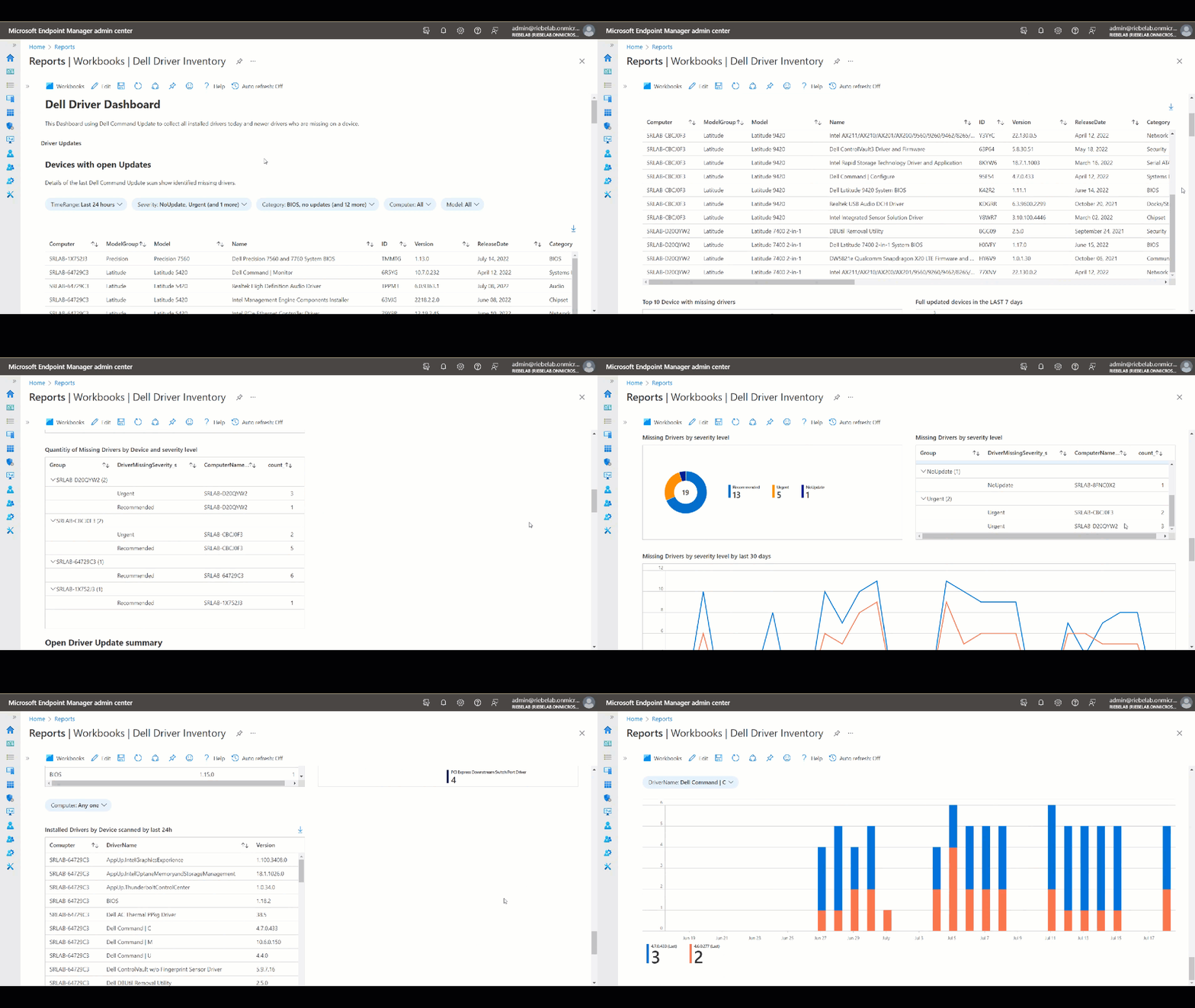
Dell Command Update
- Status of missing Drivers (Firmware, BIOS, Dell Applications, etc.)
- Assessment of installed Drivers on devices
-
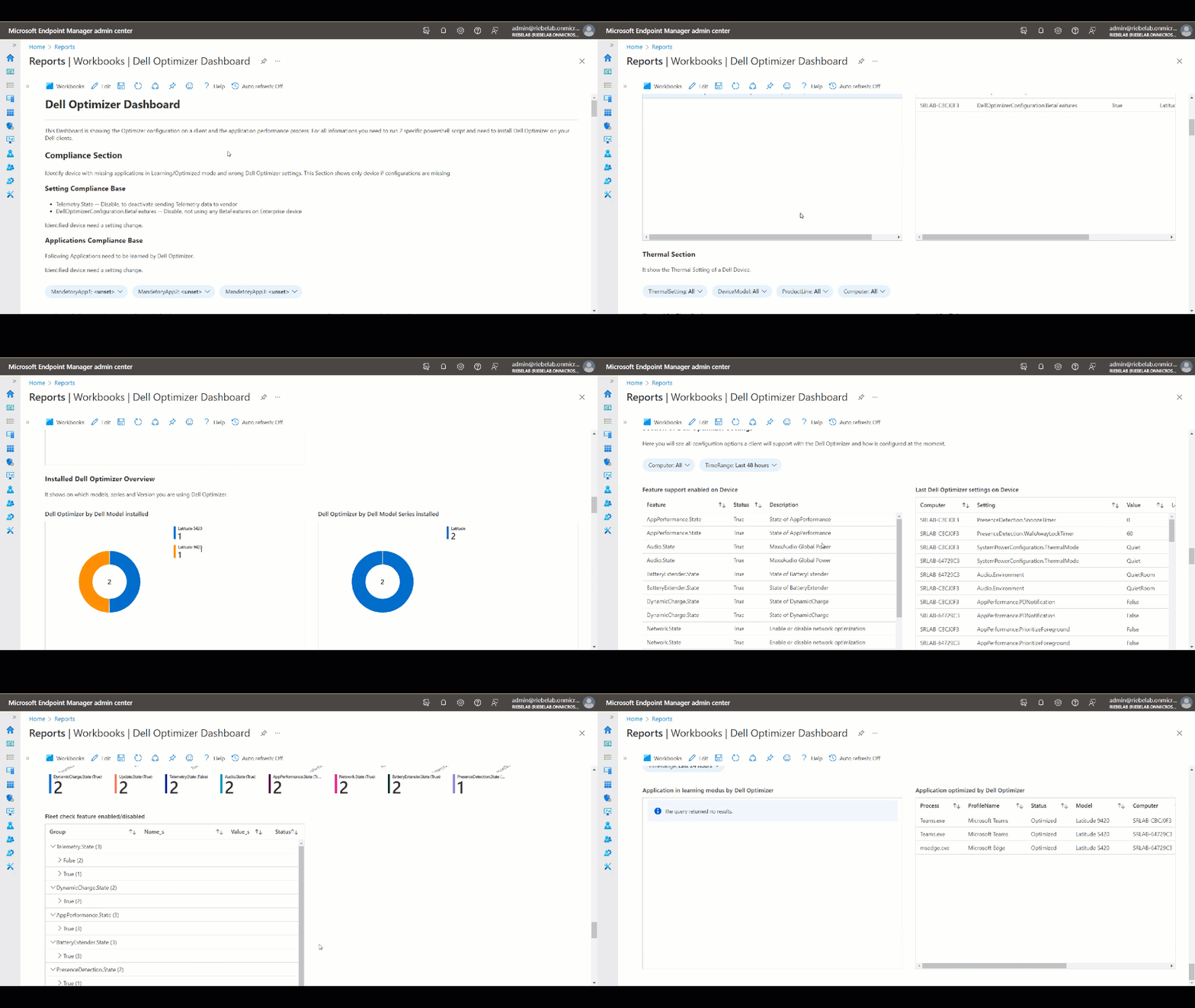
Dell Optimizer
- Monitoring Learned and Optimized Applications
- Assessment of Dell Optimizer settings on devices
- Compliance check of settings and applications learning/optimized
-
Dell BIOS
- Dell Safe BIOS Security monitoring
- BIOS PW check
- BIOS settings on device
- Compliance check of settings on devices
- Microsoft Log Analytics license
- Storing of log will be paid by use (please check with your Microsoft license team)
- Run the PowerShell scripts on a regular basis. (I am using the Remediation option form Microsoft Endpoint manager, but Task Planer or other solutions are also working)
- Copy and Paste text of JSON (Java Script Object Notation) file into a new created Workbook
The PowerShell Script uses Dell Command Update (Scan and InvPC) to collect all updates and installed data.
Download Dell Command Update: https://www.dell.com/support/kbdoc/en-us/000177325/dell-command-update
Video:
The PowerShell Script uses Dell Optimizer to collect all application optimized running processes and Dell Optimizer settings.
Download Dell Optimizer: https://www.dell.com/support/home/en-us/drivers/driversdetails?driverid=x7c54&oscode=wt64a&productcode=latitude-14-9430-laptop
Video:
The PowerShell Script uses Dell WMI (Windows Management Instrumentation) queries and Dell Trusted Device Agent to collect all BIOS Settings and check status of BIOS security features.
Download Trusted Device: https://www.dell.com/support/home/en-us/drivers/driversdetails?driverid=nmtdh&oscode=wt64a&productcode=trusted-device
Video: