Repository navigation
Post Actions
ClawPDF supports various actions that are executed after document creation. These allow to automate various workflows.
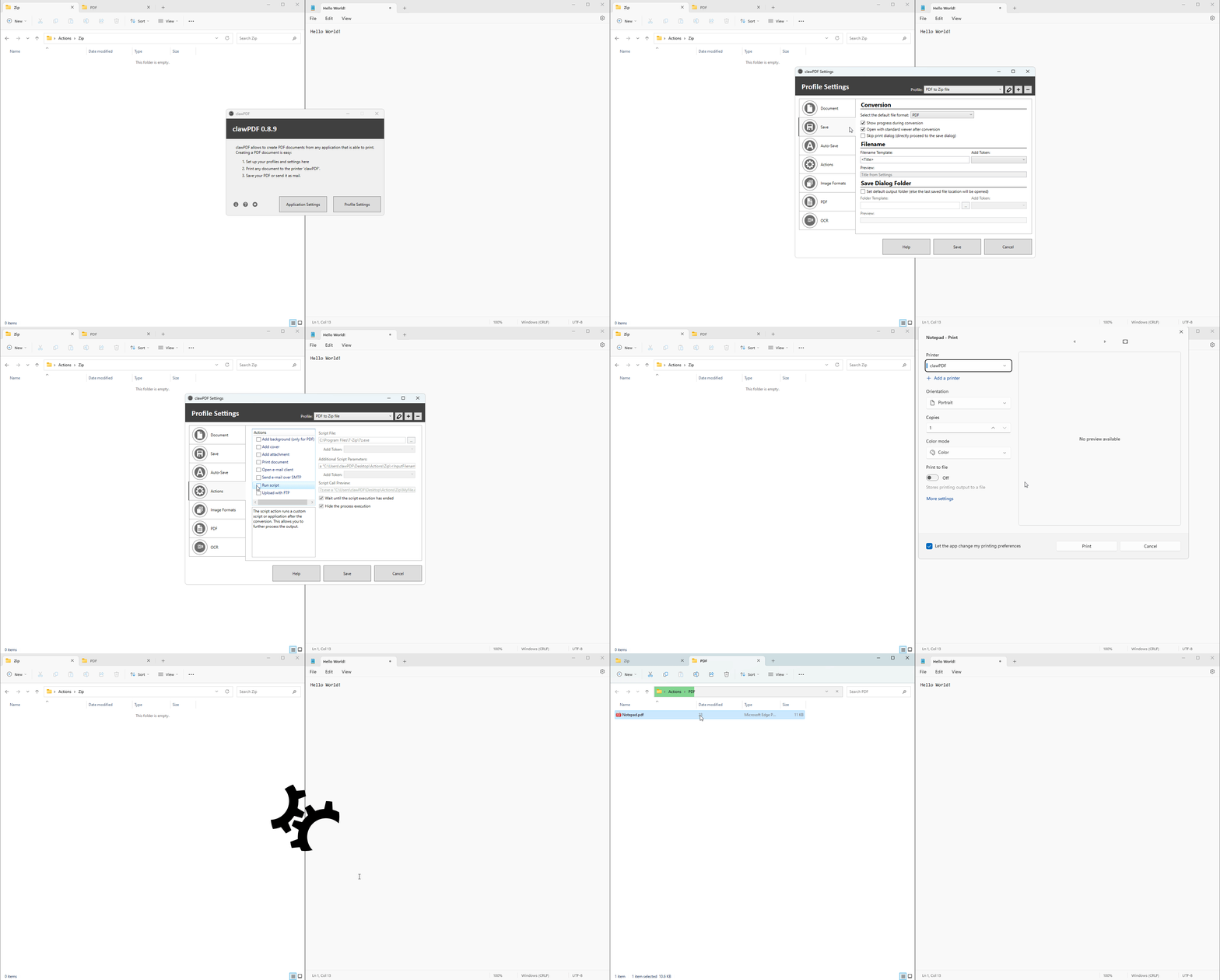
A workflow is to be created, which creates a zip archive from the document(s) after document creation. For this you can use an archiving program of your choice via Run script. In this example we use 7-Zip to create an archive. In addition, we set all the settings in the profile so that the document is created without saving dialog and opening the default viewer.
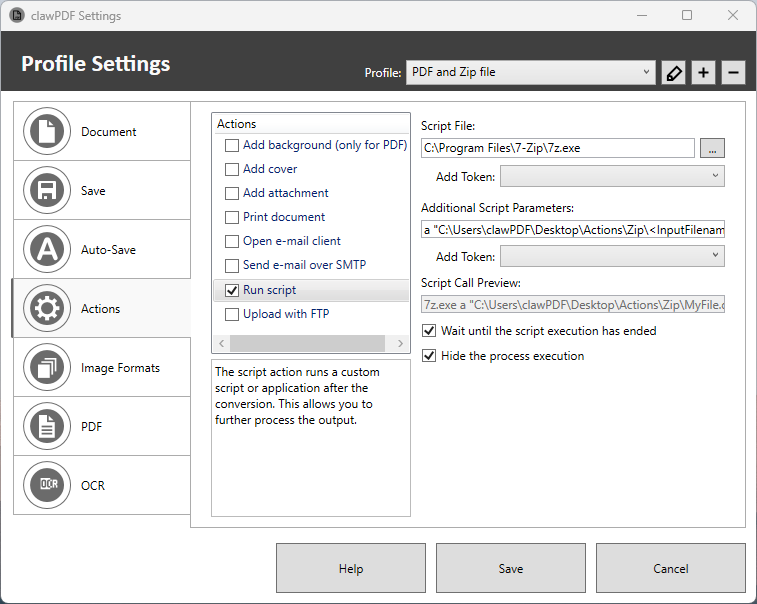
Specify the following settings in the Run script-Action:
- Script File:
C:\Program Files\7-Zip\7z.exe - Additional Script Parameters:
a "C:\Users\clawPDF\Desktop\Actions\Zip\<InputFilename>.zip" - Hide the process execution:
true
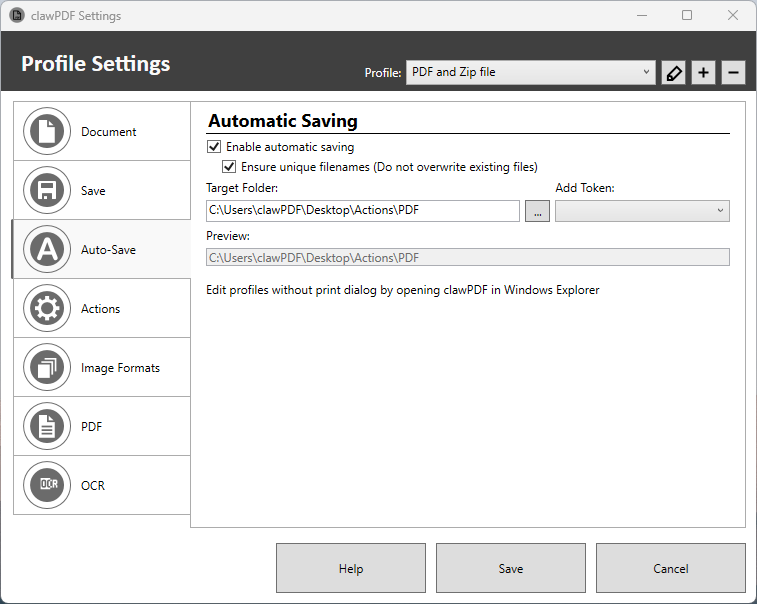
- To save the document without displaying a save dialog, you can enable the
Auto-Savesetting.
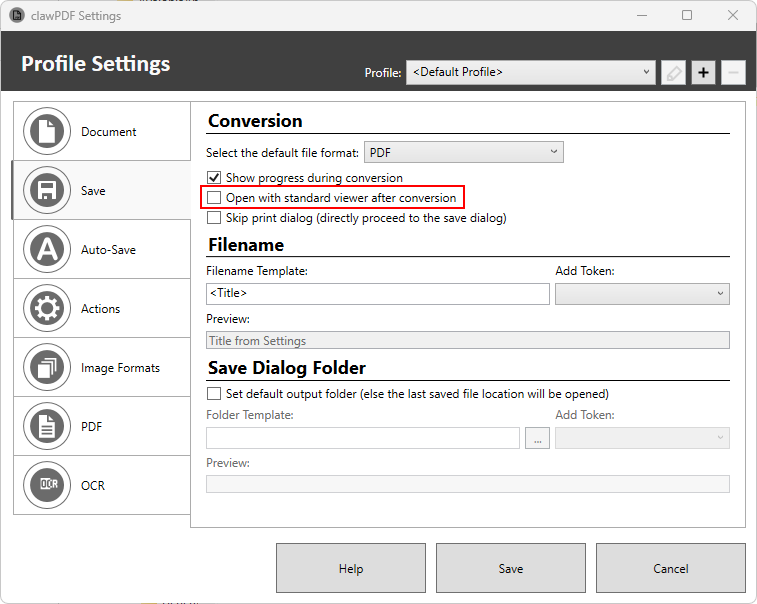
- To prevent the document from being opened with the default viewer after conversion, you can disable the
Open with default viewer after conversionsetting.