


YTPTube is a self-hosted media downloader, automation, and library manager for yt-dlp. It handles one-off downloads, recurring sources, metadata-based rules, concurrent queues, and organized output from the same web interface.
YTPTube's automation tools can be used separately or together:
- Tasks check channels, playlists, feeds, and supported custom sources on a schedule.
- Presets store reusable yt-dlp options, output templates, paths, cookies, and post-processing settings.
- Conditions optionally inspect metadata returned by yt-dlp and apply matching options.
See Features for the full workflow.
- WatchState: Sync your media servers without relying on 3rd parties.
- Millwright: Automation interface for FFmpeg.
- DCompose: Manage your servers/nodes compose stacks from one WebUI.
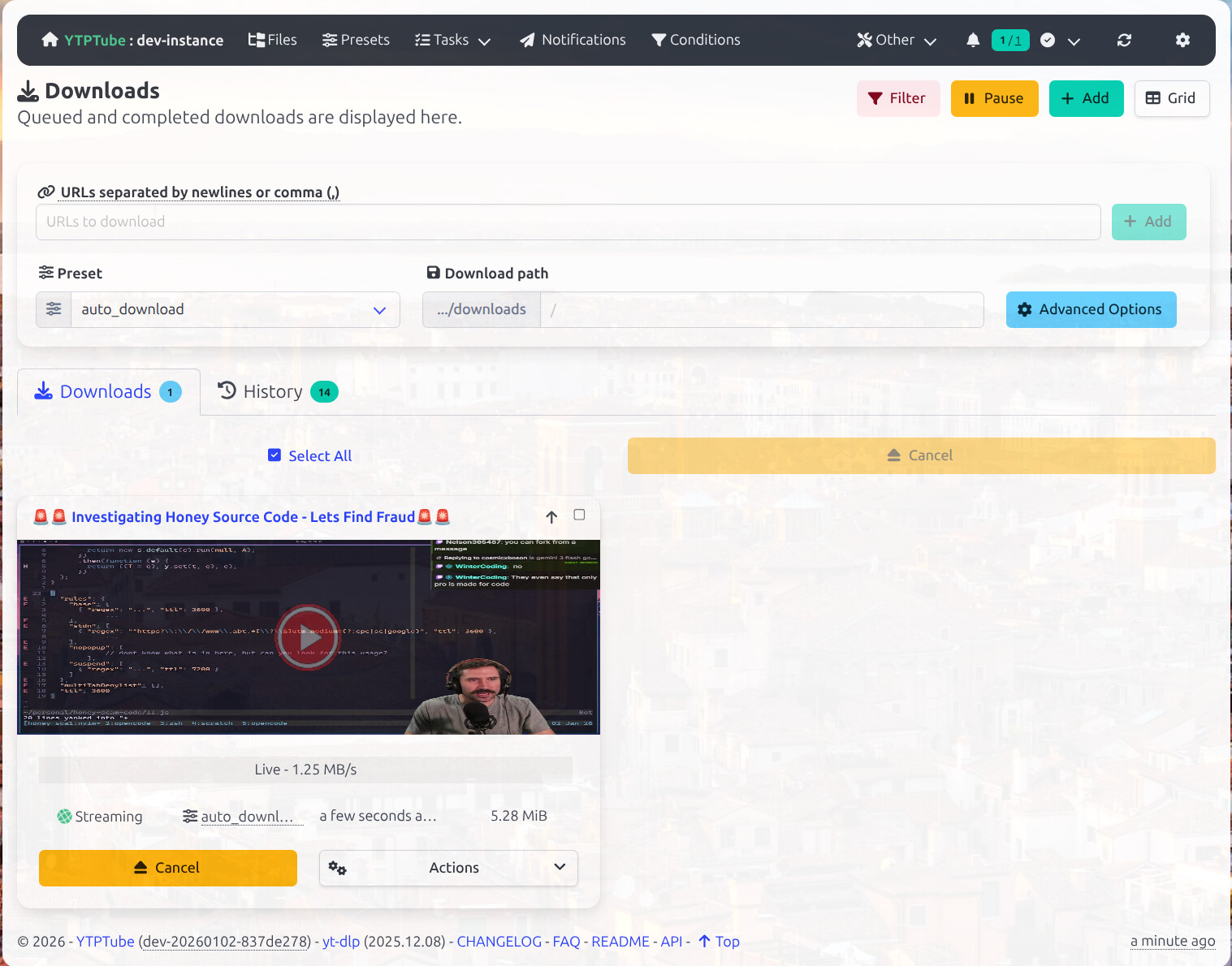
Standard interface:
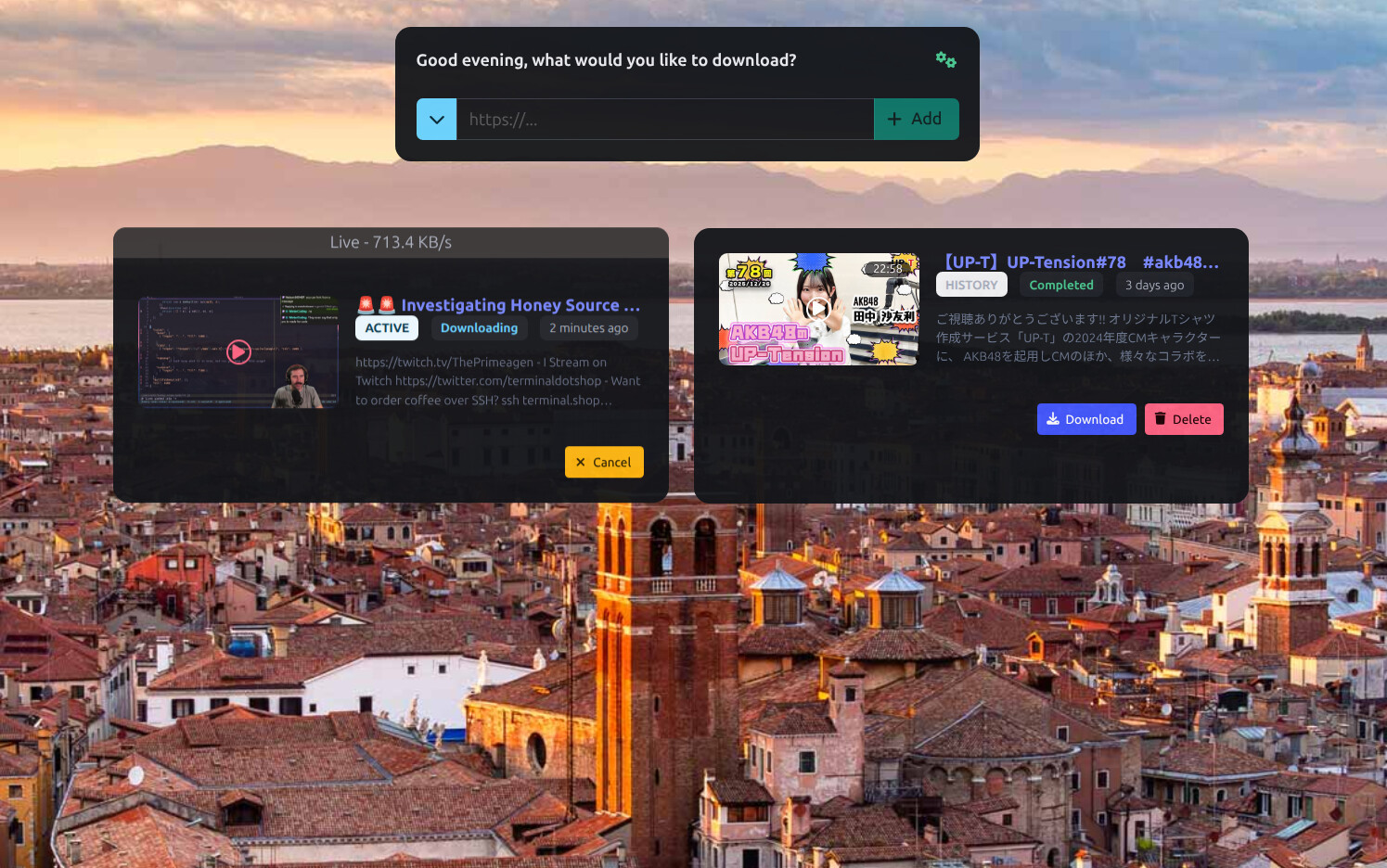
Simple mode:
The interface is available in English, العربية, Français, 中文, and 日本語. See the language FAQ.
- Individual URLs, playlists, channels, live streams, and upcoming streams
- Concurrent downloads with global and per-extractor limits
- Scheduled Tasks for recurring sources and sites without RSS feeds
- Reusable default presets, including NFO Maker and media-server presets
- Conditions that apply yt-dlp options from extracted metadata
- Notifications for selected events through Apprise or direct HTTP webhooks
- Browser extension (source) for Firefox desktop and Android and Chrome/Chromium
- iOS Shortcuts, a bookmarklet, and an HTTP API
- A file browser and built-in player with external sidecar subtitle support and optional file action controls
- Kodi-style TV and movie NFO sidecars,
.info.jsonmetadata, artwork, and media library naming - curl-cffi impersonation and a bundled PO-token provider
- An optional browser extraction over existing Chrome instance
- Optional direct yt-dlp control through the terminal interface
- Optional integration with FlareSolverr or Trawl to allow yt-dlp to bypass some WAF protection.
- Queue and archive controls, live logs, diagnostics, and optional resource monitoring
- Docker, Podman, Unraid, and native builds for Windows, macOS, and Linux
Read Features for details and links to the relevant configuration guides.
YTPTube NFO Maker integration turns yt-dlp metadata into Kodi-style TV or movie .nfo sidecars, cleans descriptions for
library use, creates stable IDs, and keeps each NFO beside its media file. NFO files can be generated during the download
or later from history.
Scheduled Tasks can separately create collection metadata like tvshow.nfo, .info.json, and artwork images when the
source provides them. A separate info-reader Preset writes predictable channel and season layouts with yt-dlp metadata
for compatible Jellyfin, Emby, Plex, and WatchState workflows.
See Media Servers and NFO Maker for the three workflows and their limits.
The included compose.yaml runs YTPTube with the bundled POT provider, Chromium browser extraction, and
FlareSolverr support. It also contains commented host-specific examples for hardware acceleration and NFS/SMB storage.
See the environment variable reference for additional application settings.
Note
Everything in the compose.yaml is optional and can be customized according to your setup. The only required part
is the service definition for YTPTube itself. remove YTP_BROWSER_URL and YTP_FLARESOLVERR_URL if not using browser
extraction or FlareSolverr.
Create the directories and start the container:
mkdir -p ./{config,downloads/{files,tmp}}
docker compose up -d
Open http://localhost:8081 and create the first local account.
The container runs as your user and group IDs so downloaded files remain accessible to the host account. Podman users
can replace the user line with userns_mode: keep-id and run podman-compose up -d.
Docker command
mkdir -p ./{config,downloads/{files,tmp}} && docker run -itd --rm \
  --user "$(id -u):$(id -g)" \
  --name ytptube \
  -e YTP_TEMP_PATH=/downloads/tmp \
  -e YTP_DOWNLOAD_PATH=/downloads/files \
  -p 8081:8081 \
  -v ./config:/config:rw \
  -v ./downloads:/downloads:rw \
  ghcr.io/arabcoders/ytptube:latest
Podman command
mkdir -p ./{config,downloads/{files,tmp}} && podman run -itd --rm \
  --userns=keep-id \
  --name ytptube \
  -e YTP_TEMP_PATH=/downloads/tmp \
  -e YTP_DOWNLOAD_PATH=/downloads/files \
  -p 8081:8081 \
  -v ./config:/config:rw \
  -v ./downloads:/downloads:rw \
ghcr.io/arabcoders/ytptube:latestInstall the Community Applications plugin, search for ytptube, and use the pre-configured template.
Download the Windows, macOS, or Linux archive from GitHub Releases. Read the native-build guide for installation and usage instructions.
Important
- Do not expose YTPTube to the internet directly without authentication.
- Authenticated users and can pass yt-dlp options that execute commands.
Server installations require local account setup. Only disable authentication when a trusted reverse proxy controls access or the instance is restricted to a private network. Read the security recommendations before exposing an instance.
- Documentation index
- Features
- Native builds
- Configuration, usage, and troubleshooting
- HTTP API
- Security policy
- Contribution process
This project is built around my own needs and use cases. Please discuss any contributions with me before starting work, as I may choose not to accept them. Read CONTRIBUTING.md before contributing.
I use AI tools in this project, and you're welcome to use it if it works for you. If you disagree with that approach, this project may not be a good fit for you. Feel free to build your own using the tools and technologies you approve of.
YTPTube is not affiliated with yt-dlp or any other service. It is intended for downloading content you are already permitted to access.
For short questions, join the Discord server. YTPTube is maintained as a solo project, so replies may take some time.
If you want to support the work financially, please donate to a children's charity such as Make-A-Wish International instead.