

Yet Another AI Monitoring — because the existing ones didn't fit and building your own seemed like a good idea at the time.
Documentation · Getting Started · Server Setup · Deployment
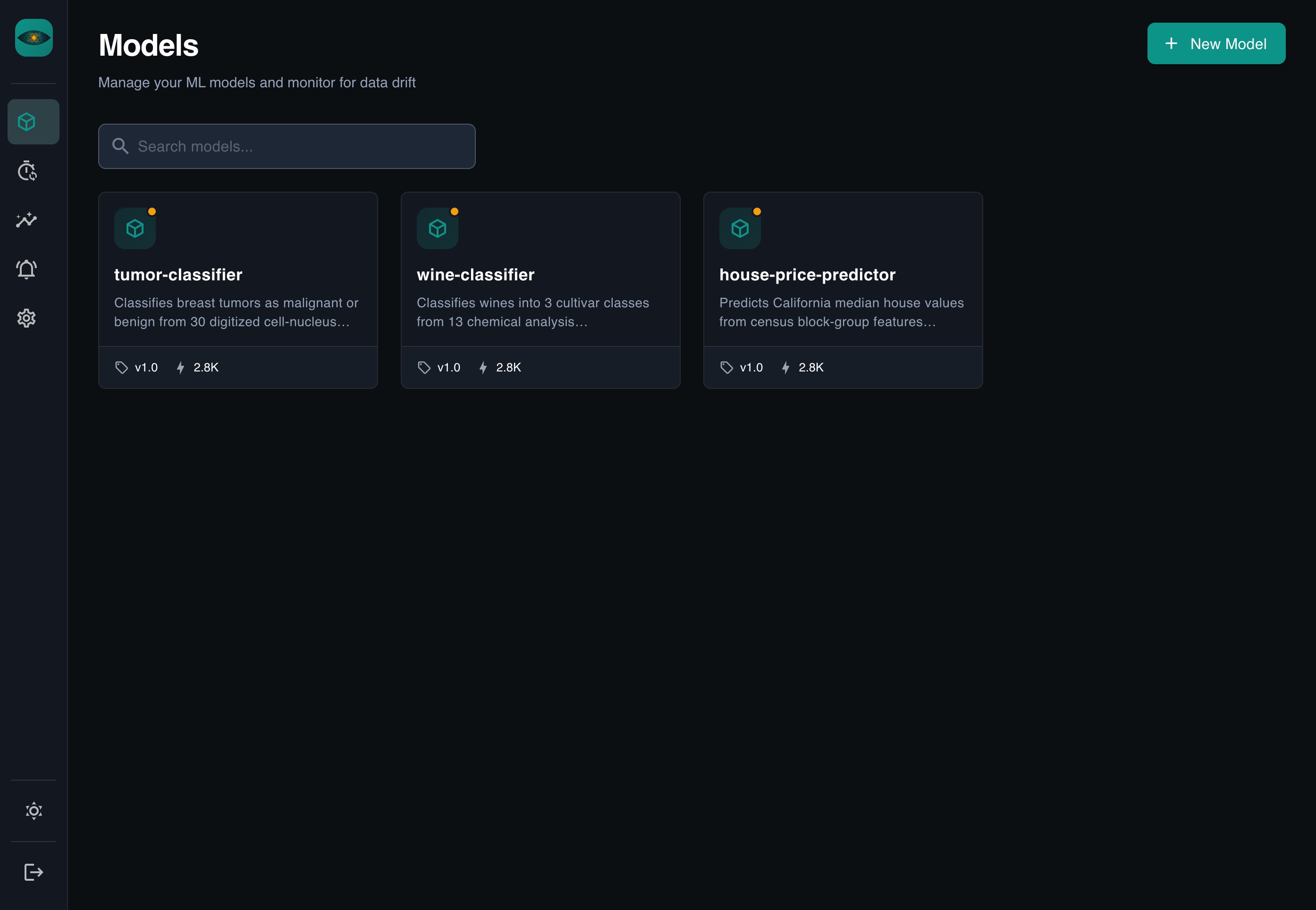
Most ML monitoring tools make you configure dashboards by hand, wire up custom pipelines, and learn their specific way of thinking before you see any value. YAAI takes a different approach:
- REST-based — send JSON, done
- Auto-everything — dashboards, drift detection, comparisons generated from your schema
- Zero config — no YAML files, no property mappings, no pipeline integrations
Define your fields once (or let YAAI guess them), send data, get insights.
git clone https://github.com/Maxl94/yaai.git
cd yaai
cp .env.example .env
docker compose up -d
Open http://localhost:8000 — the server and frontend are ready.
Default login: admin / the generated initial password is stored in a file readable only by the server user (never logged): docker compose exec backend cat /home/appuser/admin-initial-password.txt. Or set BOOTSTRAP_ADMIN_PASSWORD (min. 12 characters) in .env before the first start.
For detailed setup instructions, see the Server Setup Guide (development) or the Deployment Guide (production).
pip install yaai-monitoring              # SDK only (httpx + pydantic)
pip install "yaai-monitoring[server]"    # Full server
pip install "yaai-monitoring[server,gcp]" # Server + Google Cloud supportimport asyncio
from yaai import YaaiClient
from yaai.schemas.model import SchemaFieldCreate
async def main():
async with YaaiClient("http://localhost:8000/api/v1", api_key="yaam_...") as client:
model = await client.create_model("fraud-detector")
version = await client.create_model_version(
model_id=model.id,
version="v1.0",
schema_fields=[
SchemaFieldCreate(field_name="amount", direction="input", data_type="numerical"),
SchemaFieldCreate(field_name="country", direction="input", data_type="categorical"),
SchemaFieldCreate(field_name="is_fraud", direction="output", data_type="categorical"),
],
)
await client.add_inferences(
model_version_id=version.id,
records=[
{"inputs": {"amount": 42.0, "country": "US"}, "outputs": {"is_fraud": "false"}},
{"inputs": {"amount": 9001.0, "country": "NG"}, "outputs": {"is_fraud": "true"}},
],
)
asyncio.run(main())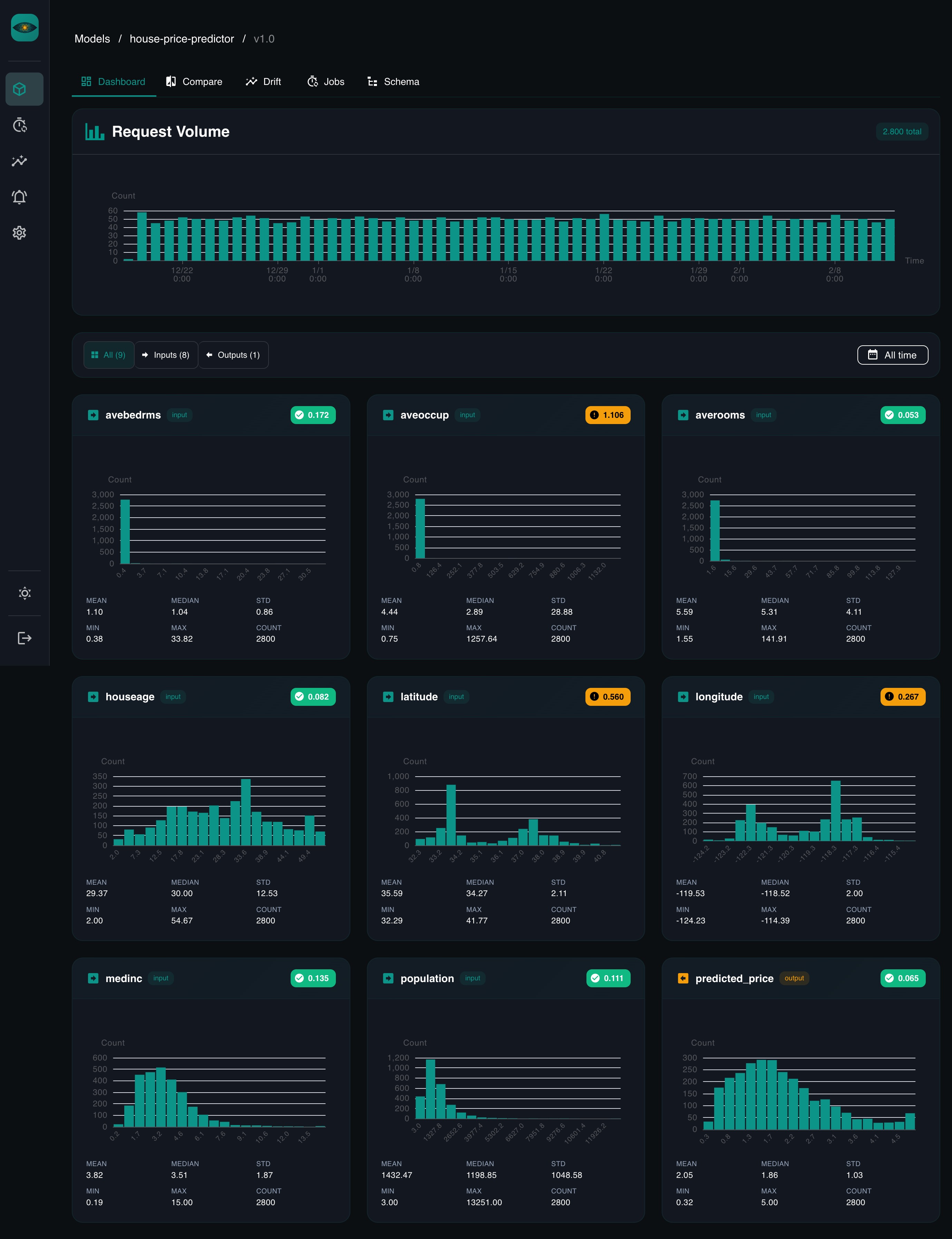
- Schema-driven — define fields once, everything else is automatic
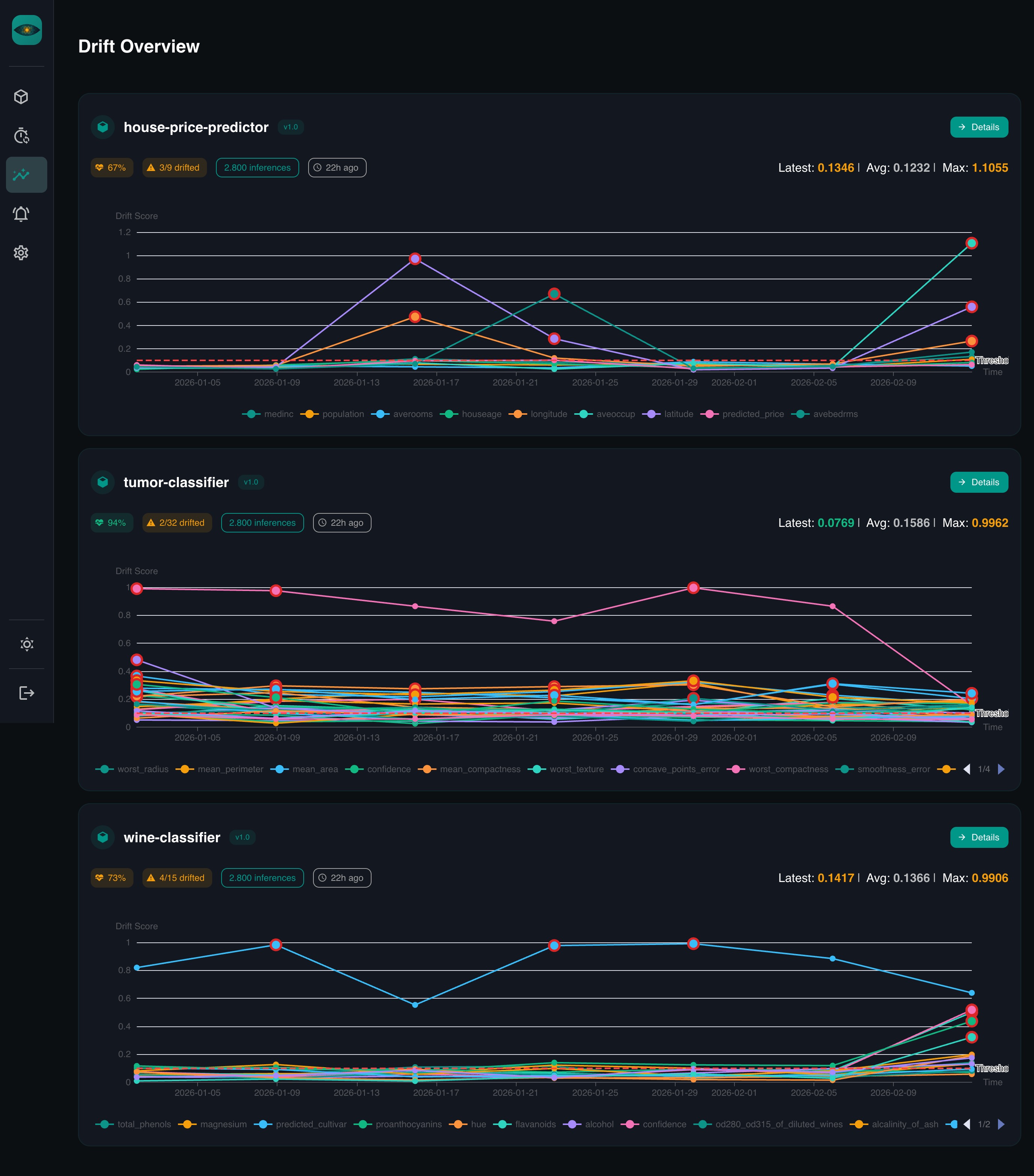
- Drift detection — PSI, KS test, Chi-squared, Jensen-Shannon divergence
- Scheduled jobs — cron-based checks with configurable windows
- Auto-dashboards — per-feature distribution charts
- Time comparisons — compare any two periods side by side
- Auth — local accounts, Google OAuth, API keys, Google service accounts
- Cloud SQL support — IAM-authenticated connections to Google Cloud SQL
Full documentation is available at maxl94.github.io/yaai.
- Getting Started — from zero to dashboards in five minutes
- Server Setup — local development with PostgreSQL, env vars, authentication
- Deployment — Docker Compose, pip install, Google Cloud SQL
- Core Concepts — models, versions, schemas, drift detection
- Drift Detection Guide — deep dive into the four drift metrics
- LLM & Agent Monitoring — metadata-only drift monitoring for LLM apps
- REST API Reference — full OpenAPI spec
- Python SDK Reference — async client docs
# Start database
docker compose up db -d

# Install dependencies
uv sync
cd frontend && npm ci && cd ..

# Apply database migrations (required on first run and after every upgrade)
cp .env.example .env
uv run python -m yaai.server.migrate

# Start backend (hot-reload)
uv run uvicorn yaai.server.main:app --reload --reload-dir yaai --host 0.0.0.0 --port 8000

# Start frontend (separate terminal, hot-reload)
cd frontend && npm run dev
# Run tests
uv run pytest
cd frontend && npm run type-checkSee CONTRIBUTING.md for commit conventions and PR guidelines.