


This is a simple GUI Bible program that you can use to search the bible and navigate to specific books, chapters, or verses right on your desktop. The complete King James Version is bundled with the app, so it works offline with no network connection.
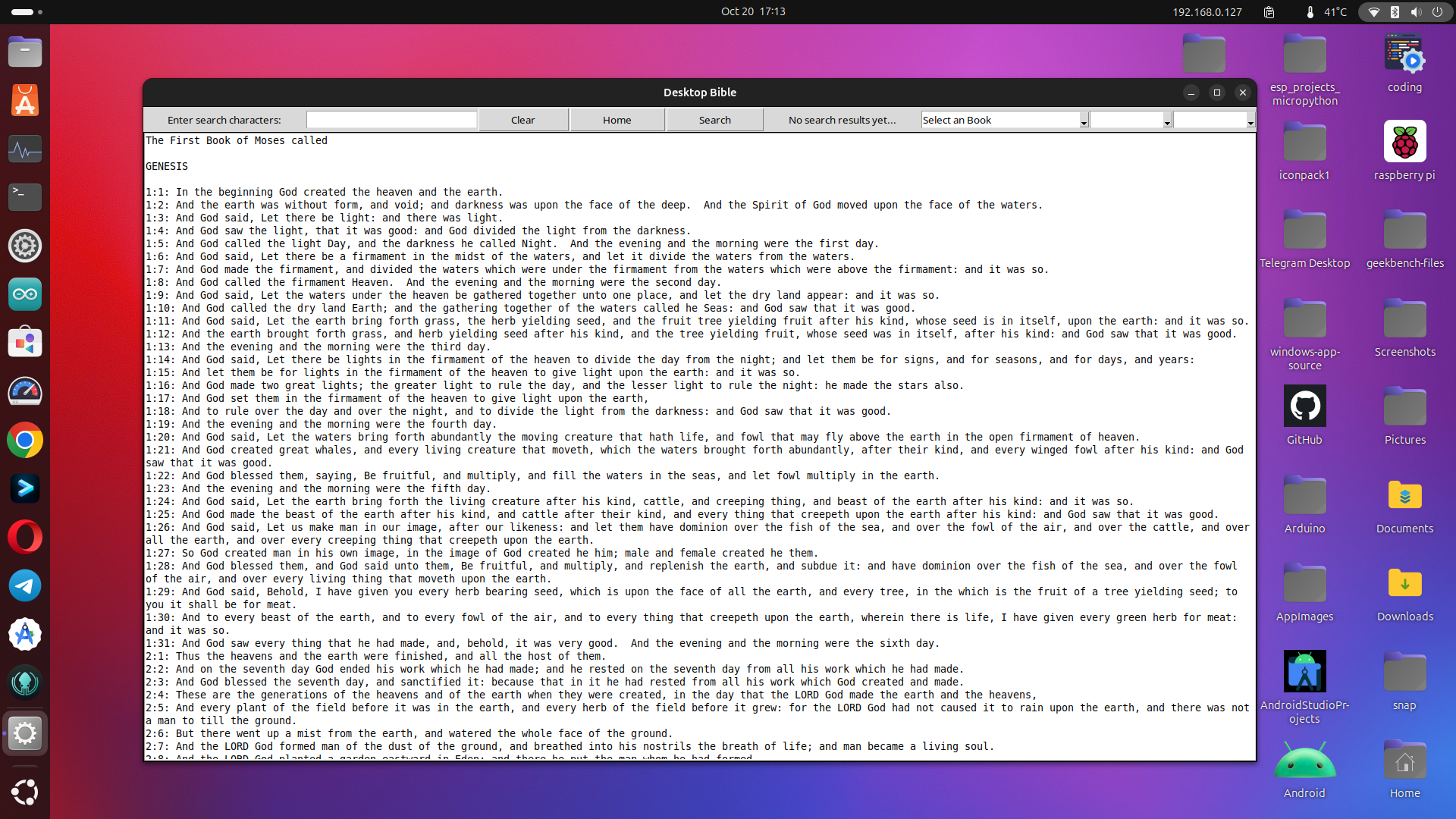
- Navigate by book, chapter, and verse
- Search the whole Bible, a single testament, or just the current book
- Optional whole-word matching
- Light, Dark, Sepia, and High Contrast themes
- Adjustable reading font and size, remembered between sessions
Requires Python 3 with Tkinter — python3-tk on Debian/Ubuntu, python3-tkinter on Fedora. Nothing else to install.
git clone https://github.com/Josh-Reimer/BibleApp-linux.git
cd BibleApp-linux
python3 bible-gui-tk.py
Not on Flathub yet. To build and install it yourself:
flatpak install -y flathub org.freedesktop.Platform//24.08 org.freedesktop.Sdk//24.08
flatpak-builder --user --install --force-clean build-dir flatpak/io.github.josh_reimer.BibleApp.yml
flatpak run io.github.josh_reimer.BibleApp
This takes a few minutes: the freedesktop runtime ships Python without Tkinter, so the build compiles Tcl, Tk, and CPython.
Prebuilt bundles for x86_64 and aarch64 are attached to every Actions run — download one and install it directly:
flatpak install --user bibleapp-x86_64.flatpak
packaging/build-deb.sh
sudo apt install ./dist/bibleapp_1.0.0_all.deb
bibleapp
The .deb is Architecture: all and depends on the system python3-tk, so it stays small rather than bundling its own interpreter.
packaging/build-appimage.sh
chmod +x dist/BibleApp-1.0.0-x86_64.AppImage
./dist/BibleApp-1.0.0-x86_64.AppImage
Self-contained — it bundles Tcl, Tk, and Python, so it needs nothing installed. Building it compiles all three and takes several minutes. Prebuilt .deb and AppImage files are attached to every Actions run.
Themes and font preferences are stored in ~/.config/bibleapp/settings.json, honouring $XDG_CONFIG_HOME if set.