

Product page and documentation
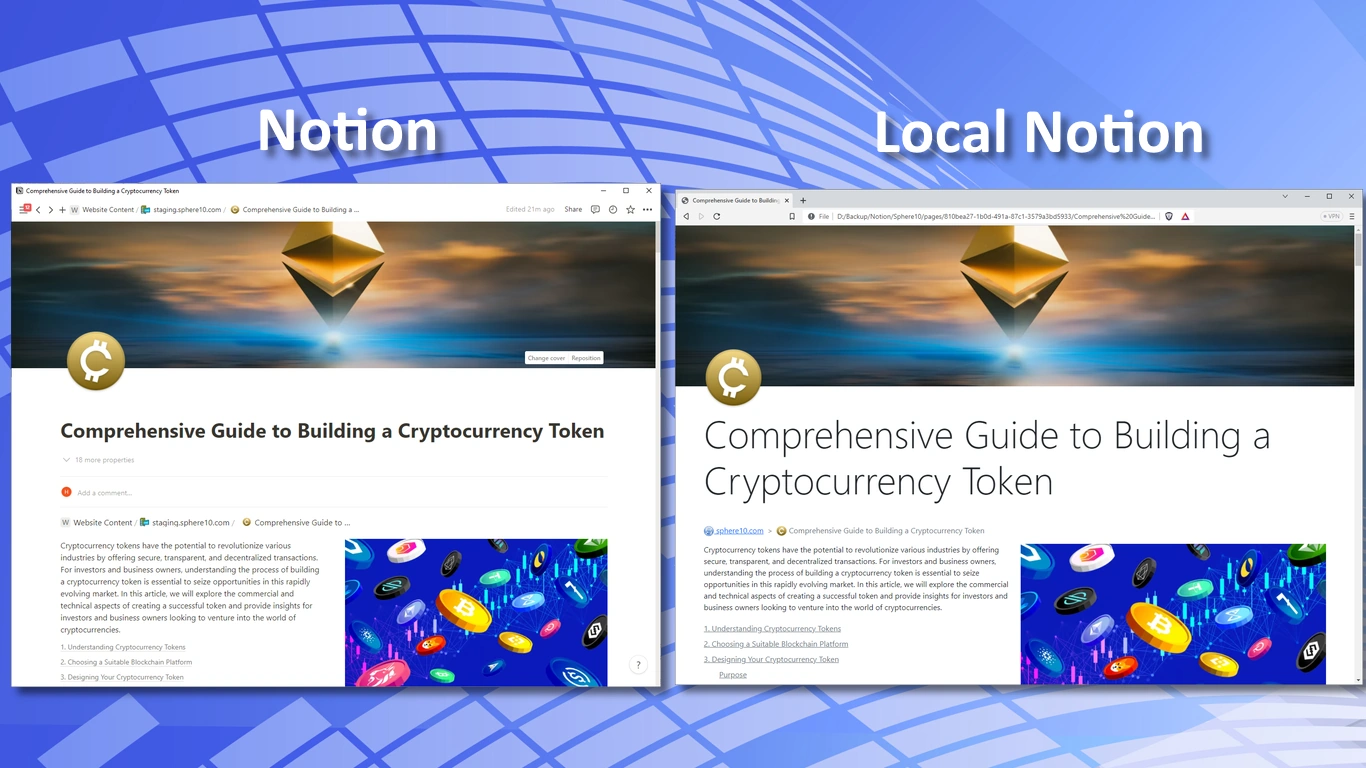
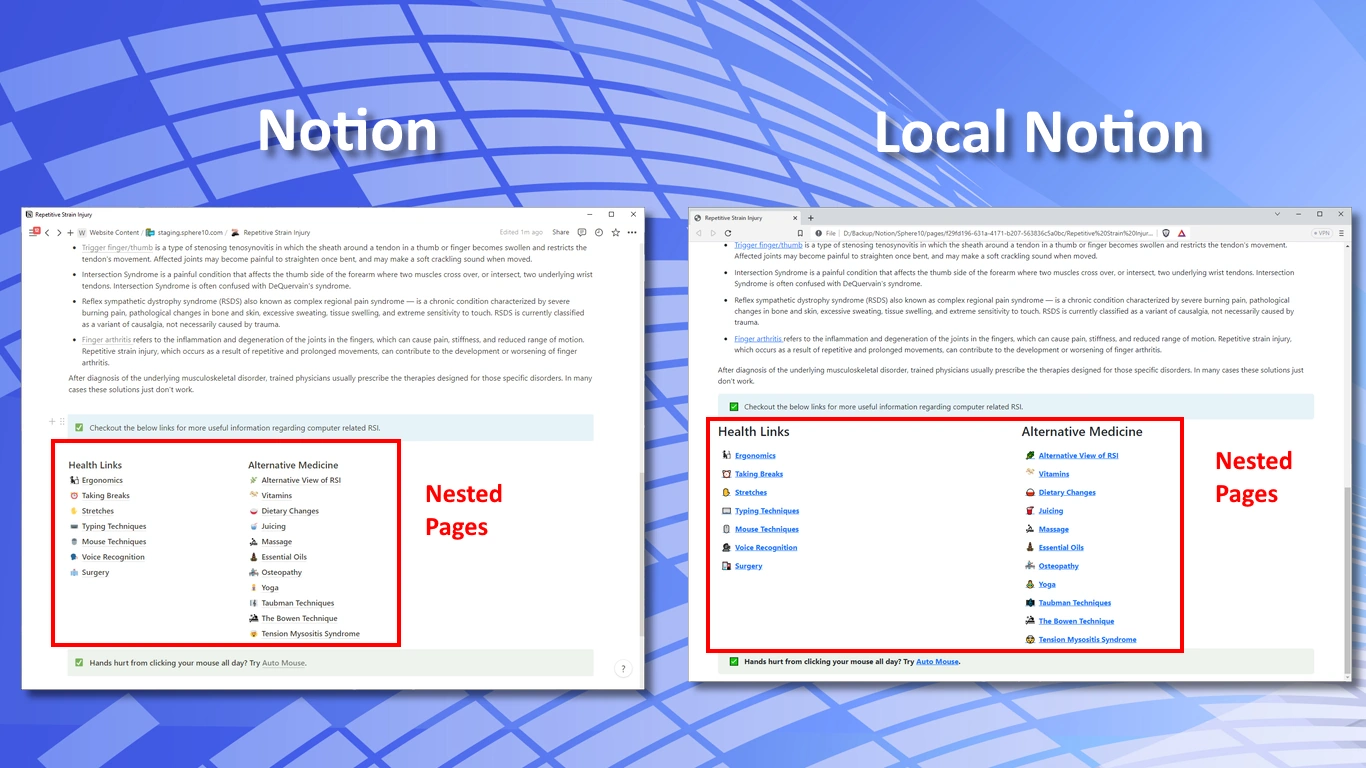
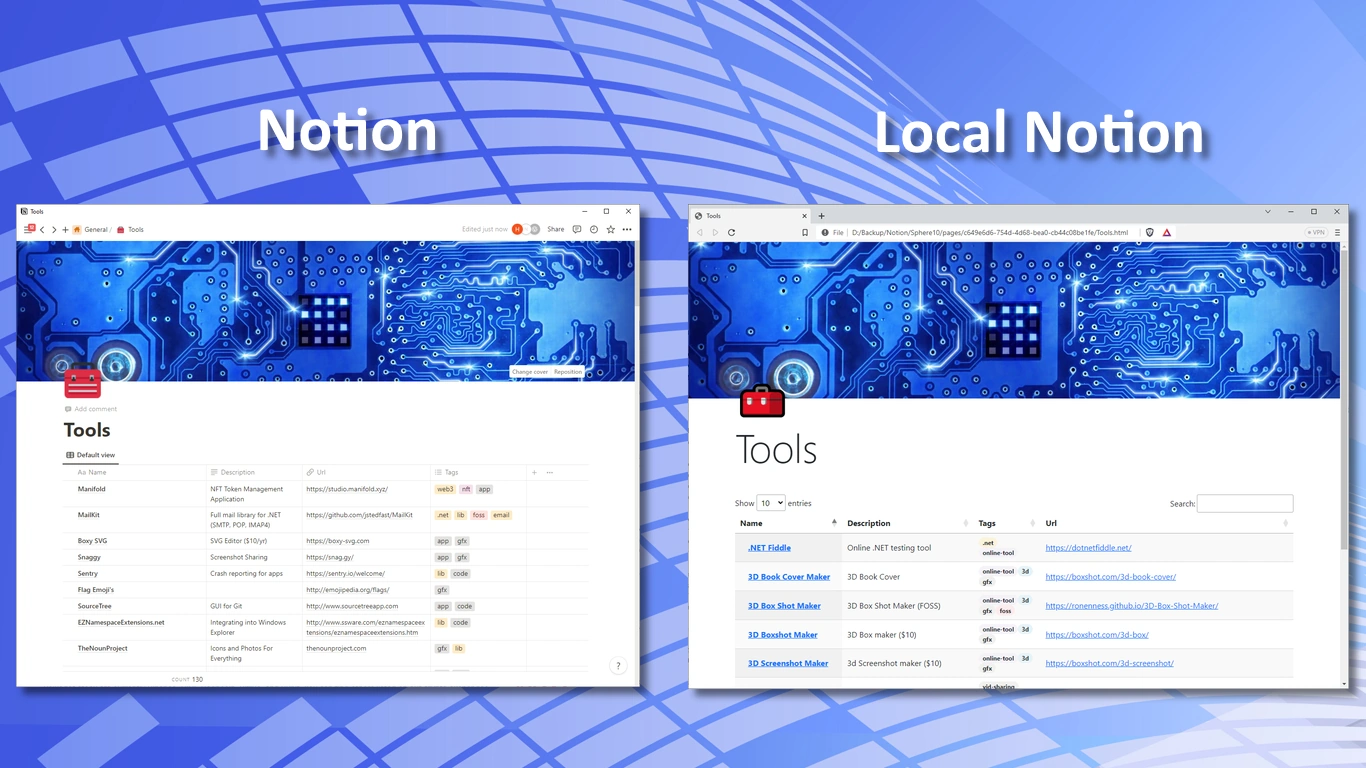
Local Notion is an open-source command-line tool for keeping Notion content on your own storage and using it for backups, offline reading, websites, and applications.
The official repository is Sphere10/LocalNotion. The original HermanSchoenfeld/LocalNotion repository remains the upstream source.
- Local backups: Download pages, databases, attachments, and underlying objects.
- Continuous synchronization: Poll Notion for changes and update your local repository.
- HTML export: Browse downloaded content without depending on Notion's renderer.
- Mermaid diagrams: Render diagrams authored in native Notion Code blocks, with captions and independent error handling. Requires a Mermaid-enabled build.
- Custom themes: Control the appearance of exported pages and databases.
- Offline publications: Create linked HTML for e-books, manuals, and other distributable content.
- Website content: Use Notion as a CMS and generate HTML for a web server.
- Application integration: Download and render content for users of your own backend.
- Git history: Track changes to local content through Git.
Workspace restore is listed as coming soon on the Local Notion product page.
LocalNotion uses the MIT-licensed Sphere10.Framework.Web.VisualRenderer library from the public Sphere10 Framework NuGet packages. See rendering integration.
Download a native archive to run Local Notion directly on Windows, Linux, or macOS. Unified releases use the same asset names, so these links follow the latest published GitHub release.
| Platform | Download |
|---|---|
| Windows x64 | localnotion-win-x64.zip |
| Windows x86 | localnotion-win-x86.zip |
| Windows ARM64 | localnotion-win-arm64.zip |
| Linux x64 | localnotion-linux-x64.tar.gz |
| Linux ARM64 | localnotion-linux-arm64.tar.gz |
| Linux ARM | localnotion-linux-arm.tar.gz |
| macOS Intel | localnotion-osx-x64.tar.gz |
| macOS Apple Silicon | localnotion-osx-arm64.tar.gz |
Each unified release includes release notes, SHA-256 checksums, and release metadata. Browse all releases for earlier versions.
See the changelog for command, CMS and packaging changes in version 1.7.0.
To run Local Notion in a container instead, see Get started with Docker.
Extract the complete archive and keep native libraries and supporting files beside the executable. Run .\localnotion.exe --help on Windows or ./localnotion --help on Linux/macOS for portable use. A separate .NET installation is not required. macOS archives are unsigned and are not notarized by Apple.
The installers keep earlier installations, and the README included in each archive explains the version directories and PATH setup.
Windows. From the extracted directory, run:
.\install.bat-InstallRoot <directory> selects another installation folder, and -NoPath leaves your user PATH unchanged:
.\install.bat -InstallRoot "D:\Apps\LocalNotion" -NoPathLinux and macOS. From the extracted directory, run:
sh ./install.sh--prefix <directory> installs somewhere other than ~/.local:
sh ./install.sh --prefix /opt/localnotionUse Docker to run Local Notion as a normal command or a background synchronization service. On Windows, start Docker Desktop in Linux containers mode. The official image targets linux/amd64.
The official stable image is ghcr.io/sphere10/local-notion:latest. Native archives and the Docker launcher bundle are published together on GitHub Releases. Newer stable releases update latest automatically.
docker pull ghcr.io/sphere10/local-notion:latest
docker run --rm ghcr.io/sphere10/local-notion:latest --version
For repeatable deployments, select an explicit published image version such as ghcr.io/sphere10/local-notion:1.7.0, or the immutable image digest recorded in that release's metadata.
The Docker launcher gives Windows a localnotion command that runs the image. Download the Docker launcher installer, extract the entire ZIP, and run this from its directory:
.\install.batThe installer pulls the image version recorded in the bundle, installs the launcher for your user, and adds it to your user PATH. The bundle includes the launcher source and scripts; no repository checkout or separate .NET SDK is required. Open a new terminal, then run:
localnotion --version
localnotion --help
The command uses your current folder, or the folder selected by --path. The background service keeps a separate repository under .docker/data. The Docker guide covers both modes, token setup, importing data, updates, and Git authentication.
From a source checkout, build and install the local image:
.\docker\install-cli.ps1 -Image local-notion:latest -BuildImageThe Other > Docker solution folder contains the Docker configuration and Windows launcher source, scripts, and guide. These are solution items for browsing and editing. Use the launcher installer to build and install the Docker-backed Windows command; a normal solution build builds the application projects.
Use the Local Notion product page for the product overview, and these guides for setup and operation:
- How Local Notion Works: repositories, stored files, themes, and rendering profiles.
- Getting Started: create a Notion integration and grant it access to your content.
- Local Notion Manual: installation, CLI commands, and rendering options.
- CMS guide: create a website database, understand its fields, compose pages and shared framing, select themes, and publish a Notion-authored website.
Available from Local Notion 1.7.0, create-cms creates one empty Notion database with the canonical website schema and preset Type, Status, Tags, and Themes options. Connect your Notion integration to the intended parent page first. Put its token in a private file and set NOTION_API_KEY_FILE to that file's path, then run:
localnotion create-cms --parent <notion-page-id> --title "My Website"The command prints the new database ID and URL. It leaves zero active content rows; one temporary setup row is retained in Notion's Trash to work around its 100-option request limit. It does not copy existing website content, initialize a local repository, or publish a website. See Create a CMS for credentials, required permissions, version availability, and the next steps. Build your first website provides a complete example.
Current development builds include refined and standard menu layouts, optional linked product cards, compact/wide modifiers and an auxiliary-colour menu surface. Creating or opening a local repository installs their matching templates and public assets while preserving existing overrides. Choose these options on the NavBar row's Themes, with the existing color_aux_* palette where needed. See menu layout and colours.
- Windows, Linux, or macOS
- .NET 11 SDK (the SDK version is selected by global.json)
- Visual Studio 2026 (18.0+) for optional Windows IDE builds
Note: This repository includes projects targeting both .NET 11 and .NET Standard 2.0. Install the .NET 11 SDK selected by global.json to build the full solution.
LocalNotion has no Enterprise package, license activation, repository quota or page quota. It uses the MIT Framework application lifecycle and the independently MIT Sphere10.Framework.Web.VisualRenderer library.
By default every build restores the public Sphere10 Framework packages from
NuGet.org at the one exact
version that Directory.Build.props selects in
Sphere10FrameworkVersion (currently 3.2.0). Sphere10.Framework,
Sphere10.Framework.Data, Sphere10.Framework.Application and
Sphere10.Framework.Web.VisualRenderer always use that same version.
NuGet.Config restores every package from NuGet.org, so no Framework
checkout, private feed, Enterprise package or product key is needed. Framework.Application
3.1.2 still contains legacy DRM and is rejected; the version must be 3.1.3 or later.
To try another published Framework build, such as a CI prerelease, pass its exact
version: -p:Sphere10FrameworkVersion=3.2.1-ci.<run>.<id>.<attempt>. To build against
Framework source instead, for example while changing Framework and Local Notion
together, pass -p:UseSphere10FrameworkSource=true. Source mode uses a sibling
../Framework checkout, or the one named by -p:Sphere10FrameworkRoot=/absolute/path/to/Framework.
That checkout must contain src/Sphere10.Framework, src/Sphere10.Framework.Data,
src/Sphere10.Framework.Application and src/Sphere10.Framework.Web.VisualRenderer,
with the DRM implementation removed from Application. The public source is
HermanSchoenfeld/Sphere10.Framework;
each NuGet release is built from its v<version> tag. Releases and CI always build
in package mode.
From the repository root:
dotnet build LocalNotion.sln -c Release -p:BuildNumber=0 -p:BuildRevision=0
dotnet test tests/LocalNotion.Core.Tests/LocalNotion.Core.Tests.csproj -c Release -p:BuildNumber=0 -p:BuildRevision=0
Add -p:UseSphere10FrameworkSource=true to either command to use Framework source.
Explicit build numbers avoid incrementing the checkout's local build counter. See
renderer build modes for the shared Framework source/package configuration.
dotnet run --project LocalNotion.CLI/LocalNotion.CLI.csproj -c Debug -p:BuildNumber=0 -p:BuildRevision=0 -- --help- Open the solution (
LocalNotion.sln) in Visual Studio. - Set
LocalNotion.CLIas the startup project. - Build with Build > Build Solution.
- Run with Debug > Start Without Debugging.
GitHub Actions builds and publishes Local Notion; the scripts it runs also work locally.
| Workflow | Runs on | What it does |
|---|---|---|
| CI | Every push to master, every pull request, manual runs |
Runs the release script regressions, builds and tests the solution on Linux and Windows against the public Framework packages, packages the self-contained CLI for each runner as the release does, and builds and smoke-tests the Docker image without publishing it. |
| Build and release Local Notion | v* tags, pull requests that change the build, manual runs |
Builds and tests the eight native archives and the Docker image. On a tag it publishes the GitHub release, pushes ghcr.io/sphere10/local-notion:<version> and :sha-<commit>, and moves :latest to a newer stable release. |
| Retry release publication | Manual runs | Republishes a tagged run's original tested artifacts after a failed publication step. |
To release, update Version.props and the changelog, commit, and run
build/release.ps1 from a clean checkout of master. It creates the
annotated v<version> tag and pushes it atomically with master, which starts the
release workflow. Pass -Remote <name> when the official remote is not called origin,
and -WhatIf to preview. Package one platform locally with publish-win-x64.bat (or
build/package.ps1 -Runtime <rid>), all eight with publish-all.bat, and install the
Windows build into Program Files with deploy-locally.ps1. The
build and release guide describes each script.
Local Notion is operated via a command-line interface that works similarly to Git.
- Create a Notion Integration in the Notion Developer Portal.
- Copy the integration token (Internal Integration Secret).
- Share pages/databases with your integration so it can access them.
localnotion init -k secret_YourIntegrationToken# List top-level objects
localnotion list
# List all objects (including children)
localnotion list --all# Pull entire workspace
localnotion pull --all
# Pull specific object by ID
localnotion pull -o 33c6a405-2b1e-4bd6-82a0-236c820cc8a3
# Download without rendering and stop on failures
localnotion pull --all --render false --fault-tolerant falsepull and sync accept --render true|false; pull, sync, and render accept --fault-tolerant true|false. Both options default to true, and a bare option also means true. The equivalent --render=false and --fault-tolerant=false forms are supported. Invalid boolean values are rejected before the command runs. Check the selected executable's command help for explicit true or false support when using an older installation.
# Continuously sync every 30 seconds (default)
localnotion sync --all

# Custom poll frequency (every 10 seconds)
localnotion sync --all -f 10For a repository initialized with --git, Local Notion stages and commits local changes after supported operations. With --git-push, it also pushes to the configured upstream. Git identity, remote configuration, and authentication must be available to the account running Local Notion.
Local Notion 1.7.0 and later provides localnotion git to inspect or change these settings without initializing, committing or pushing:
localnotion git --path "./website"
localnotion git --path "./website" --enabled true --push false
Earlier releases, including v1.6.3 (1.6.3.7), do not include this command. Run localnotion git --help to check your selected executable. See Git configuration for all options, publication effects and standard Git setup.
Local Notion passes -c safe.directory=<selected-repository> to each Git command. This trusts the explicitly selected repository for that command only, including when restored files, a different operating-system account, or a container mount gives the repository a different owner. It does not change global or system Git configuration or trust every repository. This behavior is shared by native Windows/Linux builds and Docker.
Git's detected dubious ownership error is an ownership check, not a timeout or synchronization delay; it can stop staging before commit or push is reached. See Git's safe.directory documentation. Update Local Notion using the native downloads or Docker setup instructions.
# Re-render a specific page
localnotion render -o 33c6a405-2b1e-4bd6-82a0-236c820cc8a3

# Re-render all content
localnotion render --all
When repository NGINX hosting is enabled, a successful full render --all refreshes URL mappings and the sitemap using the final rendered paths, then removes unregistered CMS output files. Hosting artifacts are prepared before optional Git publication. If an item fails under fault tolerance, hosting generation and cleanup are skipped with a warning. Targeted renders retain the previous hosting artifacts until a clean full render completes.
In Notion, insert a native Code block and select Mermaid as its language. Write the diagram definition in that block and optionally add a caption. The normal pull and render commands generate the diagram; no extra command, CMS Theme selection or injected page script is required.
The browser renders the diagram from source that stays hidden in the page. An invalid definition shows an explanatory message without stopping other diagrams. Diagrams require JavaScript, and without it a diagram stays unrendered with its source hidden. Include the generated public render-assets/ directory when publishing or moving the HTML.
See the CMS authoring example and rendering and build requirements. Updated local builds and public GitHub/Docker releases have separate availability; check the documented renderer requirement for the executable you use.
status     Provides status of the Local Notion repository
init       Creates a Local Notion repository
git        Displays or changes repository Git settings
redirects  Lists, adds or removes the redirects kept for changed page and file addresses
create-cms Creates an empty Notion website database with the canonical CMS schema
clean      Cleans your local Notion repository by removing dangling pages, files and databases
remove     Remove resources from a Local Notion repository
list       Lists objects from Notion which can be pulled into Local Notion
sync       Synchronizes a Local Notion repository with Notion (until process manually terminated)
pull       Pulls Notion objects into a Local Notion repository
render     Renders a Local Notion object (using local state only)
prune      Removes objects from a Local Notion that no longer exist in Notion
help       Display more information on a specific command
version    Display version information
For detailed help on any command:
localnotion help <command>Local Notion supports multiple rendering modes for different use cases:
| Mode | Description |
|---|---|
| Backup | Default mode. Downloads content with local file-based URLs. |
| Offline | Like Backup, but also downloads externally linked resources (images, videos). |
| Publishing | Like Offline, but with a simplified directory structure for distributable content. |
| Website | Generates URLs suitable for web server hosting. Ideal for CMS use cases. |
Specify the mode when initializing your repository:
localnotion init -k secret_YourToken -x websiteA Local Notion repository contains:
databases/— rendered database HTML filesfiles/— file attachmentspages/— rendered page HTML filesworkspaces/— rendered workspace HTML files.localnotion/— internal data (objects, graphs, registry, logs, generated render assets).localnotion/themes/— deployed built-in themes and local overrides; missing files are restored when LocalNotion creates or opens a repository, while existing files are preserved
Rendering is supplied by the MIT-licensed Sphere10.Framework.Web.VisualRenderer package. See rendering integration and theme overrides.
- 401/403 Unauthorized: Token is invalid or the page/database is not shared with the integration.
- Missing content: Ensure the desired pages/databases are shared with your integration and you're referencing the correct object IDs.
- Rate limits/timeouts: Retry later or reduce the scope of a pull; large workspaces may need multiple runs.
- Build failures: Verify SDK install with
dotnet --info, then rundotnet restoreanddotnet build.
Contributions are welcome!
- Keep changes small and focused.
- Follow formatting rules from
.editorconfig. - Add/update tests where applicable.
See CONTRIBUTING.md for more details.
Maintainers: see the release and deployment guide for CI/CD, versioning, and the next-release checklist.
LocalNotion source code is licensed under the GNU GPL v3.0 (or later), except separately licensed materials. Sphere10.Framework.Web.VisualRenderer and the clean Sphere10 Framework dependencies are MIT-licensed. Preserve their license and third-party notices when distributing binaries.
The VisualRenderer linking exception grants additional permission only for copyrights Herman Schoenfeld or Sphere 10 Software Pty Ltd own or are authorized to license. It does not grant permission on behalf of other contributors or override third-party licenses. See renderer licensing and distribution.
- See
LICENSE - Copyright details:
COPYRIGHT - Renderer linking exception:
COPYING.EXCEPTION
Author: Herman Schoenfeld (herman@sphere10.com)
Website: https://sphere10.com/products/localnotion
Copyright: © Herman Schoenfeld 2018 - Present. All rights reserved.