An advanced Mode 7 engine for Clickteam Fusion!
Report Bug
|
Documentation
|
Examples and Demos
Tails7 is a Mode7-style engine for Clickteam Fusion. You can use it to create pseudo "3D" games. It does not use additional extensions and works by reversing calculations from the shader.
- The engine is designed to handle multiple modes as it needs to map the object, scale, display on the screen and more.
- Very easy to use and has many ✨special examples✨.
Features of Tails7:
- Free, fully open source code under the MIT License
- Designed for modularity and modern computers
- Easy porting for other Runtimes such as Android, iOS, Mac
ℹ️ Note from 03/21/2026:
- The latest version is R1.0.2;
- Version R1.0.3 is currently being tested; it will allow for the creation of Polygons (previously, these were Quads, which lack perspective correction and would simply disappear if they were too large).
- A test version of "Depth Buffer" will also be implemented, but only for D3D9 due to limitations in CTF.
ℹ️ The documentation has been moved to website and updated whenever necessary.
ℹ️ I apologize for any errors and typos and please report them to me!
💝 I would like to sincerely thank them because the project would not work out:
- Sketchy / MuddyMole
- Linky
- Glace Sue
- Clickteam
- KYwoo
This project requires the following:
- Clickteam Fusion 2.5 (Build 296.8 or later): Link or Link for Steam version
- Clickteam Fusion 2.5+ DLC: Link or Link for Steam version
- FSP / Foxioo Shader Pack: Link
- Hardware that meets the minimum requirements with Clickteam Fusion.
- Device that supports Direct3D9 or Direct3D11 shaders.
- Press Code -> Download ZIP.

- Choose the folder where you want to download the entire zip file.
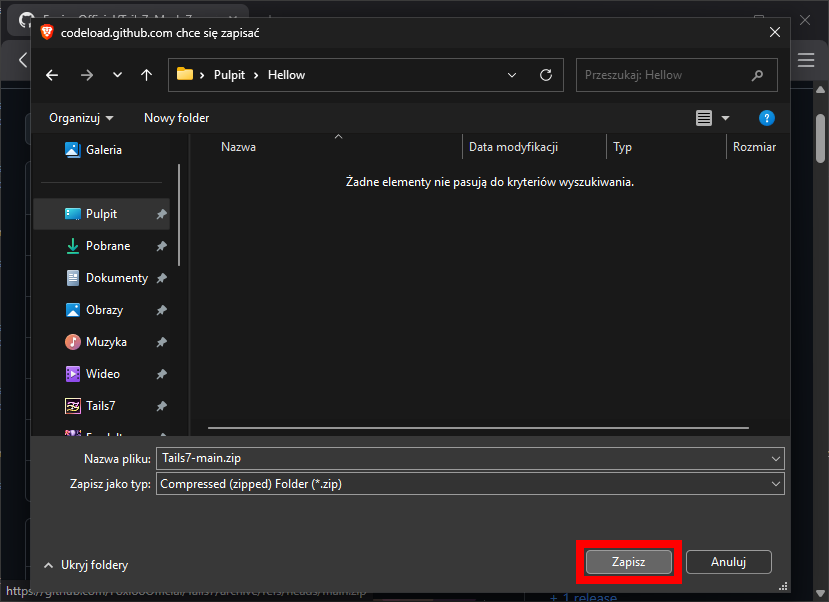
- Open the folder where the Tails7 zip file is located.
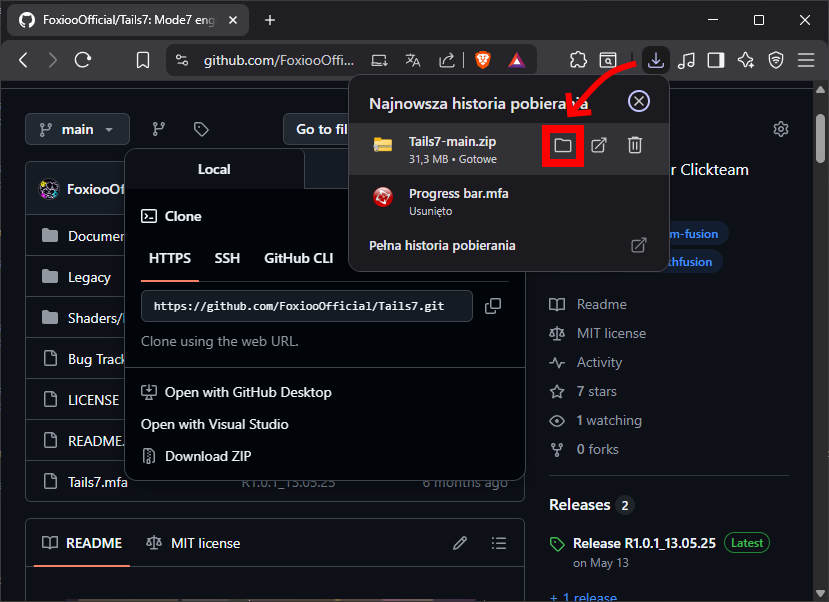
- Extract the Tails7 zip file.

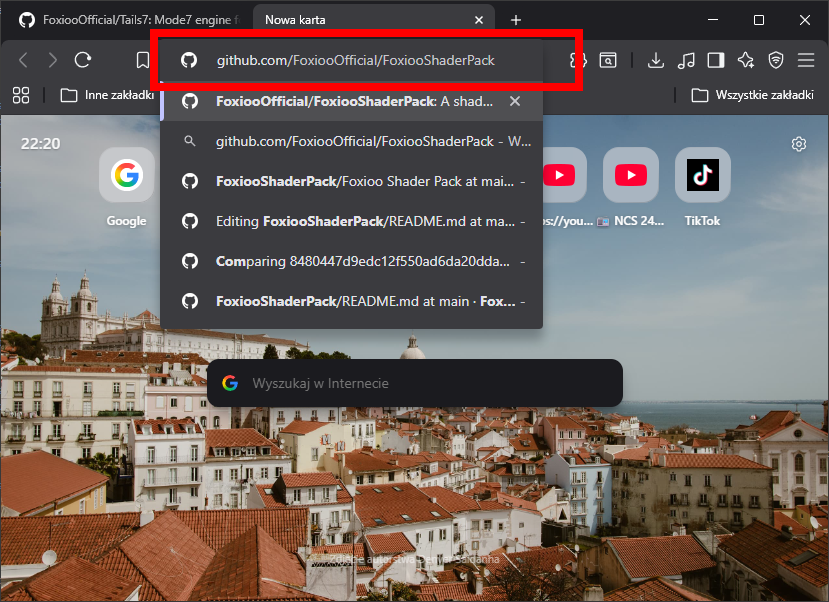
- In your browser, now go to the GitHub page of the FSP package *(If you have FSP installed, skip to point 9).
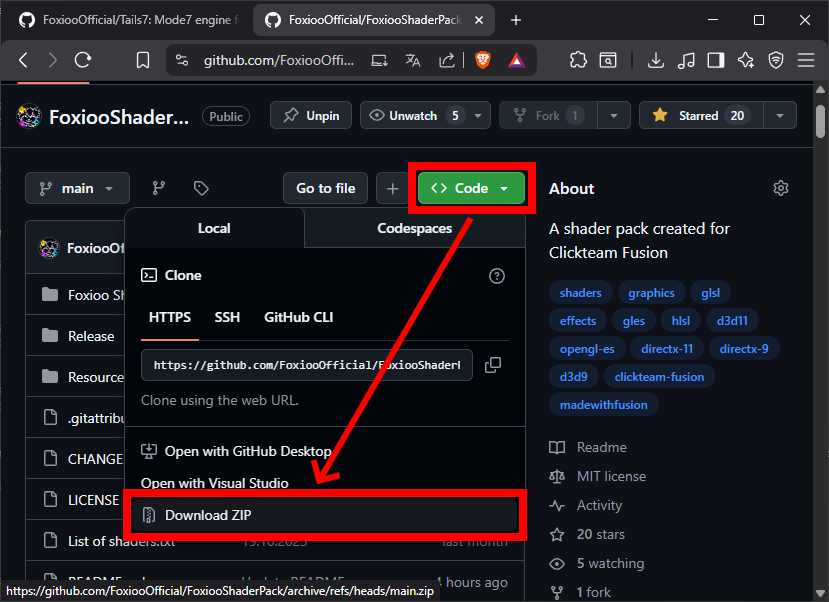
- Also click Code -> Download ZIP to download the shader pack that is needed for Tails7.
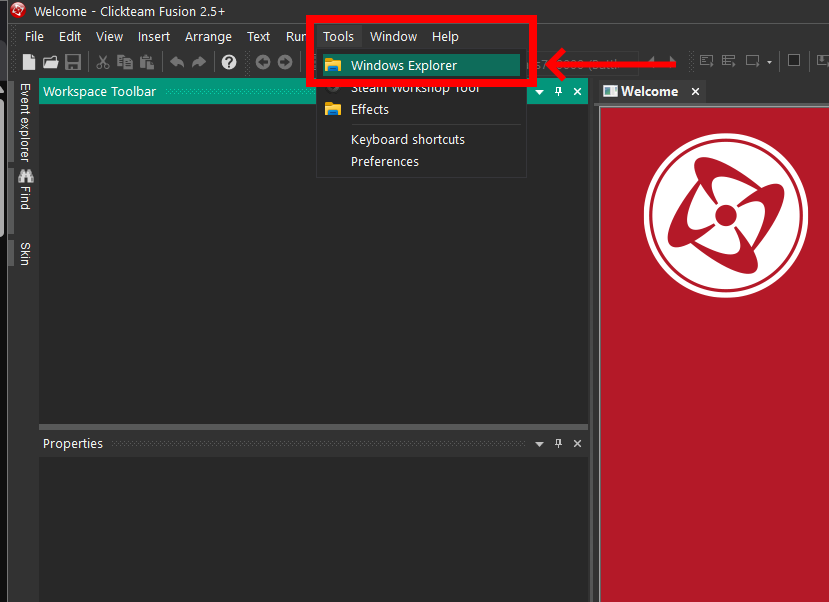
- In Clickteam Fusion, go to Tools -> Windows Explorer, a window should open showing where Fusion is installed.
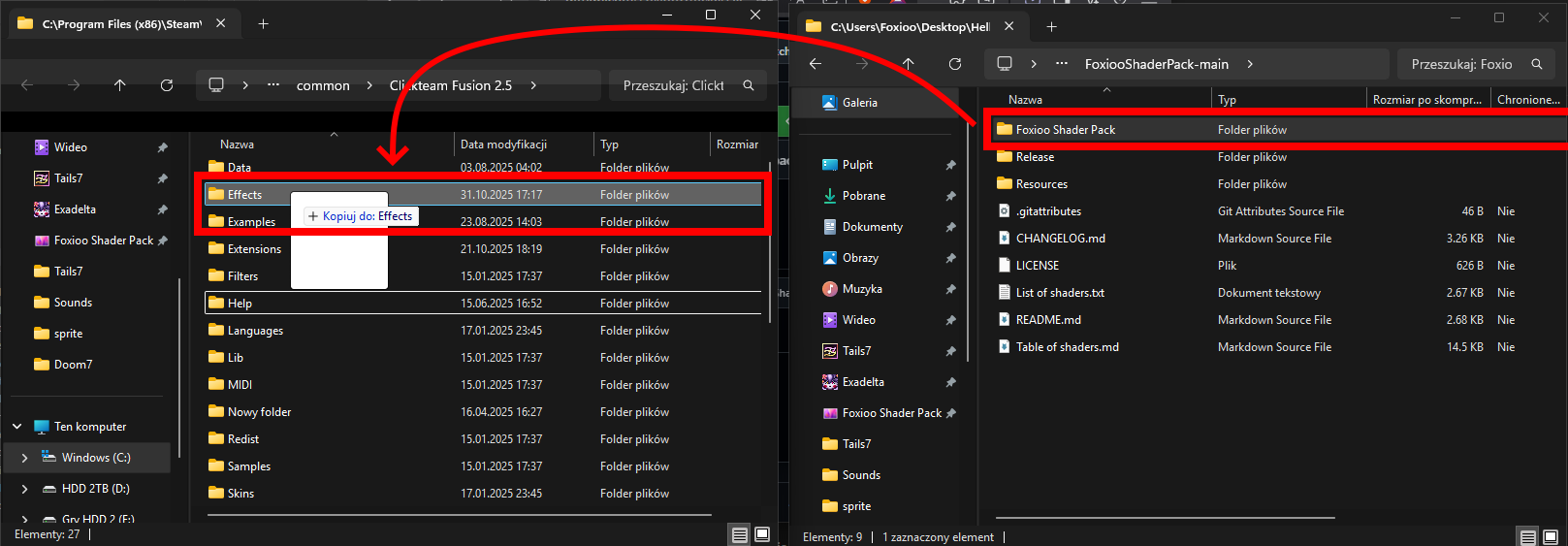
- Move the Foxioo Shader Pack folder from the zip subfolder to the Effects folder where Fusion is installed and restart Fusion.
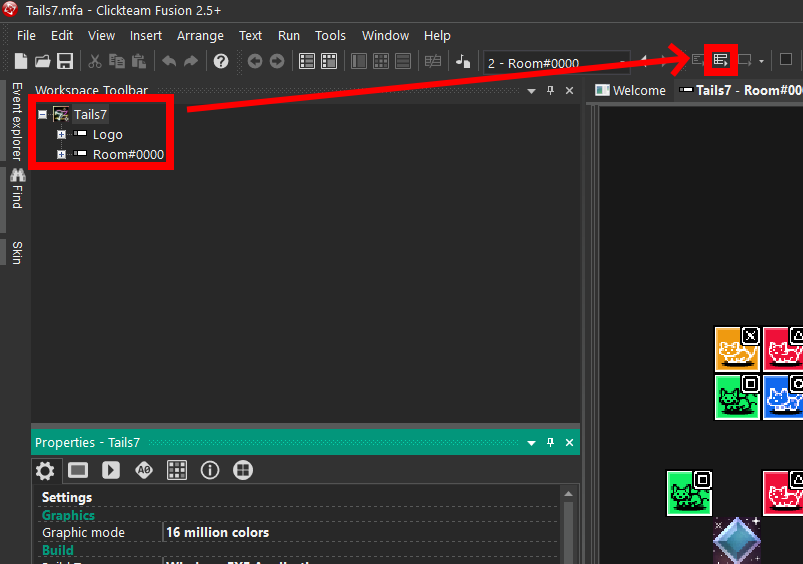
- Return to the folder where you downloaded the project and open Tails7.mfa.

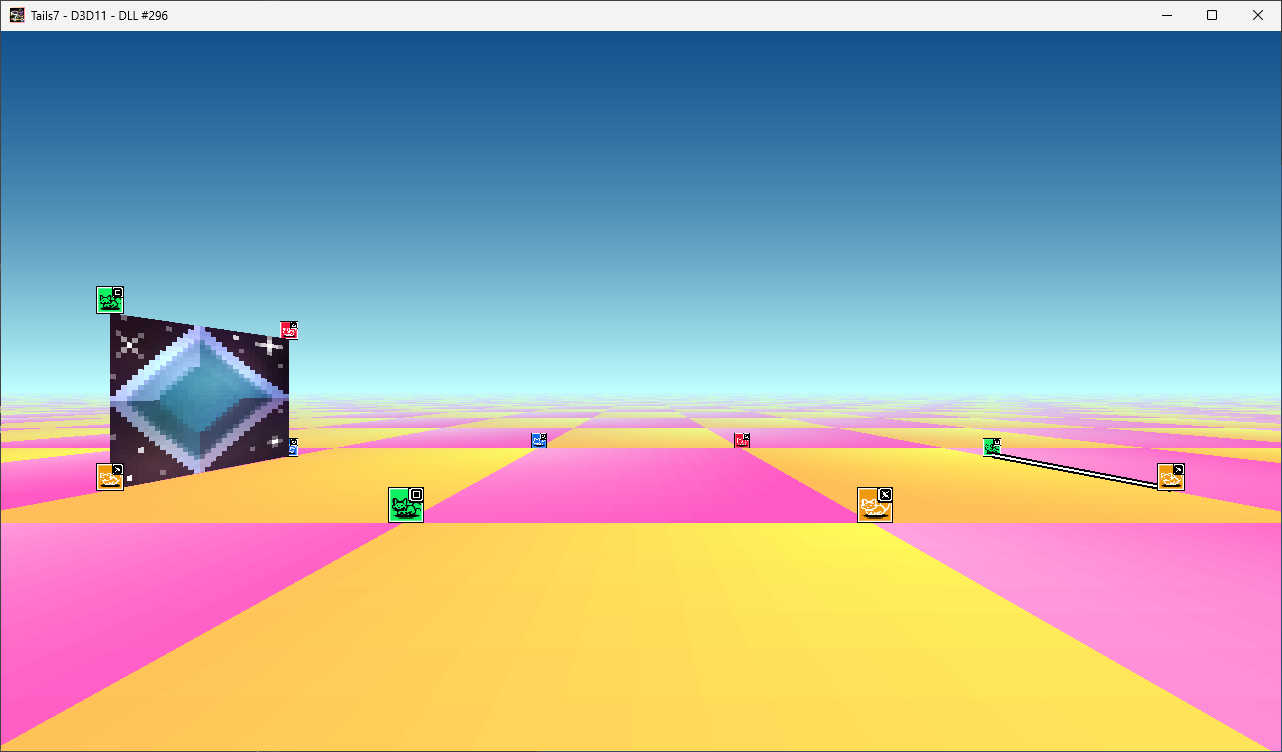
- When Tails7.mfa opens in Fusion, run the Runtime.
- Congratulations! You have successfully installed the engine and can start working on your project/game!
🔴 Issue topic:
Please report here.
🟢 Ideas topic:
Also report here, however, with the topic remember to add the appropriate tag!
The whole thing is based on MIT License
- ✅ You can modify the code and distribute it as you like.
⚠️ However, you must specify me (Foxioo) in the credits and people who are in special thanks!