NOTE: Experimental Perforce support is a work in progress—see known issues and limitations.
Sourcegraph supports Perforce Helix depots using p4-fusion. This creates an equivalent Git repository from a Perforce depot, which can then be indexed by Sourcegraph.
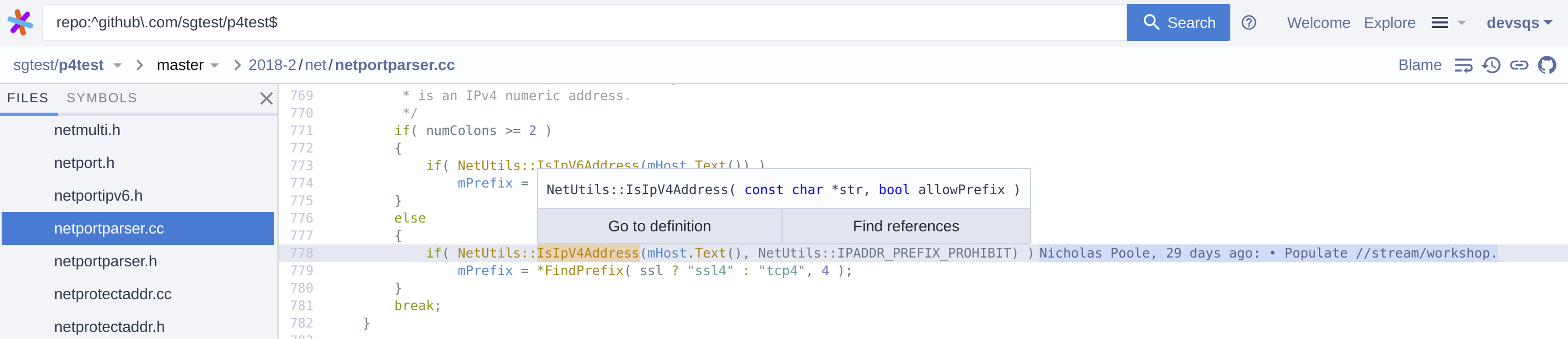
Perforce depots can be added to a Sourcegraph instance by adding the appropriate code host connection.
Perforce code host connections are still an experimental feature. To enable Perforce code host connections, a site admin must:
-
Enable the experimental feature in the site configuration:
{
  "experimentalFeatures": {
    "perforce": "enabled"
  }
  // ...
}
It is highly recommended that you also enable file-level permissions (step 1) at this time.
Save your changes before continuing. -
Go to Site admin > Manage code hosts > Add code host
you may need to manually refresh the page in order to display the Perforce option.
-
Scroll down the list of supported code hosts and select Perforce.
-
Configure which depots are mirrored/synchronized as Git repositories to Sourcegraph:
-
A list of depot paths that can be either a depot root or an arbitrary subdirectory. Note: Only
"local"type depots are supported. -
The user to be authenticated for
p4CLI, and should be capable of performing:p4 loginp4 trust- and any p4 commands involved with
git p4 cloneandgit p4 syncfor listeddepots.
If repository permissions are mirrored, the user needs additional ability (aka. "super" access level) to perform the commands:
p4 protectsp4 groupsp4 groupp4 users
-
The ticket value to be used for authenticating the
p4.user. It is recommended to create tickets of users in a group that never expire. Use the commandp4 -u <p4.user> login -p -ato obtain a ticket value. -
See the configuration documentation below for other fields you can configure.
-
-
Configure
fusionClient:{ // ... "fusionClient": { "enabled": true, "lookAhead": 2000 } }NOTE: While the
fusionClientconfiguration is optional, without it the code host connection usesgit p4, which has performance issues so we strongly recommendp4-fusion.Details of all
p4-fusionconfiguration fields can be seen here. -
Click Add repositories.
Sourcegraph will now talk to the Perforce host and sync the configured depots to the Sourcegraph instance.
It's worthwhile to note some limitations of this process:
- When syncing depots either git p4 or p4-fusion (recommended) are used to convert Perforce depots into git repositories so that Sourcegraph can index them.
- Rename of a Perforce depot, including changing the depot on the Perforce server or the
repositoryPathPatternconfig option, will cause a re-import of the depot. - Unless permissions syncing is enabled, Sourcegraph is not aware of the depot permissions, so it can't enforce access restrictions.
To enforce repository-level permissions for Perforce depots using Perforce permissions tables, include the authorization field in the configuration of the Perforce code host connection you created above:
{
  // ...
  "authorization": {}
}
Adding the authorization field to the code host connection configuration will enable partial parsing of the permissions tables. Learn more about the partial support of permission table parsing.
By default Sourcegraph only supports repository-level permissions and does not match the granularity of Perforce permissions tables.
If you don't activate file-level permissions you should sync subdirectories of a depot using the depots configuration that best describes the most concrete path of your permissions boundary.
For example, if your Perforce depot //depot/Talkhouse has different permissions for //depot/Talkhouse/main-dev and subdirectories //depot/Talkhouse/rel1.0/front, //depot/Talkhouse/rel1.0/back we recommend setting the following depots:
{
  // ...
  "depots": [
    "//depot/Talkhouse/main-dev",
    "//depot/Talkhouse/rel1.0/front",
    "//depot/Talkhouse/rel1.0/back"
  ]
}
By configuring each subdirectory that has unique permissions, Sourcegraph is able to recognize and enforce permissions for the sub-directories. You can NOT define these permissions as:
{
  // ...
  "depots": [
    "//depot/Talkhouse/main-dev",
    "//depot/Talkhouse/rel1.0",
    "//depot/Talkhouse/rel1.0/back"
  ]
}
Since that would override the permissions for the //depot/Talkhouse/rel1.0/back depot.
File-level permissions can handle wildcards in the protections table.
If file-level permissions is not enabled, Sourcegraph provides limited support for * and ... paths, so the workaround of adding sub-folders as separate repositories for the paths that employ wildcards needs to be followed.
File-level permissions make the syncing of subdirectories to match permission boundaries unnecessary.
To enable file-level permissions:
-
Enable the feature in the site config:
{ // ... "experimentalFeatures": { "perforce": "enabled", "subRepoPermissions": { "enabled": true } } } -
Enable the feature in the code host configuration by adding
subRepoPermissionsto theauthorizationobject:{ // ... "authorization": { "subRepoPermissions": true } } -
Save the configuration. Permissions will be synced in the background based on your Perforce permissions tables.
- Sourcegraph users are mapped to Perforce users based on their verified email addresses.
- As long as a user has been granted at least
Readpermissions in Perforce they will be able to view content in Sourcegraph. - As a special case, commits in which a user does not have permissions to read any files are hidden. If a user can read a subset of files in a commit, only those files are shown.
- The host field from protections are not supported.
We are actively working to significantly improve Sourcegraph's Perforce support. Please file an issue to help us prioritize any specific improvements you'd like to see.
- Sourcegraph was initially built for Git repositories only, so it exposes Git concepts that are meaningless for converted Perforce depots, such as the commit SHA, branches, and tags.
- The commit messages for a Perforce depot converted to a Git repository have an extra line at the end with Perforce information, such as
[git-p4: depot-paths = "//guest/example_org/myproject/": change = 12345]. - Permissions
- File-level permissions are not supported when syncing permissions via the code host integration.
- The host field in protections is not supported.